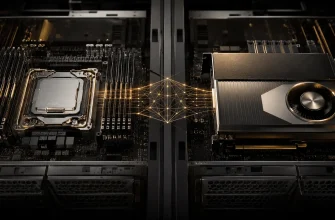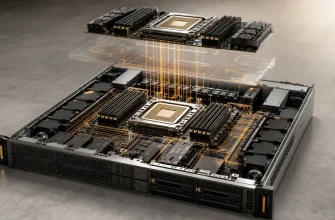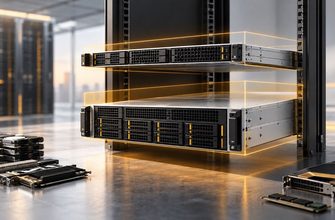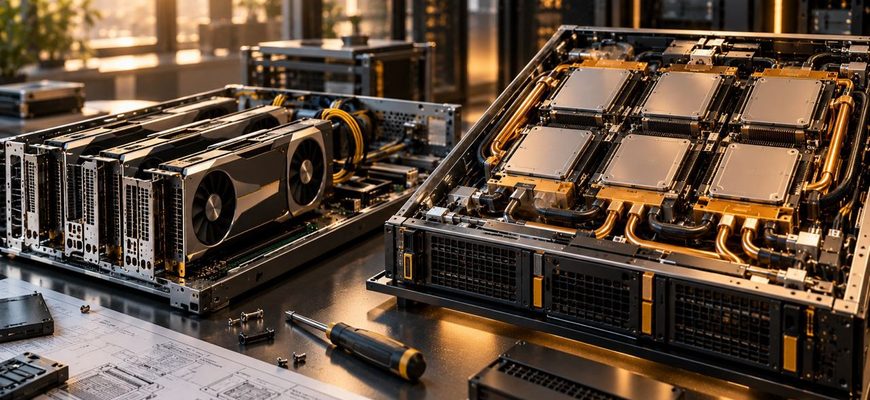
Choosing GPUs is only part of buying an AI or HPC server. The way those accelerators attach to the system can determine how many GPUs fit in one node, how quickly they communicate with each other, how much power and cooling the server requires, which components can be upgraded independently, and how much of the platform you must buy before the workload needs it.
Conventional PCIe GPU servers prioritize flexibility. Dedicated accelerator-baseboard systems—such as platforms built around NVIDIA SXM modules or AMD OAM accelerators—prioritize dense multi-GPU computing and high-bandwidth accelerator-to-accelerator communication. Neither architecture is automatically the better purchase. The deciding question is whether your workload needs several GPUs to behave as a tightly connected compute system or mostly needs independent accelerators attached to a conventional server.
- PCIe GPU vs Accelerator Baseboard: The Practical Difference
- Start With GPU Communication, Not Peak Compute
- When a PCIe GPU Server Makes More Sense
- Inference workloads with independent workers
- Mixed accelerator and I/O configurations
- Incremental GPU deployment
- When an Accelerator Baseboard Is Worth the Premium
- Large-model training
- Models that do not fit on one GPU
- HPC and communication-heavy compute
- SXM and OAM Are Not Generic Upgrade Slots
- Power and Cooling Can Decide Before Performance Does
- PCIe Topology Still Matters in Both Designs
- Networking Becomes More Important as GPU Density Rises
- Do Not Buy a Baseboard Just to Get More GPUs
- Common Buying Mistakes
- Which GPU Server Architecture Should You Buy?
- GPU Server Procurement Checklist
PCIe GPU vs Accelerator Baseboard: The Practical Difference
| Decision factor | PCIe GPU server | Accelerator-baseboard server |
|---|---|---|
| Primary strength | Configuration flexibility | Dense, tightly interconnected multi-GPU compute |
| GPU installation | Accelerator cards in PCIe slots | Accelerator modules on a dedicated GPU baseboard |
| Typical GPU count | Flexible; depends heavily on chassis and slot layout | Platform-defined, often designed around a dense multi-GPU topology |
| GPU-to-GPU communication | Depends on GPU and platform; PCIe remains central to system topology | Dedicated high-bandwidth fabrics can directly connect accelerators |
| Expansion flexibility | Higher | More constrained by the fixed platform architecture |
| Power and cooling | Can support lower-power and more conventional server designs | Often designed for very high accelerator power density |
| Best fit | Inference, mixed workloads, independent GPU jobs, incremental deployment | Large-model training, HPC, tightly coupled multi-GPU workloads |
| Procurement logic | Buy the GPU capacity and slots you need | Buy the complete accelerator topology the workload needs |
Start With GPU Communication, Not Peak Compute
The most important distinction appears when a job spans multiple GPUs.
If each accelerator handles largely independent work, the server does not necessarily need an expensive high-bandwidth fabric connecting every GPU. Examples can include separate inference workers, independent rendering jobs, isolated virtualized GPU workloads, or batch tasks distributed at the job level.
A PCIe architecture can be a strong fit because the value comes primarily from having sufficient accelerators rather than maximizing communication among them.
Training a large model across several GPUs is different. The accelerators may repeatedly exchange gradients, activations, parameters, or collective-operation data. Communication can become part of the critical compute path. In that situation, GPU-to-GPU topology matters alongside the specifications of each GPU.
Dedicated accelerator platforms exist largely to address this problem. NVIDIA’s HGX systems, for example, combine multiple SXM GPUs with NVLink and NVSwitch. Current NVIDIA reference architectures explicitly describe eight-GPU baseboards with high-bandwidth GPU-to-GPU connectivity. AMD uses a different implementation, but its Instinct OAM platforms likewise provide dedicated high-bandwidth Infinity Fabric connections among accelerators.
The purchasing lesson is broader than either vendor: pay for a scale-up GPU fabric when your software can use it.
When a PCIe GPU Server Makes More Sense
PCIe accelerators preserve much of the familiar server model. The GPUs occupy expansion slots, and the system can often combine accelerators with NICs, storage controllers, DPUs, and other PCIe devices in a comparatively flexible configuration.
That flexibility matters when the GPU is one component of the server rather than the defining architecture of the machine.
Inference workloads with independent workers
Inference is not automatically a reason to buy the densest multi-GPU platform available.
If a model fits comfortably within one GPU’s memory and requests can be distributed across multiple independent GPU workers, communication between GPUs may be limited. Adding more GPUs can primarily increase concurrency rather than requiring them to cooperate closely on every request.
In this scenario, PCIe accelerators can provide a cleaner purchasing path. Capacity can be matched to traffic, and unused high-bandwidth scale-up infrastructure does not need to be purchased simply because several GPUs share a chassis.
Mixed accelerator and I/O configurations
Some servers need GPUs alongside substantial local NVMe storage, high-speed networking, capture cards, DPUs, or other accelerators. PCIe-based designs can make those combinations easier to customize.
The constraint is the platform’s total I/O budget. Every GPU, NIC, and NVMe device ultimately needs connectivity. A chassis with enough physical slots can still be a poor configuration if CPU PCIe lanes, switches, or internal topology create bottlenecks.
Incremental GPU deployment
A PCIe system can also make sense when an organization wants to start with a smaller accelerator count and expand within a validated chassis configuration.
This is not universal: some servers require specific risers, power supplies, fan configurations, or balanced GPU placement. But the architecture is generally more modular than buying a platform designed from the outset around a complete eight-GPU baseboard.
When an Accelerator Baseboard Is Worth the Premium
Dedicated accelerator systems become more compelling when several GPUs must cooperate on the same computation.
NVIDIA’s HGX reference architecture illustrates the scale of the difference. Its H100/H200 and newer baseboards use NVLink and NVSwitch to provide a dedicated GPU communication fabric in addition to PCIe connectivity to the host. AMD’s multi-GPU Instinct designs similarly use Infinity Fabric links between accelerator modules.
These architectures are not merely a way to physically install more GPUs. They change the communication topology inside the server.
Large-model training
Training is the clearest purchasing case. A model distributed across multiple accelerators can require frequent communication among GPUs. If the workload spends significant time moving data through a slower interconnect, adding theoretical GPU compute does not guarantee proportional performance.
A dedicated scale-up fabric can therefore be valuable even when two candidate systems contain accelerators with similar individual capabilities.
Models that do not fit on one GPU
GPU memory capacity creates another threshold.
If the working model and its runtime state fit on a single accelerator, GPU-to-GPU bandwidth may be relatively unimportant for that job. If the model must be partitioned across several GPUs, communication between those devices becomes much harder to ignore.
Do not solve this problem by comparing aggregate VRAM alone. Eight GPUs with a certain amount of memory each do not behave like one GPU with eight times that memory. Software parallelism strategy and interconnect topology determine how effectively those resources can be combined.
HPC and communication-heavy compute
Scientific computing can create the same requirement. Workloads using multiple accelerators for one tightly coupled problem may benefit substantially from direct high-bandwidth GPU fabrics.
The deciding factor is not the label “HPC.” Profile or model the application’s communication pattern. An embarrassingly parallel workload composed of independent jobs can run efficiently without the same scale-up architecture required by a communication-heavy simulation.
SXM and OAM Are Not Generic Upgrade Slots
A major procurement difference is platform dependency.
A PCIe accelerator follows the standardized PCI Express card model, although server compatibility still depends on physical dimensions, power, cooling, firmware, and vendor qualification.
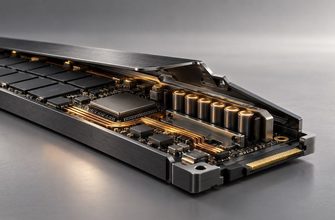
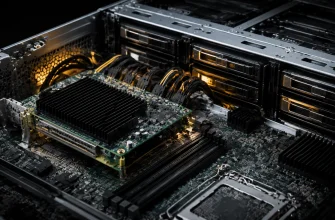
SXM and OAM-based accelerators belong to more specialized platform architectures. The accelerator module, baseboard, interconnect, host connections, cooling system, firmware, and chassis are designed together.
This can produce exceptional compute density, but it also reduces the usefulness of thinking about the GPU as an independent add-in component.
When comparing quotations, compare complete validated servers—not the apparent price or specifications of an individual accelerator.
Power and Cooling Can Decide Before Performance Does
Dense accelerator systems can impose power and thermal requirements far beyond conventional general-purpose servers.
AMD’s current Instinct architecture demonstrates how large this range can become. AMD documents its MI350P PCIe accelerator at a substantially lower power envelope than its MI350X and liquid-cooled MI355X OAM products. The products also differ architecturally, so this is not a like-for-like performance comparison; it is evidence that accelerator form factor and system thermal design are closely connected.
High-density baseboard systems may require high-capacity rack power, specialized PDUs, carefully engineered airflow, or direct liquid cooling depending on the platform.
That can change total deployment cost even when rack space is available.
A PCIe server that delivers sufficient workload performance within existing facility constraints can therefore be economically preferable to a denser system. Conversely, in a facility built for high-density AI infrastructure, concentrating more compute into fewer nodes may be desirable.
PCIe Topology Still Matters in Both Designs
Choosing a baseboard does not make PCIe irrelevant.
The host CPUs, GPUs, network adapters, and storage still require a deliberate I/O topology. NVIDIA’s HGX reference architecture specifies multiple PCIe links and calls for balanced connectivity across CPU sockets and root ports. AMD’s accelerator documentation similarly shows host PCIe connections alongside the dedicated accelerator fabric.
For PCIe GPU servers, topology can be even more visible because GPU-to-CPU and peer-to-peer paths may depend heavily on where cards are installed.
Before ordering either architecture, verify:
- the number and generation of PCIe lanes available from the CPU platform;
- which slots connect to each CPU socket;
- whether PCIe switches are present;
- GPU peer-to-peer topology;
- NIC placement relative to GPUs;
- NVMe requirements;
- NUMA behavior; and
- whether the validated configuration changes when all accelerator slots are populated.
A server with the correct number of GPUs can still have the wrong topology for the workload.
Networking Becomes More Important as GPU Density Rises
A high-bandwidth fabric inside one server solves only scale-up communication. Once a workload extends across multiple nodes, the external network becomes part of the accelerator architecture.
Modern HGX reference systems illustrate this clearly: NVIDIA specifies high-speed network adapters alongside the GPU baseboard rather than treating networking as an unrelated server accessory. AMD’s cluster reference architecture likewise connects accelerator nodes through dedicated high-performance networking.
This matters to procurement because an eight-GPU node is not automatically an efficient building block for a cluster if the network cannot move data between nodes quickly enough.
Budget for the complete compute fabric. Spending heavily on intra-node GPU bandwidth while undersizing inter-node networking can simply move the bottleneck outside the server.
Do Not Buy a Baseboard Just to Get More GPUs
GPU count alone is a weak reason to choose a tightly integrated architecture.
Suppose a workload needs four independent inference workers. If each model fits within one GPU and traffic can be distributed among them, four accelerators may have little reason to exchange large amounts of data. A conventional PCIe server could provide exactly the required compute capacity.
Now consider a training job partitioned across four or eight GPUs with continuous collective communication. The same GPU count describes a fundamentally different server requirement.
The first workload needs accelerator capacity. The second needs an accelerator system.
Common Buying Mistakes
- Comparing GPU specifications without comparing topology. Multi-GPU performance can depend on how accelerators communicate.
- Buying SXM or OAM because it appears more “enterprise.” Specialized baseboards provide value when workloads use their density and interconnect architecture.
- Assuming multiple GPUs automatically combine their memory. Software and parallelism strategy determine how memory distributed across GPUs can be used.
- Ignoring facility power and cooling. A technically compatible accelerator system may not fit the rack’s practical power or thermal envelope.
- Counting PCIe slots instead of PCIe resources. Lane allocation, switches, NUMA topology, NICs, and storage all affect the final configuration.
- Underestimating networking. Multi-node AI can move the bottleneck from GPU-to-GPU communication inside the server to the cluster fabric between servers.
Which GPU Server Architecture Should You Buy?
Choose a PCIe GPU server when GPUs mostly run independent jobs, inference models fit on individual accelerators, configuration flexibility matters, or you need to combine GPUs with substantial storage and other PCIe devices. It is also the more natural architecture when accelerator capacity will be added incrementally rather than purchased as one dense compute block.
Choose a dedicated SXM/OAM accelerator platform when the workload deliberately scales across several GPUs and high-bandwidth accelerator-to-accelerator communication is part of the performance requirement. Large-model training and tightly coupled HPC are the clearest examples.
Do not pay for a scale-up fabric merely because the server contains many GPUs. Independent GPU workers can make excellent use of multiple accelerators without continuously communicating with one another.
Do not choose PCIe solely for a lower acquisition cost when the application must constantly exchange data among GPUs. Saving on the platform while starving expensive accelerators of communication bandwidth can be a false economy.
The key procurement distinction is workload topology. If the job can be divided into independent GPU tasks, prioritize flexible accelerator capacity. If one job must span several GPUs as a tightly connected system, prioritize the interconnect and baseboard architecture alongside the GPUs themselves.
GPU Server Procurement Checklist
- Determine whether each production job fits on one GPU or must span several.
- Measure or characterize how much communication occurs between GPUs.
- Confirm the GPU memory required per job rather than comparing aggregate VRAM alone.
- Map the complete GPU, CPU, PCIe, NIC, and NVMe topology.
- Verify whether peer-to-peer communication follows the expected path.
- Check the validated maximum accelerator configuration of the chassis.
- Calculate rack power requirements for the complete server, not just GPU TDP.
- Confirm whether the required configuration is air-cooled or needs liquid cooling.
- Size external networking for multi-node workloads separately from the internal GPU fabric.
- Compare the cost of the complete validated system, including networking and facility requirements.
- Decide whether future expansion requires adding individual accelerators or scaling by adding complete GPU nodes.
- Buy the dedicated scale-up architecture only when the workload can use the communication capability you are paying for.