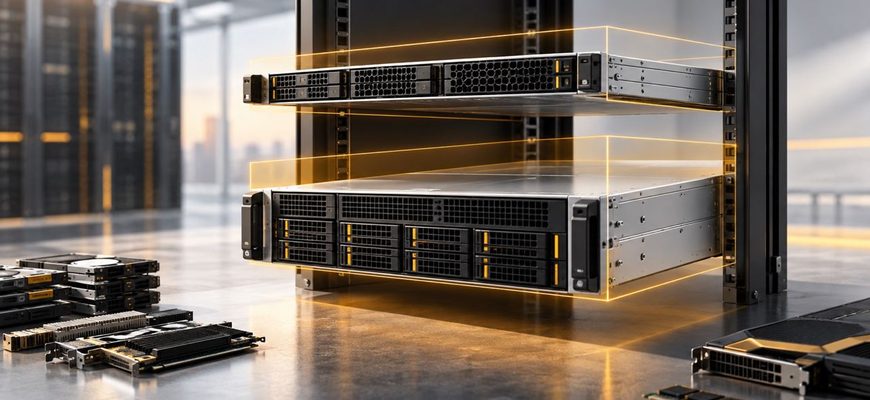
- 1U vs 2U at a glance
- What 1U and 2U actually mean
- Choose 1U when compute density is the priority
- Where 1U makes the most sense
- Choose 2U when expansion matters
- GPUs can make the decision for you
- Storage requirements often favor 2U
- Cooling is about the configuration, not just chassis height
- Do not confuse rack density with useful density
- Compare power at the rack level
- Serviceability favors space, but design matters more
- When 1U is usually the better purchase
- When 2U is usually worth the extra rack space
- The hidden cost: paying for flexibility you never use
- A practical 1U vs 2U buying checklist
- Recommendation: choose around the constraint
Choosing between a 1U and 2U server looks like a question of rack space. In practice, it is a question of where you want the system’s constraints to appear.
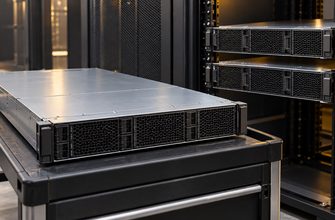
A 1U server uses half the vertical rack space of a 2U server and can deliver excellent compute density. A 2U chassis gives the hardware designer more physical room for drives, PCIe cards, larger cooling assemblies and accelerator configurations. Neither form factor is inherently faster or more efficient: the better choice depends on the configuration you need to fit inside it.
For buyers, the useful question is not simply “How many servers fit in the rack?” It is “What combination of compute, storage, expansion, cooling and serviceability do I need per rack unit?”
1U vs 2U at a glance
| Criterion | 1U server | 2U server |
|---|---|---|
| Rack density | Excellent | Lower per server |
| CPU capability | Can be very high | Can be very high |
| PCIe expansion | Usually more constrained | Usually more flexible |
| Large accelerator support | Configuration-dependent and often limited | Generally better suited |
| Internal storage capacity | Usually lower | Usually higher |
| Cooling headroom | More constrained | More physical room for cooling |
| Component access | Tighter | Generally easier |
| Best fit | Dense, relatively standardized compute nodes | Storage-heavy, expansion-heavy or accelerator-heavy systems |
These are tendencies rather than guarantees. Modern server designs can blur the distinction substantially, so the final comparison must always be made between actual configurations rather than form-factor labels alone.
What 1U and 2U actually mean
A rack unit, abbreviated U or RU, is 1.75 inches (44.45 mm) high. A 1U chassis therefore occupies one rack unit, while a 2U chassis occupies two. The familiar rack-mounting width is 19 inches, but chassis depth varies considerably and should be checked separately.
The simple arithmetic makes 1U attractive: within the same vertical space, you can theoretically install twice as many 1U systems as 2U systems. But rack capacity is rarely governed by height alone. Power delivery, cooling capacity, network ports, switch capacity, cable management and allowable rack weight can become limiting factors before every rack unit is populated.
Choose 1U when compute density is the priority
The strongest argument for 1U is straightforward: more independent servers per rack. This is valuable when each node can be configured without extensive internal storage or expansion hardware.
Typical candidates include web and application servers, general-purpose compute nodes, some virtualization hosts, distributed databases and scale-out clusters where capacity is increased by adding nodes rather than adding hardware to each chassis.
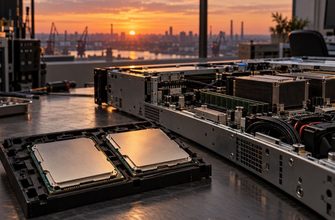
Modern 1U systems should not be mistaken for low-performance servers. Current designs can accommodate powerful processors, substantial memory configurations, high-speed networking and NVMe storage. For example, Dell’s current PowerEdge R670 is a 1U platform with multiple PCIe Gen5 configuration options. The important limitation is not necessarily raw CPU performance; it is the amount and geometry of hardware that can surround the CPUs.
Where 1U makes the most sense
- You need a large number of independent compute nodes.
- Your workload does not require many full-height PCIe cards.
- Local storage requirements are modest or external storage is used.
- You are standardizing on repeatable configurations across many servers.
- Rack space is scarce or expensive enough for density to matter.
In those scenarios, buying unused 2U expansion capacity can be inefficient. If a server only needs processors, memory, a small boot device, several data drives and one high-speed NIC, the additional chassis volume may provide little practical value.
Choose 2U when expansion matters
The main advantage of 2U is physical flexibility. Doubling chassis height creates room for configurations that are difficult or impossible to package efficiently in 1U.
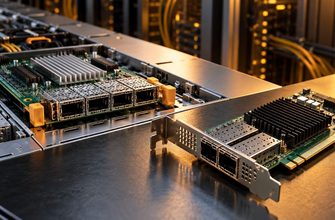
This matters particularly for PCIe expansion. A taller chassis can accommodate more full-height and full-length cards and more flexible riser arrangements. As one concrete example of the physical distinction, Dell documentation for a 2U PowerEdge configuration lists full-height, full-length PCIe positions, while 1U riser configurations can require low-profile, half-length cards.
That difference becomes important if the server needs multiple high-speed NICs, Fibre Channel adapters, storage controllers, DPUs, FPGAs or other add-in hardware.
GPUs can make the decision for you
Accelerators are one of the clearest reasons to consider 2U. High-performance GPUs can impose requirements for card width, length, power and airflow that are difficult to satisfy in a conventional 1U chassis.
This does not mean that 1U GPU servers do not exist. They do, and accelerator support varies significantly by platform. The purchasing rule is more precise: if GPUs are part of the requirement, start with the exact supported accelerator matrix rather than choosing the chassis height first.
For multi-GPU systems, larger accelerators or configurations with substantial accelerator power draw, 2U and larger purpose-built platforms are generally the more practical part of the market.
Storage requirements often favor 2U
Storage is another workload characteristic that can override rack-density calculations.
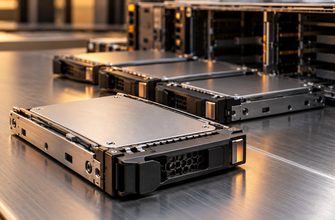
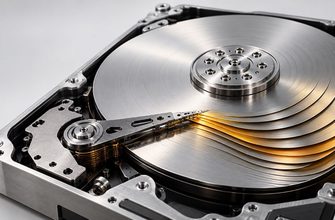
The front panel of a 2U chassis has roughly twice the vertical area of a 1U system. Manufacturers can use that space for more drive bays, larger 3.5-inch drive configurations or combinations of NVMe, SAS and SATA devices that would be difficult to package into 1U.
This makes 2U attractive for storage-heavy applications such as:
- local database storage;
- software-defined storage nodes;
- backup and repository servers;
- large-capacity file servers;
- hyperconverged infrastructure with substantial local storage.
But drive count alone should not determine the purchase. A workload requiring eight fast NVMe drives may fit comfortably in an appropriate 1U platform, while another workload requiring large numbers of high-capacity 3.5-inch HDDs will quickly favor a taller chassis.
Define the required media type, drive count, usable capacity, redundancy scheme and future expansion before comparing chassis.
Cooling is about the configuration, not just chassis height
A 1U server has less vertical space for fans and heatsinks, so manufacturers rely on compact, high-performance airflow designs. Under heavy load, that can mean high fan speeds and a more demanding acoustic profile.
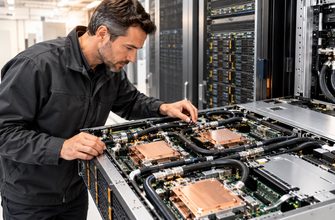
A 2U chassis gives designers more room for cooling hardware and airflow paths. That extra space becomes particularly useful around high-power processors, GPUs and dense PCIe configurations.
However, “2U runs cooler” is too simplistic. Thermal behavior depends on processor TDP, accelerator configuration, fan design, inlet temperature, airflow restrictions, firmware policy and the server manufacturer’s validated configuration.
When comparing systems for a high-power workload, examine the vendor’s thermal restrictions. Some processor, GPU, DIMM or storage configurations can require specific fan kits, heatsinks, power supplies or ambient-temperature limits.
Do not confuse rack density with useful density
A common purchasing mistake is to calculate density entirely in servers per rack.
Imagine that a deployment requires a certain amount of compute plus several PCIe devices and substantial local storage. A 1U design may fit twice as many chassis vertically, but if each node must sacrifice storage or expansion to fit the form factor, the theoretical density advantage may disappear.
The better metric is workload capacity per rack, subject to real infrastructure limits.
Depending on the application, useful density might mean:
- CPU cores per rack;
- RAM capacity per rack;
- GPU capacity per rack;
- usable storage per rack;
- transactions or jobs per rack;
- or performance per kilowatt.
This distinction is particularly important in power-dense environments. A rack may have unused U-space but no practical capacity for additional high-power servers because its electrical or cooling allocation has already been reached.
Compare power at the rack level
Do not assume that choosing 1U automatically reduces power consumption. Chassis height does not determine how much electricity the processors, memory, storage and accelerators require.
Two similarly configured servers can have broadly similar component power requirements even if one occupies more rack space. Conversely, using 1U systems to double the number of nodes in a rack can dramatically increase rack-level power density.
Before purchasing a dense 1U deployment, calculate at least:
- expected and maximum server power draw;
- available power per rack;
- PDU capacity and redundancy requirements;
- cooling capacity for the intended rack density;
- network switch and port requirements;
- and the power consequences of the planned node count.
A 42U rack is not automatically a 42-server rack simply because the servers are 1U.
Serviceability favors space, but design matters more
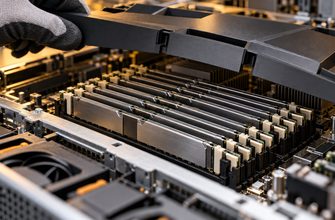
2U systems generally provide technicians with more physical room around components. That can make PCIe cards, cabling, risers and storage configurations easier to work with.
In 1U, packaging is tighter. Access to one component may require removing a riser or another assembly first. At fleet scale, small differences in service procedure can affect maintenance time.
Still, form factor alone is a poor proxy for serviceability. Tool-less rails, hot-swap drive access, redundant hot-plug power supplies, fan replacement procedures, cable routing and management-controller capabilities differ by model.
If maintenance cost matters, review the service manual before buying—not after deployment.
When 1U is usually the better purchase
Choose 1U when the workload is compute-centric and the required configuration fits without compromises. It is particularly compelling for standardized fleets where each server performs the same role and horizontal scaling is expected.
A good 1U candidate might have one or two CPUs, the required memory, a limited number of local SSDs and one or two network adapters. If there is no realistic requirement for additional GPUs, numerous PCIe cards or large local storage capacity, moving to 2U may simply consume rack space without solving a problem.
When 2U is usually worth the extra rack space
Choose 2U when you know that internal expansion is valuable or when the configuration is likely to evolve during the server’s useful life.
The extra space is especially useful when you need several PCIe devices, large numbers of drives, full-height or full-length cards, high-power accelerators, or more flexibility in how these components are combined.
2U can also be the safer purchasing choice when the final configuration is not completely fixed. Spare PCIe and storage capacity can reduce the risk that a future NIC, accelerator or storage requirement forces replacement of an otherwise adequate server.
The hidden cost: paying for flexibility you never use
Expansion headroom has value only if you use it.
It is easy to justify a larger chassis on the basis of future flexibility, then retire the server years later with most of its drive bays and PCIe slots empty. In a large deployment, that unused flexibility consumes real rack capacity.
The opposite mistake is more expensive: buying the densest possible 1U configuration and discovering later that a required accelerator, network adapter or storage expansion cannot be installed.
The goal is therefore not maximum density or maximum expandability. It is enough expansion headroom for the realistic life of the server.
A practical 1U vs 2U buying checklist
Before selecting a form factor, specify the configuration you expect the server to have at the end of its deployment, not just on day one.
- Define CPU and memory requirements. Check whether both candidate platforms can support the required processors, DIMM population and memory capacity.
- Count required PCIe devices. Include NICs, HBAs, storage controllers, accelerators and any devices you may add later.
- Check card dimensions. Slot count is not enough; verify low-profile versus full-height, card length and single- versus double-width requirements.
- Define local storage. Specify drive size, interface, number of devices and required future capacity.
- Verify GPU support. Use the manufacturer’s validated GPU list and configuration rules.
- Check thermal restrictions. High-power CPUs, accelerators and dense storage can change fan, heatsink or ambient-temperature requirements.
- Calculate rack power. Model the whole deployment rather than comparing server PSU ratings in isolation.
- Check chassis depth and weight. A server fitting the rack vertically does not guarantee compatibility with the cabinet, rails or cable clearances.
- Review service procedures. Consider component access and replacement if the hardware will be maintained for several years.
- Price the complete configurations. Compare servers with the CPUs, memory, risers, storage, NICs, PSUs and rails you will actually purchase.
Recommendation: choose around the constraint
For dense general-purpose compute, 1U should usually be the starting point. If the required CPU, memory, networking and storage configuration fits cleanly and the rack has enough power and cooling capacity, the smaller chassis gives you more deployment flexibility at the rack level.
For storage-heavy servers, accelerator systems and machines requiring several PCIe devices, start with 2U. The additional rack unit buys physical flexibility that can be more valuable than theoretical node density.
Most importantly, do not buy by chassis height alone. Compare actual server configurations. A well-designed 1U platform can be more expandable than a poorly matched 2U system in the dimensions that matter to your workload, while a purpose-built 2U server can consolidate hardware that would otherwise require multiple smaller systems.
The decision rule is simple: choose 1U when vertical rack space is the scarce resource and the configuration fits comfortably; choose 2U when internal space for storage, PCIe devices, accelerators or cooling is the scarcer resource.