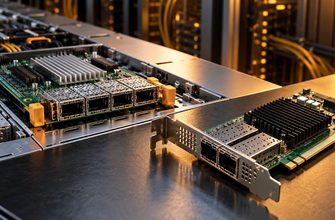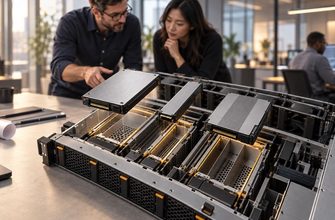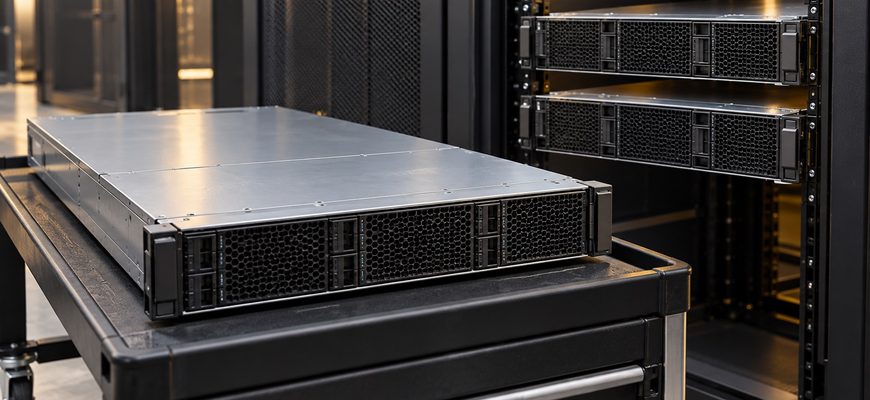
Choosing one large server vs two smaller servers starts with a question about the workload during an outage or maintenance window. One machine can be simpler to own and operate. Two machines can provide a destination for running or restarting virtual machines, but only if the remaining host, storage, network, and cluster design support that move.
Compare both proposals against the same VM inventory and service requirements. A pair that needs both hosts online to meet demand provides more aggregate resources than it provides protected capacity. Buying a second chassis does not, by itself, establish high availability.
- Compare one large server vs two smaller servers by usable capacity
- One host: one compute failure domain
- Two hosts: a possible recovery destination
- Reserve CPU and RAM for the host that remains
- Illustrative scenario: the same normal workload, different outage behavior
- The surviving host carries twice the normal share
- Make storage and networking part of the comparison
- Separate planned maintenance from unexpected failure
- Compare five-year cost with the same accounting boundary
- When consolidation is justified
- Ask for two capacity results before approving either quote
Compare one large server vs two smaller servers by usable capacity
Start with peak CPU demand, required VM memory, storage latency, and network traffic. Record the largest individual VM as well as aggregate demand. One large VM must fit on a single destination host; a cluster does not automatically combine two hosts into one larger virtual machine.
Allocated vCPUs are scheduling commitments, not measured physical-core requirements. Estimate CPU capacity using representative workload tests and response-time targets. Likewise, subtract hypervisor and infrastructure reservations before comparing RAM available to guests. Avoid counting aggressive memory overcommit as guaranteed failover capacity.
Processor generation, sustained clock behavior, memory population, and NUMA placement can make equal core counts perform differently. Use the CPU cores versus clock speed comparison to qualify the processors before using core counts in a capacity model.
One host: one compute failure domain
Two hosts: a possible recovery destination
Reserve CPU and RAM for the host that remains
If all required VMs must run after either host is lost, each host must independently support that protected workload. For unequal hosts, size against the weaker surviving configuration. Define whether lower-priority VMs may stop; otherwise, a capacity shortfall can quietly become an unapproved service reduction.
Protected workload demand ≤ usable capacity remaining after the largest relevant host is removed
Apply this check separately to CPU, RAM, storage performance, and network throughput. Passing the RAM calculation does not establish enough CPU capacity. Include growth and the additional work generated by migration, restart, or storage recovery.
Illustrative scenario: the same normal workload, different outage behavior
Assume 20 VMs together require 20 normalized CPU units at peak and 256 GiB of guest RAM. The largest VM fits on either smaller host. For arithmetic only, assume every physical core delivers one CPU unit; this is not a benchmark or a claim about different processor models.
Set an illustrative 70% CPU operating ceiling and retain 15% of post-reservation RAM as headroom. These are planning assumptions, not universal sizing rules. Both proposals use the same protected 8 TiB shared datastore and backup policy; its performance must still pass a workload test.
| Resource or condition | A: one larger host | B: two smaller hosts |
|---|---|---|
| Installed resources | 64 cores; 768 GiB RAM | 32 cores; 384 GiB RAM per host |
| Host RAM reservation | 64 GiB | 32 GiB per host |
| Planned CPU budget, all hosts online | 64 × 0.70 = 44.8 units | 2 × 32 × 0.70 = 44.8 units |
| Guest RAM budget, all hosts online | (768 − 64) × 0.85 = 598.4 GiB | 2 × (384 − 32) × 0.85 = 598.4 GiB |
| Budget after one host is unavailable | 0 CPU units; 0 GiB on-site compute | 22.4 CPU units; 299.2 GiB |
| Result for the protected workload | Fits normally; cannot continue on this host during its outage | Fits the surviving host within the stated CPU and RAM assumptions |
The surviving host carries twice the normal share
If peak demand rises to 24 CPU units, the pair still fits comfortably with both hosts online but exceeds the surviving host’s 22.4-unit planning budget. Either increase per-host capacity, reduce the protected workload explicitly, or reconsider the node count.
Make storage and networking part of the comparison
Specify where VM disks and configuration data remain available when a host disappears. Shared storage can provide access from another compute host, but the array, controllers, and paths need their own protection. Local replicated storage requires supported replication, sufficient usable capacity, and an explicit recovery-point objective.
For asynchronous replication, account for the possibility that the recovery copy trails recent writes. A backup or a copy of a disk does not automatically provide an immediately startable VM. Verify recovery with the chosen hypervisor and storage implementation.
Budget migration, storage, management, and guest traffic together. Confirm required VLANs and virtual switches on both hosts, redundant paths where needed, and sufficient bandwidth during maintenance or recovery. Microsoft’s Hyper-V cluster networking guidance illustrates why migration connectivity and access to VM state must be designed together; apply your own platform’s requirements.
Separate planned maintenance from unexpected failure
Planned live migration moves a running VM while its original host remains available. Recovery after a sudden host failure commonly restarts the VM elsewhere and interrupts service. Do not describe those outcomes as equivalent or promise uninterrupted applications from a two-host purchase.
For maintenance, qualify CPU feature compatibility, supported hypervisor versions, VM devices, authentication, destination storage access, and network configuration. Directly assigned devices can constrain mobility. Microsoft’s processor compatibility documentation explains one platform-specific constraint; its migration troubleshooting guide covers additional dependencies.
Test draining a complete host under representative load, then returning its VMs. Measure application behavior during the move. For failure recovery, validate detection, restart, storage consistency, and application recovery separately. Hypervisor availability cannot guarantee that every application resumes correctly.
Choose a supported quorum, witness, and fencing design where required by the platform. A witness participates in cluster arbitration; it contributes no replacement CPU or guest RAM. Microsoft’s witness guidance provides a concrete example. Keep these dependencies and their costs in the purchase specification.
Compare five-year cost with the same accounting boundary
Include hardware, storage, networking, software, support, energy, and administration. Verify current software terms for every intended host and VM placement, including minimums, editions, and failover rights. Equal total physical cores do not establish equal license cost.
Illustrative cost model: the amounts below are invented planning inputs in USD, not market quotes. Both options serve the workload above. The shared-storage allowance is included in both; B includes additional connectivity and witness provisioning. Software and support figures cover five years.
| Cost category | A: one larger host | B: two smaller hosts |
|---|---|---|
| Compute hardware | $10,000 | $14,000 total |
| Storage and connectivity | $6,000 | $8,000 |
| Software | $6,000 | $8,000 |
| Hardware support | $2,000 | $3,000 |
| Administration allowance | $2,000 | $4,000 |
| Assumed average compute power | 350 W | 440 W total |
| Compute energy at $0.15/kWh | $2,299.50 | $2,890.80 |
| Modeled five-year subtotal | $28,299.50 | $39,890.80 |
Energy cost = average compute kW × 8,760 hours/year × 5 years × $0.15/kWh
Power values represent assumed complete compute-host wall draw, including PSU losses. This simplified subtotal excludes cooling, shared storage and switch electricity, rack charges, taxes, financing, backup services, and outage losses. Add those consistently before making a real TCO decision.
B costs $11,591.30 more in this model and offers a possible host-level recovery and maintenance path. It is not proof that redundancy always costs this much. If surviving a host loss is mandatory, A fails the requirement as specified; its lower subtotal cannot make it an eligible alternative.
When consolidation is justified
Prefer one larger host when a documented downtime and recovery window is acceptable, the workload benefits from its per-host resources, and another production host would add unjustified operating complexity. Maintain an independent backup and a credible repair or restore destination. Include the time needed to obtain replacement hardware.
Prefer two hosts when maintenance mobility or recovery from a host failure is required and you can fund the complete design. Buy sufficient per-host resources for the protected load, not just sufficient combined resources for a normal day. A two-host design also needs a plan for a second incident while one host is unavailable.
Ask for two capacity results before approving either quote
Require evidence for normal operation and for the intended degraded state. Approve the purchase only when the supplier or implementation team can show:
- The VM inventory fits within tested CPU, RAM, storage, and network limits.
- The largest VM fits on every required destination host.
- Migration and recovery behave within the application’s agreed interruption limits.
- Storage, quorum, support, licenses, and growth reserve are included in the design and price.
Choose consolidation when its simpler operating model meets the service requirement. Choose multiple hosts when their tested recovery and maintenance capabilities justify the extra infrastructure. The useful comparison is the workload each proposal can support under the conditions you actually need.