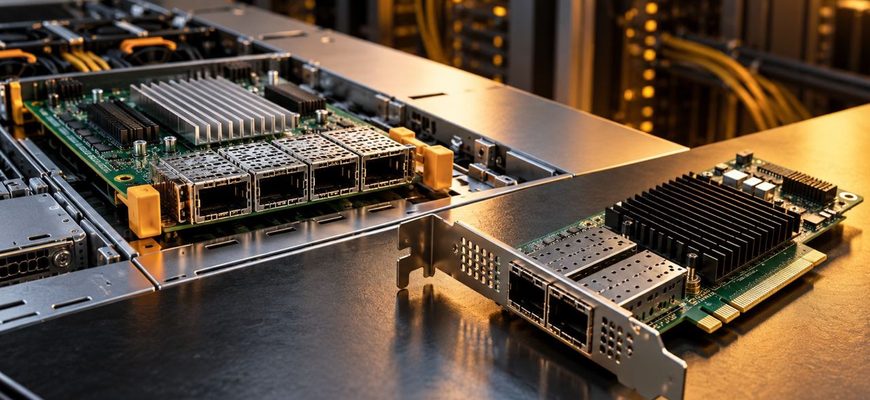
OCP NIC 3.0 and conventional PCIe network cards can deliver the same Ethernet speeds, use the same controller families, and expose similar offload features. The meaningful difference is not raw network performance. It is how the adapter fits into the server, which expansion resources it consumes, how easily it can be serviced, and whether the card can be reused across future systems.
For a new rack server with a dedicated OCP NIC 3.0 bay, OCP 3.0 is usually the better starting point because it preserves standard PCIe slots for storage, GPUs, accelerators, or other expansion cards. A conventional PCIe NIC remains the safer choice when cross-platform reuse, older-server compatibility, or the broadest possible adapter selection matters more than conserving slots.
- OCP NIC 3.0 vs PCIe NIC: the decision at a glance
- The first rule: do not buy by form factor alone
- Why OCP NIC 3.0 exists
- OCP does not eliminate compatibility checks
- Where PCIe add-in NICs still have an advantage
- Expansion slots are often the deciding factor
- Serviceability: useful, but not the same as hot-swap
- High-speed networking makes platform validation more important
- Management and offloads should be compared by exact adapter
- TCO: include slot value, spares, and reuse
- Recommendations by server scenario
- Common buying mistakes
- Procurement checklist
- Final recommendation
OCP NIC 3.0 vs PCIe NIC: the decision at a glance
| Decision factor | OCP NIC 3.0 | PCIe add-in NIC |
|---|---|---|
| Network performance | Depends on controller, PCIe generation, lane width, port speed, firmware, and workload | Depends on the same factors; the form factor itself is not slower or faster |
| Use of standard PCIe slots | Usually preserves them by using a dedicated OCP bay | Consumes a conventional PCIe slot and often a riser position |
| Cross-platform reuse | Good only across servers with compatible OCP NIC 3.0 bays and qualification | Generally broader across systems with suitable PCIe slots, brackets, power, and airflow |
| Serviceability | Can be integrated as a dedicated, externally accessible server module | Often requires chassis or riser access |
| High-speed networking | Strong fit when the server provides the required PCIe lanes and cooling | Also strong; verify slot generation, width, cooling, and physical clearance |
| Best fit | Modern rack servers where PCIe slots are valuable or standardized fleet design matters | Mixed fleets, older systems, flexible upgrades, and servers with spare PCIe capacity |
The first rule: do not buy by form factor alone
An OCP NIC 3.0 adapter is not inherently faster than a PCIe add-in card. Both ultimately communicate with the host over PCI Express. A 25GbE, 100GbE, or 200GbE adapter can be limited by its controller, host interface, lane count, PCIe generation, firmware, CPU topology, NUMA placement, or network workload regardless of whether the board is OCP 3.0 or a conventional PCIe card.
That means buyers should compare equivalent adapters by controller generation, port configuration, supported link speeds, PCIe host interface, RDMA or other offloads, driver support, firmware lifecycle, transceiver support, power requirements, and server qualification. The mechanical format should be evaluated after those requirements are clear.
Why OCP NIC 3.0 exists
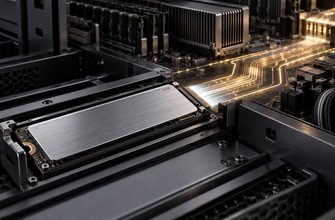
OCP NIC 3.0 defines a server-oriented network-card form factor and connector ecosystem rather than relying on a general-purpose PCIe add-in slot. The Small Form Factor implementation can support up to 16 PCIe lanes, although the actual server and adapter may use fewer. The practical benefit is architectural: a server vendor can reserve a compact bay for networking while keeping conventional PCIe slots available for devices that have no equivalent dedicated bay.
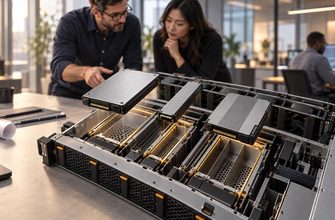
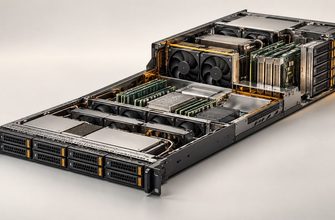
This matters most in dense 1U and 2U systems. A server may physically have several PCIe slots on paper, but some can disappear once particular risers, GPUs, storage controllers, or drive backplanes are installed. Using the OCP bay for the primary network adapter can prevent the NIC from competing with those devices.
OCP does not eliminate compatibility checks
“OCP NIC 3.0” is not sufficient as a purchasing description. Buyers still need to verify the exact server model, supported OCP form factor, available PCIe generation and lane width, port and transceiver configuration, firmware support, thermal limits, and vendor qualification. Mechanical fit alone does not guarantee that the server will initialize, cool, manage, or support the adapter correctly.
Also avoid treating OCP NIC 2.0 and OCP NIC 3.0 as interchangeable. They are different generations with different mechanical and connector designs. An older server with an earlier mezzanine format should not be assumed to accept a 3.0 card.
Where PCIe add-in NICs still have an advantage
A conventional PCIe NIC uses the general PCI Express add-in-card ecosystem. That creates a major procurement advantage: portability. If a card has the correct bracket, electrical interface, firmware support, power envelope, and airflow, it can often move between a wider range of servers than an OCP-specific adapter.
This flexibility is valuable in mixed fleets, labs, small infrastructure teams, refurbished-server environments, and organizations that keep adapters as common spares across several server generations. It can also reduce stranded inventory when servers are retired before their network cards.
PCIe is therefore not the “legacy” choice. It is the general-purpose choice. Its main cost is slot consumption.
Expansion slots are often the deciding factor
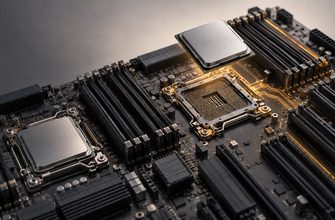
For many modern servers, the most expensive resource is not the NIC itself but the slot that it occupies. A low-profile PCIe network card can block a position that would otherwise hold an HBA, RAID controller, Fibre Channel adapter, DPU, GPU, FPGA, or NVMe expansion card. Some server configurations also have limited riser options, so choosing one adapter can prevent another device from being installed later.
This is where OCP NIC 3.0 can create real value even when its purchase price is similar to or higher than an equivalent PCIe card. If placing networking in the OCP bay preserves a scarce x16 slot for a future accelerator or storage device, the system gains useful expansion headroom.
By contrast, paying extra for OCP brings little benefit when the server has several unused PCIe slots and no realistic expansion plan. In that case, a qualified PCIe NIC may be the more flexible purchase.
Serviceability: useful, but not the same as hot-swap
OCP NIC 3.0 was designed for server integration, and many chassis place the adapter in a dedicated bay that can simplify replacement compared with reaching a card mounted in an internal riser. That can reduce service complexity in dense systems.
Do not assume that an OCP NIC is automatically hot-swappable. Hot-plug behavior depends on the server implementation, firmware, operating system, power controls, and the way the slot is designed. The same caution applies to PCIe add-in cards: PCIe standards include managed hot-plug capabilities, but a particular server slot may not implement them.
For procurement, the question should be concrete: can this exact adapter be replaced using the server vendor’s documented procedure, and does that procedure require powering down the node?
High-speed networking makes platform validation more important
At 10GbE or 25GbE, many qualified adapters fit comfortably within modest host-interface requirements. As port speeds rise, the PCIe path becomes more important. A high-speed NIC can be bottlenecked if the slot or OCP bay provides too few lanes or an older PCIe generation. Multi-port adapters can increase the required host bandwidth further.
Thermals also become more important. Faster controllers, optical modules, and advanced offload engines can raise adapter power and airflow requirements. A server qualified for one OCP or PCIe card should not be assumed to support every higher-power adapter in the same physical shape.
Before ordering 100GbE, 200GbE, 400GbE, or faster networking, verify the complete path: host PCIe generation, lane width, CPU attachment, riser or OCP wiring, card power, airflow, supported transceivers, and firmware qualification.
Management and offloads should be compared by exact adapter
Do not assume OCP 3.0 automatically includes better network offloads or that PCIe cards are simpler devices. Features such as RDMA, SR-IOV, virtualization offloads, storage protocols, telemetry, secure boot, or embedded management depend on the controller and firmware rather than the board format alone.
OCP NIC 3.0 does define server-management and identification interfaces as part of its platform integration, but the useful capabilities still depend on what the server and adapter actually implement. For a production purchase, compare the vendor’s support matrix and management documentation, not the form-factor label.
TCO: include slot value, spares, and reuse
The lowest-priced adapter is not always the lowest-cost choice. Evaluate the network card as part of the complete server configuration.
- Acquisition cost: compare equivalent qualified adapters, transceivers, cables, risers, and any required brackets.
- Expansion opportunity cost: assign value to a PCIe slot if another device may need it later.
- Spare inventory: a mixed environment may require separate OCP and PCIe spares.
- Reuse value: conventional PCIe cards can often move across a broader range of systems.
- Service labor: a dedicated OCP bay can simplify replacement on some chassis.
- Upgrade path: check whether the server’s OCP or PCIe interface has enough bandwidth and thermal headroom for the next planned network speed.
For a standardized fleet of modern rack servers, OCP can lower configuration friction by keeping networking in a consistent dedicated location. For a heterogeneous fleet, PCIe may reduce inventory risk because the same adapter format can be reused more broadly.
Recommendations by server scenario
| Scenario | Starting choice | Why |
|---|---|---|
| New 1U or 2U server with a dedicated OCP 3.0 bay | OCP NIC 3.0 | Preserves conventional PCIe slots for future expansion |
| GPU or accelerator server with scarce PCIe slots | OCP NIC 3.0 | Reduces competition between networking and accelerators |
| Mixed fleet across several server generations | PCIe NIC | Broader reuse and simpler common-spares strategy |
| Older server upgrade | PCIe NIC | More likely to match existing standard expansion infrastructure |
| Server with many unused PCIe slots and no expansion plan | Compare both | OCP has less strategic value if slot capacity is not constrained |
| High-speed 100GbE+ deployment | Platform-dependent | Choose the qualified adapter with sufficient PCIe bandwidth, power, cooling, and firmware support |
| Fleet standardized on one current server platform | OCP NIC 3.0 often preferred | Dedicated networking slot can simplify configuration consistency |
Common buying mistakes
- Assuming OCP is faster. The network controller and host interface determine performance, not the label on the board.
- Checking only port speed. A fast NIC still needs sufficient PCIe bandwidth, CPU resources, and a network fabric capable of using it.
- Ignoring slot topology. A PCIe NIC can consume the only slot needed later for storage or acceleration.
- Assuming mechanical fit equals support. Always verify the exact adapter against the server vendor’s compatibility matrix.
- Treating OCP 2.0 and 3.0 as interchangeable. They are different hardware ecosystems.
- Assuming hot-swap. Service behavior is platform-specific and must be documented for the exact server.
- Standardizing too early. A fleet-wide OCP policy can create unnecessary spare inventory if many installed servers still depend on PCIe adapters.
Procurement checklist
- Does the exact server model provide an OCP NIC 3.0 bay, a conventional PCIe slot, or both?
- What PCIe generation and lane width reach that specific slot or OCP bay?
- Which adapters are qualified by the server vendor?
- What port speeds, media types, and transceivers are required?
- Which RDMA, SR-IOV, security, telemetry, or virtualization features are actually needed?
- Will a PCIe NIC block a future GPU, storage controller, DPU, HBA, or NVMe expansion card?
- Can the selected card be cooled at full load in the intended chassis configuration?
- What is the documented replacement procedure, and does it require a shutdown?
- Can the adapter be reused in other servers already in the fleet?
- Which form factor produces the simpler spare-parts strategy over the server’s service life?
Final recommendation
Choose OCP NIC 3.0 when you are buying a modern rack server that already includes a qualified OCP bay and standard PCIe slots are valuable for other devices. It is particularly attractive in dense 1U and 2U systems, GPU servers, storage-heavy configurations, and standardized fleets where preserving expansion capacity has a measurable value.
Choose a conventional PCIe NIC when adapter portability, compatibility with older or mixed hardware, and broad reuse matter more than conserving slots. PCIe is also the disciplined choice when the server has ample unused expansion capacity and OCP would add cost or inventory complexity without solving a real constraint.
The practical buying rule is simple: select the network controller and port configuration first, then choose the form factor that creates the least expensive and least restrictive complete server. If an OCP NIC preserves a slot you are likely to need, it can be worth more than its price difference. If it does not, the broader portability of PCIe may be the better long-term asset.