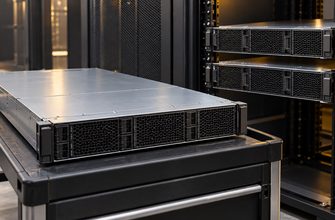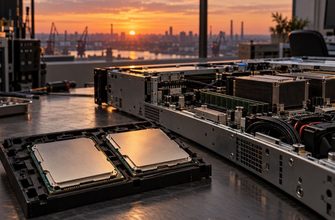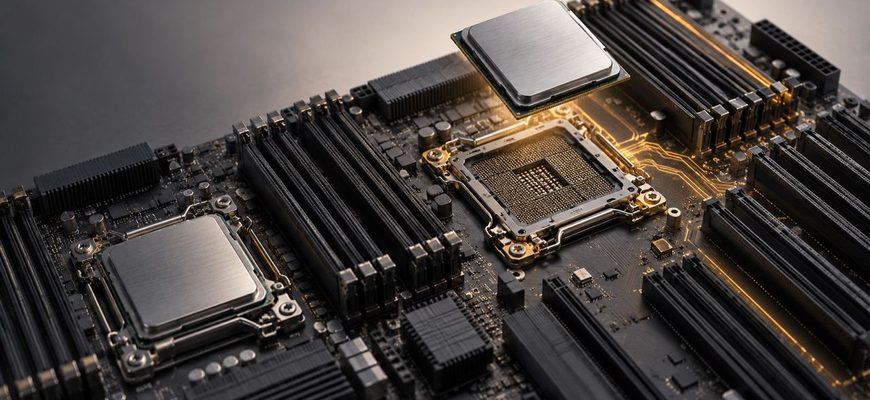
A second processor is worth buying when a workload has a measured requirement for more cores, memory bandwidth, memory capacity, or PCIe connectivity than one socket can provide—and when the software can use those resources efficiently. It is usually not worth buying merely because a server has an empty socket. Modern single-socket platforms can support substantial core counts, memory, and I/O, while avoiding the licensing costs and NUMA complexity of a dual-socket configuration.
- The short answer
- First distinguish two different purchasing choices
- What a second processor actually adds
- More cores—but not automatically twice the application performance
- More memory capacity
- More memory bandwidth
- Additional PCIe lanes and usable slots
- The main tradeoff: NUMA
- Licensing can outweigh the processor price
- Power, cooling, and resilience
- When a second socket is usually worth it
- When one socket is usually the better choice
- Calculate TCO at the workload level
- Buying checklist
- Final recommendation
The short answer
Choose a single-socket server when the workload fits within one processor’s core, memory, and PCIe limits with reasonable growth headroom. This is often the better choice for application servers, smaller virtualization hosts, software licensed by core, and scale-out services.
Choose a dual-socket server when one socket creates a specific resource bottleneck. Typical reasons include consolidating many virtual machines, running large in-memory databases, supplying enough memory bandwidth to data-intensive workloads, or enabling PCIe slots and devices connected to the second processor.
| Decision factor | Single socket | Dual socket |
|---|---|---|
| CPU capacity | Lower maximum per server, but often sufficient | More aggregate cores and threads |
| Memory capacity | Limited to DIMM slots and channels attached to one CPU | Usually activates a second set of memory channels and DIMM slots |
| Memory latency | Simpler local-memory topology | Local and remote memory access must be managed |
| PCIe connectivity | Only lanes connected to the installed CPU are available | May enable additional slots, accelerators, and NVMe devices |
| Software licensing | Often easier to control for core-based products | Can increase substantially when more cores are licensed |
| Power and cooling | Lower platform demand in comparable configurations | Higher CPU, memory, fan, and power-supply requirements |
| Application complexity | Simpler scheduling and memory placement | NUMA-aware tuning may be required |
| Best fit | Cost-efficient general workloads and scale-out nodes | Large consolidated or memory-intensive systems |
First distinguish two different purchasing choices
“Single-socket server” can describe either a platform designed for one processor or a dual-socket chassis ordered with only one processor installed. These are not equivalent purchasing strategies.
A purpose-built single-socket platform may offer lower acquisition cost, lower power demand, and a design optimized around the I/O and memory resources of one CPU. A dual-socket-capable server with one CPU preserves an upgrade path, but part of the motherboard may remain unavailable until the second processor is installed.
For example, a dual-socket server may physically contain many DIMM and PCIe positions while assigning some of them to the second CPU. With only one processor installed, those positions cannot necessarily be used. The exact restrictions depend on the server’s board topology, risers, backplanes, and cabling.
This distinction matters when comparing quotations. Do not compare a complete single-socket system with a partially populated dual-socket chassis solely by counting visible slots.
What a second processor actually adds
More cores—but not automatically twice the application performance
The most obvious benefit is additional processing capacity. If two identical processors are installed, the server gains the cores and hardware threads of the second CPU. That can increase virtual machine density, transaction throughput, rendering capacity, or the number of independent jobs the server can run concurrently.
Performance rarely scales in exact proportion to the core count. The result depends on application parallelism, synchronization overhead, storage and network throughput, memory behavior, and software configuration. A lightly threaded application may gain little from the second socket. A group of independent virtual machines or batch jobs is more likely to use the additional cores effectively.
Also compare processor models rather than sockets alone. Two lower-frequency CPUs are not always a better choice than one higher-performance processor with enough cores. Per-core speed can matter more than aggregate core count for databases, application servers, and software with serial processing stages.
More memory capacity
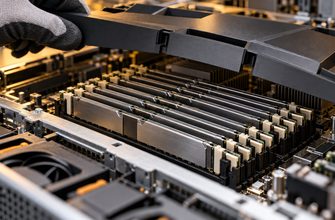
On common dual-socket architectures, each processor has its own memory controllers, channels, and associated DIMM slots. Installing the second CPU therefore increases not only compute capacity but also the number of memory slots that can be populated.
This may be the strongest reason to choose two sockets. Large virtualization hosts, in-memory databases, analytics systems, and scientific workloads can exhaust memory capacity before they exhaust CPU capacity. A second processor may be required simply to reach the target RAM configuration.
Check capacity at the intended DIMM size and population pattern. Maximum-memory figures often assume the largest and most expensive supported modules. A dual-socket configuration using more moderate DIMMs may cost less than filling a single socket with maximum-capacity modules.
More memory bandwidth
Adding another processor normally adds another set of memory channels. A workload that continuously moves large data sets through memory may benefit even when it does not require more total RAM.
Memory bandwidth matters for scientific computing, analytics, high-performance databases, software compilation, simulation, and some virtualization workloads. However, the second set of channels delivers value only when memory is populated correctly across both CPUs and the application distributes work across the resulting NUMA nodes.
Buying a second processor while installing too few DIMMs can leave channels unused and reduce the expected benefit. Review the vendor’s population rules and price the required memory modules as part of the CPU upgrade.
Additional PCIe lanes and usable slots
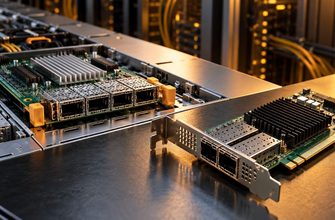
Some PCIe slots and onboard devices in a dual-socket server connect directly to the second processor. Without that CPU, the physical connector may be present but electrically unavailable or operate with a restricted riser configuration.
This can make the second socket necessary for systems with multiple GPUs, high-speed network adapters, storage controllers, Fibre Channel adapters, or many directly connected NVMe drives. Lenovo’s documentation for a representative two-socket platform, for example, notes that some PCIe slots require both processors and that a one-processor configuration can leave a riser slot disconnected.
Count usable lanes and slots in the exact proposed configuration. Drive backplanes, rear storage cages, risers, and accelerators can compete for connectors or chassis positions, so the platform’s headline slot total may not apply to every build.
The main tradeoff: NUMA
Modern multiprocessor servers use Non-Uniform Memory Access. Each CPU can access its local memory directly and reach memory attached to the other CPU through an inter-socket connection. Remote access generally has higher latency and may offer different effective bandwidth than local access.
As the Red Hat system-topology documentation explains, performance-sensitive workloads should keep execution and memory on the same NUMA node where possible.
Operating systems and hypervisors include NUMA-aware scheduling, but they cannot remove every penalty. Problems appear when a virtual machine is larger than one NUMA node, memory is distributed unevenly, threads move between nodes, or an application frequently accesses data held in remote memory.
NUMA does not make dual-socket servers inherently slow. It means that configuration matters. Before choosing two CPUs for a latency-sensitive application, confirm that the software scales across NUMA nodes and test the planned core and memory layout.
Licensing can outweigh the processor price
The second CPU is only one part of its cost. Commercial operating systems, databases, hypervisors, analytics platforms, and security products may be licensed by physical core, processor, server, virtual machine, or another metric.
If a product is licensed per physical core, doubling the installed core count can increase software cost even when average CPU utilization remains low. In some deployments, several years of additional licenses and support cost more than the processor and memory combined.
Build the licensing calculation before choosing CPU models. A single higher-frequency processor with fewer cores may provide better price-performance for a licensed database than two high-core-count CPUs. Conversely, software licensed per server or workload instance may favor consolidating more work onto a larger dual-socket host.
Licensing terms change and can include minimum quantities or edition-specific rules. Use the current vendor agreement and an authorized licensing quote rather than relying on an old processor-based assumption.
Power, cooling, and resilience
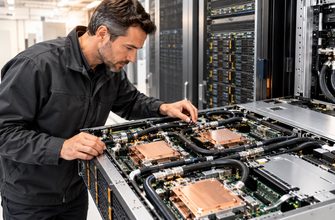
A second processor increases platform power demand directly and usually enables more memory and I/O devices that consume additional power. The server may require different heatsinks, more capable fans, or higher-rated power supplies. Higher fan speeds can also increase power use and noise.
Compare complete configured-system power, not processor thermal ratings alone. Vendor sizing tools can account for CPUs, DIMMs, drives, adapters, power-supply redundancy, and input voltage more accurately than adding component specifications manually.
A larger dual-socket host can reduce the number of physical servers required, but it also concentrates workloads. If one host fails, more virtual machines or services may be affected. High availability depends on cluster capacity, workload placement, and failover design—not on the number of sockets inside one chassis.
When consolidating, confirm that the remaining hosts can absorb the failed server’s workload. A dual-socket purchase that improves steady-state density but leaves insufficient failover capacity is not a complete design.
When a second socket is usually worth it
- One CPU cannot provide the required memory capacity. The second processor activates DIMM slots needed to reach the target RAM configuration.
- The workload is limited by memory bandwidth. Testing shows that additional memory channels improve throughput.
- Virtual machine consolidation is the priority. The host can use additional cores and memory without creating unacceptable licensing or failure-domain costs.
- The configuration needs CPU-attached I/O resources. Required PCIe slots, accelerators, or NVMe connections depend on the second processor.
- The application has demonstrated multi-socket scaling. Benchmarks or a proof of concept show useful gains after NUMA effects are included.
- Rack density is more constrained than power or licensing. Combining resources in one server is cheaper than deploying another node.
When one socket is usually the better choice
- The workload is lightly threaded. Higher per-core performance matters more than aggregate core count.
- Memory and I/O requirements fit comfortably within one CPU’s resources. The second socket would add unused capacity.
- Software is expensive per core. Extra licensed cores would provide poor economic value.
- The service scales horizontally. Multiple smaller nodes offer better resilience and incremental growth.
- Latency consistency matters. A simpler topology avoids cross-socket memory placement concerns.
- Power or cooling is the binding constraint. More dense compute cannot be supported by the rack or facility.
Calculate TCO at the workload level
Compare the cost of a dual-socket server with the realistic alternatives: a stronger single-socket configuration, two smaller servers, or a single-socket server plus external storage or additional I/O infrastructure.
| Cost area | Questions to answer |
|---|---|
| Hardware | What do the CPU, heatsink, fans, memory, risers, cables, and larger power supplies add? |
| Software | Which products charge by physical core, socket, server, or workload? |
| Infrastructure | Does consolidation save rack units, switch ports, cables, and support contracts? |
| Energy | What is the measured or estimated configured-system power under realistic utilization? |
| Availability | How much spare cluster capacity is required if the larger host fails? |
| Growth | Can one socket meet expected demand throughout the planned service life? |
Do not justify the second socket with a vague expectation of future growth. Estimate the workload’s CPU, RAM, and I/O demand over the planned ownership period. If the forecast remains inside a single socket with operational headroom, buying the second CPU early ties up capital and may trigger immediate licensing expense.
Buying checklist
- Measure current peak and sustained CPU utilization, not only averages.
- Determine whether the bottleneck is compute, memory capacity, memory bandwidth, storage, or network I/O.
- Map DIMM slots, PCIe slots, and onboard devices to each processor.
- Confirm supported CPU pairings and required second-processor upgrade components.
- Price the complete balanced memory population for one and two sockets.
- Calculate software licensing under both configurations.
- Estimate rack-level power and cooling demand.
- Test NUMA-sensitive applications or review workload-specific benchmark data.
- Compare one dual-socket host with two single-socket nodes, including failover capacity.
Final recommendation
Start with one socket, but not with an undersized platform. Select a processor that meets the workload’s core, memory, and PCIe requirements with credible growth headroom. This usually produces the simplest and most cost-efficient server.
Add the second processor when it removes a documented limit: insufficient cores, unavailable DIMM capacity, inadequate memory bandwidth, or inaccessible PCIe resources. For virtualized and parallel workloads, verify that the additional capacity improves consolidation or throughput after NUMA and licensing costs are included.
If the business case depends only on the possibility that the server may need more power someday, compare the cost of a later field upgrade with buying the second CPU now. Confirm processor availability, matching requirements, firmware support, heatsinks, fans, risers, and cabling. An empty socket is an option—not a reason to fill it.