CMR vs SMR HDDs: choose CMR for conventional server arrays. Consider SMR only when your storage platform supports its exact implementation and testing confirms acceptable sustained-write performance and recovery times. SMR can improve capacity density, but that advantage is useful only when the storage system can handle its write constraints. A drive that fits the bay and exposes the expected capacity has not necessarily passed the purchasing test.
This comparison assumes you have already selected hard disks for a capacity-oriented storage tier. The decision is whether to buy broadly compatible CMR drives or accept the integration and performance conditions of SMR to obtain better capacity economics.
- 4 Buying Criteria for CMR vs SMR HDDs
- CMR vs SMR HDDs: Compare Compatibility and Write Behavior
- Compatibility is the first purchasing gate
- Physical and interface compatibility are insufficient
- A translation layer changes the design
- Follow the platform’s support policy
- Validate sustained writes and recovery
- Compare cost per usable terabyte
- Recommendations by server scenario
- General-purpose file server or conventional RAID array
- Backup repository with a fixed completion window
- Read-mostly media or archival storage
- Purpose-built, high-density storage system
- Protect future expansion and replacement options
- Final recommendation
- Procurement checklist
4 Buying Criteria for CMR vs SMR HDDs
A departmental file server, a backup repository, and an archive appliance can all store large files while placing very different demands on their disks. The important distinction is how data changes after the initial write, what happens when capacity fills, and how quickly the system must recover from a failed drive.
Our editorial recommendation is to make CMR the baseline quotation. Evaluate SMR as an alternative only when the supplier can identify its implementation, demonstrate platform compatibility, and show a meaningful advantage after accounting for usable capacity and integration costs.
Before comparing prices, establish four requirements:
- Write behavior: Are writes mostly new, sequential data, or do they repeatedly update existing blocks?
- Completion deadlines: Must ingestion, backup jobs, or maintenance finish within a defined window?
- Recovery behavior: What rebuild duration and foreground performance are acceptable after a drive failure?
- Software control: Can you select and qualify the storage stack, or must the drives work with an existing appliance?
Do not classify the workload using its application name alone. A backup repository may receive sequential streams but also perform retention deletion, synthetic full backups, deduplication, and metadata updates. Include those operations in the purchasing specification.
CMR vs SMR HDDs: Compare Compatibility and Write Behavior
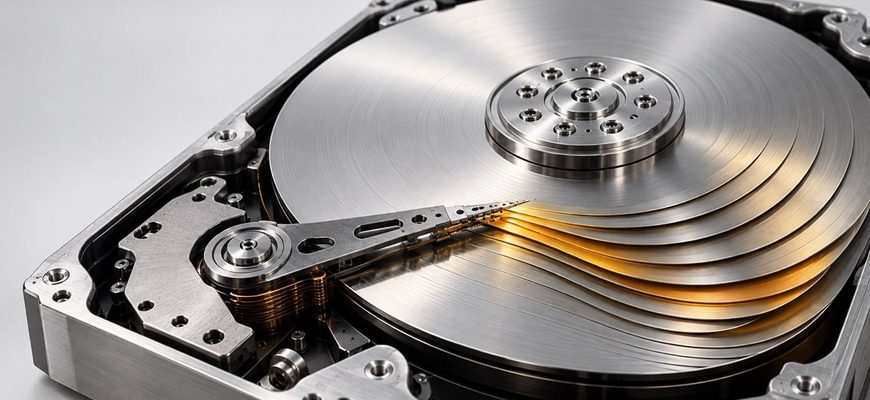
Conventional magnetic recording allows tracks to be updated without the overlapping-track constraints of SMR. Shingled magnetic recording increases recording density by overlapping tracks. Updating existing data therefore requires additional data placement or rewriting work somewhere in the system. The Zoned Storage explanation of SMR recording describes the physical distinction and its implications.
The purchasing consequence depends on who manages that work. “SMR” alone is an incomplete specification.
| Drive type | Host compatibility | Write-management responsibility | Purchasing position |
|---|---|---|---|
| CMR | Conventional block-storage interface | No SMR-specific zone management | Baseline for conventional server arrays |
| Drive-managed SMR | Exposes a conventional block interface | Drive firmware hides the recording constraints | Consider only with explicit platform approval and workload validation |
| Host-aware SMR | Accepts conventional access and exposes zone-management capabilities | Host optimization can use the zone interface | Require evidence for the intended access mode |
| Host-managed SMR | Requires a storage stack that handles sequential-write zones | Host software manages zone placement and write ordering | Buy as part of a qualified storage design |
The CMR vs SMR HDDs decision also needs to fit your array architecture. Read our hardware RAID vs software RAID comparison to evaluate controller dependencies, drive visibility, and recovery options. Neither approach removes the need to qualify the selected drives.
The Zoned Storage documentation on host-managed and host-aware models explains their different compatibility contracts. Host-aware compatibility does not establish that treating the drive like CMR will deliver acceptable performance.
SMR still supports random reads. A read-heavy workload is therefore a potential fit, but the initial load, later updates, and recovery process must also qualify.
Compatibility is the first purchasing gate
Physical and interface compatibility are insufficient
When comparing CMR vs SMR HDDs, evaluate recording technology separately from the drive interface, chassis size, and capacity. Our SAS vs SATA server buying guide covers the interface decision. Verify the exact drive part number rather than inferring recording behavior from the interface or product family.
For host-managed SMR, obtain confirmation for the complete path: controller or HBA, enclosure, operating system, storage software, and application. Confirm that required zone commands reach the drives and that the software handles write ordering and recovery.
The Linux kernel zonefs documentation illustrates the underlying requirement: sequential zones accept writes at the zone write pointer, and must be reset before reuse. Kernel recognition of the device does not establish compatibility with your chosen filesystem or application.
A translation layer changes the design
Software can translate conventional block access into a zoned storage layout. For example, the Linux dm-zoned documentation describes a translation layer that uses buffering, metadata, and reclaim operations to expose a regular block device.
That capability does not make integration cost disappear. A quotation using such a layer should include its capacity overhead, supporting storage where required, performance validation, and recovery dependencies. Evaluate the complete system rather than assuming translation makes every workload suitable.
Follow the platform’s support policy
For TrueNAS, the decision is straightforward: its hardware guide advises against drive-managed and host-aware SMR, and states that host-managed SMR is unsupported. Choose qualified CMR drives for that platform.
Apply the same procurement principle elsewhere: obtain the appliance or storage-software vendor’s position on the exact drive type. Generic support for SATA disks or a particular capacity is insufficient.
Validate sustained writes and recovery
Drive-managed SMR accepts ordinary writes, but the firmware determines how they reach shingled media. Its performance depends on the implementation and workload. A short transfer into an empty drive does not settle the question of sustained operation.
Request an acceptance test that represents the intended storage lifecycle:
- Initial ingestion followed by continued writing.
- Updates and deletions at the expected operating occupancy.
- Concurrent readers and writers.
- Retention processing or compaction where applicable.
- A failed-drive replacement while normal traffic continues.
Specify pass criteria before comparing results: completion time, minimum sustained throughput, acceptable response times, and recovery duration. These are requirements to validate, not performance figures that can be inferred from the recording label.
For host-managed SMR, require evidence that reclamation and recovery preserve the intended sequential-write behavior. An application that writes sequentially during normal ingestion may take a different path when relocating data or reconstructing a failed device.
A longer recovery period also means a longer period with reduced redundancy. Include that exposure in the decision even when normal read performance is satisfactory. There is no universal SMR rebuild multiplier that applies across drives, controllers, and storage designs.
Compare cost per usable terabyte
When evaluating CMR vs SMR HDDs, compare the cost of complete storage configurations. SMR’s potential benefit is greater capacity density relative to comparable recording technology. Whether it saves money depends on the actual quotations and the system required to use that capacity.
Compare acquisition cost divided by usable capacity after redundancy, reserved space, metadata, and any translation-layer overhead. Use the same protection requirement and growth allowance for both designs.
Then add costs that differ between the alternatives:
- Qualification work and integration engineering.
- Additional buffering or supporting storage.
- Compatible spare drives and replacement availability.
- Power and cooling for the quoted configuration.
- Expected service effort and the business effect of slower recovery.
Higher capacity per drive can reduce the number of bays needed to meet a storage target. Do not automatically convert that into a power-saving claim: compare the complete configurations using documented power figures or measurements.
Conversely, paying more for CMR provides little practical benefit if a supported SMR design already meets every ingestion, read, and recovery requirement at lower total cost. The premium should buy compatibility or performance that the deployment needs.
Recommendations by server scenario
General-purpose file server or conventional RAID array
Choose qualified CMR drives. Mixed users, changing files, and unplanned maintenance make this the stronger default. For an existing array, prioritize an approved replacement model and consistent behavior across members.
Consider SMR only if the platform explicitly supports it and representative testing demonstrates that the saving survives sustained writes and recovery. Do not introduce an unqualified SMR replacement simply because it has matching capacity.
Backup repository with a fixed completion window
Start with CMR. Purchase around the entire backup cycle, including retention, consolidation, verification, and recovery. Sequential incoming traffic alone does not justify SMR.
The recommendation can change for a repository designed around append-oriented placement and supported SMR hardware, provided its full lifecycle fits the required windows. Demand evidence for the actual backup software and storage configuration.
Read-mostly media or archival storage
Evaluate SMR when updates are controlled and the platform supports it. This is a credible candidate when data is loaded in large sequential batches and rarely rewritten. Seagate’s CMR and SMR guidance identifies sequential or easily sequentialized workloads as potential SMR fits.
Retain CMR when deadlines are tight, capacity churn is frequent, or the archive uses software with no clear SMR support. “Archive” describes the data’s purpose; it does not guarantee suitable disk access.
Purpose-built, high-density storage system
Consider host-managed SMR as a complete system purchase. Require a qualified software stack, documented recovery behavior, and a capacity advantage large enough to justify the integration commitment.
The recommendation changes toward CMR when the organization cannot maintain that qualification or wants greater freedom to replace storage software later.
Protect future expansion and replacement options
Require recording technology and SMR management type on the purchase order. Prohibit substitutions without approval, even when capacity, interface, and rotational speed match.
For conventional arrays, our recommendation is to avoid mixing CMR and SMR without explicit platform qualification. A replacement should meet the array’s recovery requirement as well as its capacity requirement.
For host-managed designs, verify that future drive models remain compatible with the software’s zone assumptions. Include spare availability and a supported upgrade path in the quotation. CMR avoids this particular dependency, although controller, firmware, and platform qualification still matter.
Final recommendation
The purchasing rule for CMR vs SMR HDDs is straightforward: buy CMR for conventional server storage; buy SMR when a supported design demonstrates a worthwhile capacity or cost advantage while meeting sustained-write and recovery requirements.
Treat drive-managed, host-aware, and host-managed SMR as separate purchasing cases. Interface compatibility, a successful initial copy, and a lower price per advertised terabyte are insufficient grounds for approval.
Procurement checklist
- Record the exact drive part number, recording technology, and SMR management type.
- Confirm support across the controller, enclosure, operating system, and storage software.
- Define ingestion, response-time, and recovery acceptance criteria.
- Validate sustained writing, updates, deletion, and failed-drive replacement at representative occupancy.
- Compare usable capacity with equivalent protection and growth allowances.
- Include integration, supporting storage, spares, power, and service costs.
- Check future drive availability and software upgrade compatibility.
- Require approval for substitutions that change recording technology or management type.