For MRDIMM vs RDIMM, the buying rule is straightforward: pay for MRDIMM when a supported server can turn additional memory bandwidth into enough useful work to justify the complete configuration premium. Choose conventional DDR5 RDIMM when capacity, compatibility, or another bottleneck determines the result. An advertised 8800 MT/s does not mean every Xeon 6 server supports it, and it does not promise a matching increase in application performance.
The practical decision is whether faster memory changes your server count, job completion time, or service capacity. This comparison covers first-generation MRDIMM configurations documented for Intel Xeon 6 servers. It separates processor capabilities from system qualification and uses named server manuals to show why the distinction matters.
- MRDIMM vs RDIMM: buy the capability the workload can use
- A Xeon 6 label does not establish MRDIMM support
- Capacity can reverse the recommendation before speed matters
- Translate transfer rate into a workload acceptance target
- Calculate the performance premium your budget requires
- Choose according to the constraint that remains
- Procurement checklist and final recommendation
MRDIMM vs RDIMM: buy the capability the workload can use
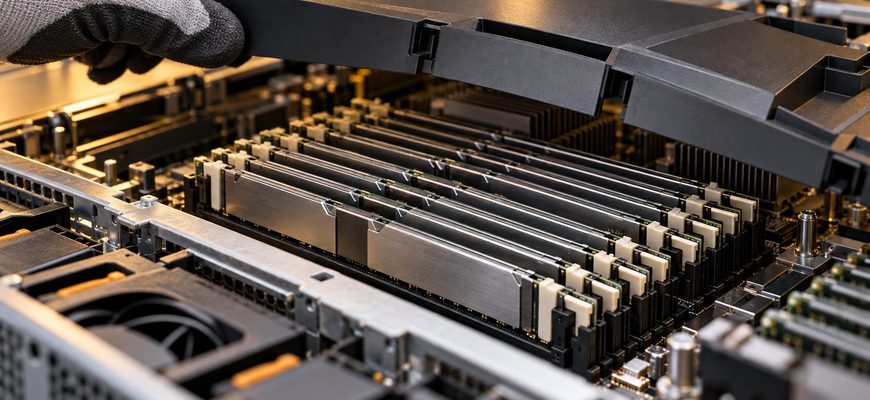
MRDIMM adds multiplexing and buffering to move data between memory ranks and a compatible processor at higher transfer rates. Micron’s MRDIMM technical overview describes this architecture. The purchasing benefit is greater bandwidth on supported platforms, rather than a universal replacement for registered DDR5 memory.
| Buying criterion | DDR5 RDIMM | First-generation MRDIMM | Practical implication |
|---|---|---|---|
| Platform support | Available across many server platforms | Requires explicit processor and server qualification | Check the system before pricing modules |
| Main purchasing case | Meet capacity and performance targets with a conventional configuration | Relieve a demonstrated memory-bandwidth constraint | A higher transfer rate needs a workload benefit |
| Capacity options | Depend on qualified module sizes and population | May differ from RDIMM options in the same server | Compare configurations at the required capacity |
| Expansion | Some platforms support two DIMMs per channel | The examples below use one DIMM per channel | Do not carry an RDIMM expansion plan across unchanged |
| Economic test | Baseline cost per accepted unit of work | Premium justified by measured throughput or another valued outcome | Compare complete systems, not DIMM prices alone |
If the basic memory type remains undecided, the ECC UDIMM, RDIMM, and LRDIMM buying guide covers that broader compatibility question. Here, the choice is specifically whether a qualified MRDIMM configuration earns its premium over conventional RDIMM.
A Xeon 6 label does not establish MRDIMM support
Intel’s Xeon 6 HPC and AI presentation lists different memory ceilings for its P-core families: up to 8000 MT/s MRDIMM for 6500/6700 and up to 8800 MT/s for 6900, alongside DDR5-6400 RDIMM at 1DPC. These are processor-family capabilities, subject to SKU and system restrictions.
The server manual can narrow those options substantially. Dell’s PowerEdge R770 memory guidelines specify DDR5-6400 RDIMMs only. Buying MRDIMMs because the server contains Xeon 6 would therefore contradict the cited configuration guidance.
By contrast, the Supermicro SYS-212B-LN2T memory support table explicitly lists MRDIMM for its Xeon 6500/6700 P-core configuration. It lists MRDIMM-8800 modules operating at 8000 or 7200 MT/s, with 32 GB and 64 GB capacities. An 8800-rated module can therefore be a qualified purchase without running at 8800 MT/s.
| Documented example | Conventional memory | MRDIMM position | Buying consequence |
|---|---|---|---|
| Intel Xeon 6500/6700 P-core family | Up to 6400 MT/s at 1DPC | Up to 8000 MT/s at 1DPC | Do not budget for 8800 MT/s operation from the family name |
| Intel Xeon 6900 P-core family | Up to 6400 MT/s at 1DPC | Up to 8800 MT/s at 1DPC | Still requires an appropriate server and CPU SKU |
| Dell PowerEdge R770 manual | DDR5-6400 RDIMM | Not supported by the cited RDIMM-only guidance | Do not assume a drop-in MRDIMM upgrade |
| Supermicro SYS-212B-LN2T P-core table | DDR5-6400 RDIMM options | 32/64 GB MRDIMMs; up to 8000 MT/s | Match the module, operating rate, and capacity together |
These examples demonstrate qualification boundaries; they are not a performance ranking between the two servers. Before ordering, obtain confirmation of the exact motherboard revision, BIOS, CPU SKU, module part numbers, and populated configuration.
Capacity can reverse the recommendation before speed matters
Consider the eight-slot Supermicro example. Eight 64 GB MRDIMMs provide 512 GB. A workload requiring 1 TB cannot fit into that configuration. Its cited P-core table also lists 128 GB RDIMMs, making eight such modules a 1 TB capacity candidate subject to the table’s conditions and vendor qualification.
The right comparison is then a sufficient-capacity RDIMM server against an alternative MRDIMM configuration that actually holds the workload. Comparing 512 GB MRDIMM with 1 TB RDIMM as though only transfer rate changed would produce a misleading buying recommendation.
Account for growth, replicas, application overhead, and memory reserved for the operating environment. Check module height and cooling clearance for the exact qualified part. A capacity offered by a memory manufacturer is not automatically available in every chassis or server bill of materials.
Channel population remains important for either architecture. The 1DPC versus 2DPC configuration guide addresses the separate capacity-versus-population decision. Leaving channels unused to afford premium modules can undermine the purpose of buying more bandwidth.
Translate transfer rate into a workload acceptance target
Moving from 6400 to 8000 MT/s raises the nominal transfer rate by 25%; moving from 6400 to 8800 raises it by 37.5%. These arithmetic ratios describe transfer rate, not expected job acceleration. Delivered bandwidth, access patterns, cache behavior, concurrency, and time spent outside memory access determine the application result.
Micron reports a 39% bandwidth improvement in an Intel Memory Latency Checker comparison of 128 GB MRDIMM at 8800 MT/s with 128 GB RDIMM at 6400 MT/s. That is a vendor-reported memory benchmark, not our testing or a universal application result. Its value is evidence that the bandwidth opportunity exists; it does not establish your purchase’s return.
Shortlist MRDIMM when memory pressure coincides with a missed business target: longer simulation runs, insufficient analytics throughput, or CPU inference that stalls while moving model data. First establish that the working set fits in RAM and that storage, networking, software serialization, or compute is not the binding constraint.
For acceptance, hold CPU SKU, usable memory capacity, channel population, software, and operating settings constant wherever possible. Record unavoidable differences. Require the production dataset and intended concurrency, then compare:
- Completed jobs or requests at the required latency and accuracy.
- Runtime and tail latency across repeated representative runs.
- Whole-server average power and energy per completed job.
- Stability at expected inlet temperature and full configuration load.
Benchmark bandwidth is a diagnostic. Useful work delivered within the service target is the purchasing criterion. Evaluate the alternative of a different CPU or platform only as a complete configuration; the Xeon versus EPYC platform comparison outlines that wider decision.
Calculate the performance premium your budget requires
A simple acquisition model makes the acceptance threshold explicit. Assume a fully configured RDIMM server costs $20,000 and an otherwise comparable MRDIMM option costs $23,000. These are hypothetical complete-system costs, not market quotes. Both must meet the same capacity, resilience, and service requirements.
The MRDIMM option costs 15% more. For continuously utilized, divisible throughput work, it needs more than 15% additional accepted throughput to improve acquisition cost per unit of throughput. A 10% gain is insufficient under these assumptions; a 20% gain passes this limited economic test.
| Hypothetical configuration | Acquisition cost | Accepted throughput index | Cost per throughput unit |
|---|---|---|---|
| RDIMM baseline | $20,000 | 100 | $200.00 |
| MRDIMM with 10% uplift | $23,000 | 110 | $209.09 |
| MRDIMM with 20% uplift | $23,000 | 120 | $191.67 |
Use actual quotes to replace the assumptions. Include platform changes, qualified memory kits, cooling, support, and spares. Extend the model with measured power, software licensing, utilization, and service life before calling it TCO.
Do not equate a throughput gain with an automatic reduction in server count. Nodes are purchased in whole units, and failure tolerance, peak demand, maintenance reserve, and cluster layout can preserve the original count. Conversely, a valuable deadline reduction may justify MRDIMM even without consolidation. Price that outcome explicitly.
Energy needs a separate calculation. For a fixed job, compare average whole-system power multiplied by runtime. Faster completion can offset higher power, but the result must be measured for the proposed configuration. A module-level power comparison alone cannot establish system energy savings.
Choose according to the constraint that remains
| Purchase scenario | Starting recommendation | What changes the answer |
|---|---|---|
| General-purpose virtualization with capacity pressure | Qualified RDIMM configuration | MRDIMM meets capacity needs and improves accepted VM workload throughput enough to justify its premium |
| Bandwidth-constrained simulation or analytics | Benchmark both on a supported platform | The application gain fails the economic threshold or another bottleneck dominates |
| CPU inference with substantial memory traffic | Evaluate MRDIMM with the actual model and concurrency | Compute, model placement, or capacity limits negate the bandwidth benefit |
| Existing RDIMM-only server fleet | Retain supported RDIMMs | A complete server replacement, rather than a DIMM swap, has a justified business case |
Procurement checklist and final recommendation
- Confirm the required present and future usable RAM capacity.
- Obtain exact CPU, server, firmware, and qualified-module support.
- Record supported operating speed rather than module label speed.
- Confirm channel population, rank, physical clearance, and cooling requirements.
- Price complete configurations with equivalent capacity and service commitments.
- Set the minimum useful application gain before requesting benchmarks.
- Verify power, energy, stability, spare availability, and replacement support.
Choose RDIMM when it satisfies the workload at lower total cost or when the qualified MRDIMM configuration cannot meet capacity and compatibility requirements. Choose MRDIMM when a supported, sufficient-capacity configuration produces a measured business benefit that exceeds its complete-system premium. Buy the additional useful work, not the largest MT/s figure on the module.