SAS and SATA drives can live inside similar-looking server bays, yet they are designed around different priorities. SATA is attractive when capacity and cost efficiency dominate the buying decision. SAS becomes more compelling when the storage system needs enterprise-oriented connectivity, dual-port capability, sophisticated storage topologies, or infrastructure designed around SAS controllers and expanders.
The useful question is therefore not simply “Is SAS better than SATA?” It is “Does this server have a workload and storage architecture that actually benefit from SAS?”
Choose SATA when cost per usable terabyte matters most, the workload does not require sophisticated SAS features, and the server primarily needs straightforward local storage, backup capacity, archives, or bulk data.
Choose SAS when the storage architecture benefits from enterprise SAS infrastructure, dual-port connectivity, expanders, compatible RAID/HBA hardware, or a design built around higher availability and larger storage topologies.
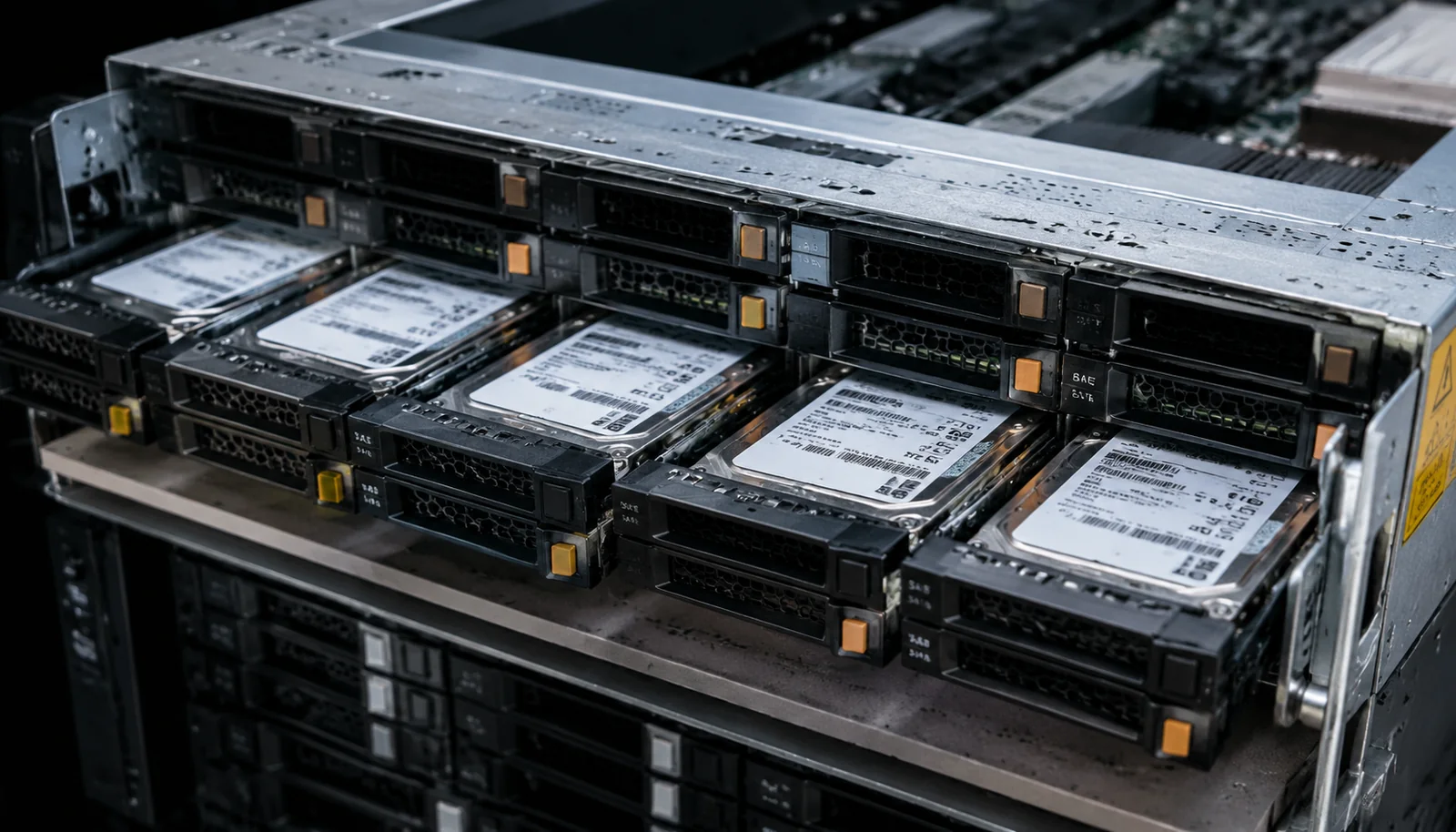
- ⚖️ SAS vs SATA at a Glance
- 🧩 The Interface Is Only Part of the Decision
- ⚙️ 1. Performance: Interface Speed Is Not Drive Speed
- 🔀 2. Dual-Port Connectivity Is a Real SAS Advantage
- 🛣️ 3. Controller and Backplane Compatibility Comes First
- 🧱 4. SAS Makes More Sense as the Storage Topology Grows
- 💾 5. Capacity Economics Often Favor SATA
- 🛡️ 6. Reliability Is More Complicated Than “SAS Is Reliable”
- 🎯 SAS vs SATA by Workload
- 🚦 Choose SATA If…
- 🏗️ Choose SAS If…
- 🚫 Six Buying Mistakes to Avoid
- 1. Buying SAS Because It Sounds More Enterprise
- 2. Comparing Only Interface Speeds
- 3. Ordering Drives Before Checking the Backplane
- 4. Assuming Every SAS Controller Configuration Is Identical
- 5. Treating RAID as Backup
- 6. Ignoring Replacement Economics
- 💰 Compare the Complete Storage Cost
- ✅ 12-Point Buying Checklist
- 🧭 A Simple Decision Path
- 🏆 Final Verdict
⚖️ SAS vs SATA at a Glance
🧩 The Interface Is Only Part of the Decision
SAS stands for Serial Attached SCSI, while SATA stands for Serial ATA. Both can connect storage devices inside servers, but they belong to different storage ecosystems.
That distinction matters because a server drive does not operate in isolation. The complete storage path may include:
- the drive itself;
- the drive carrier;
- the server backplane;
- cabling or internal connectors;
- an HBA or RAID controller;
- SAS expanders in larger configurations;
- the operating system and storage stack.
Buying drives before checking the rest of this chain is one of the easiest ways to create an incompatible or unnecessarily expensive server configuration.
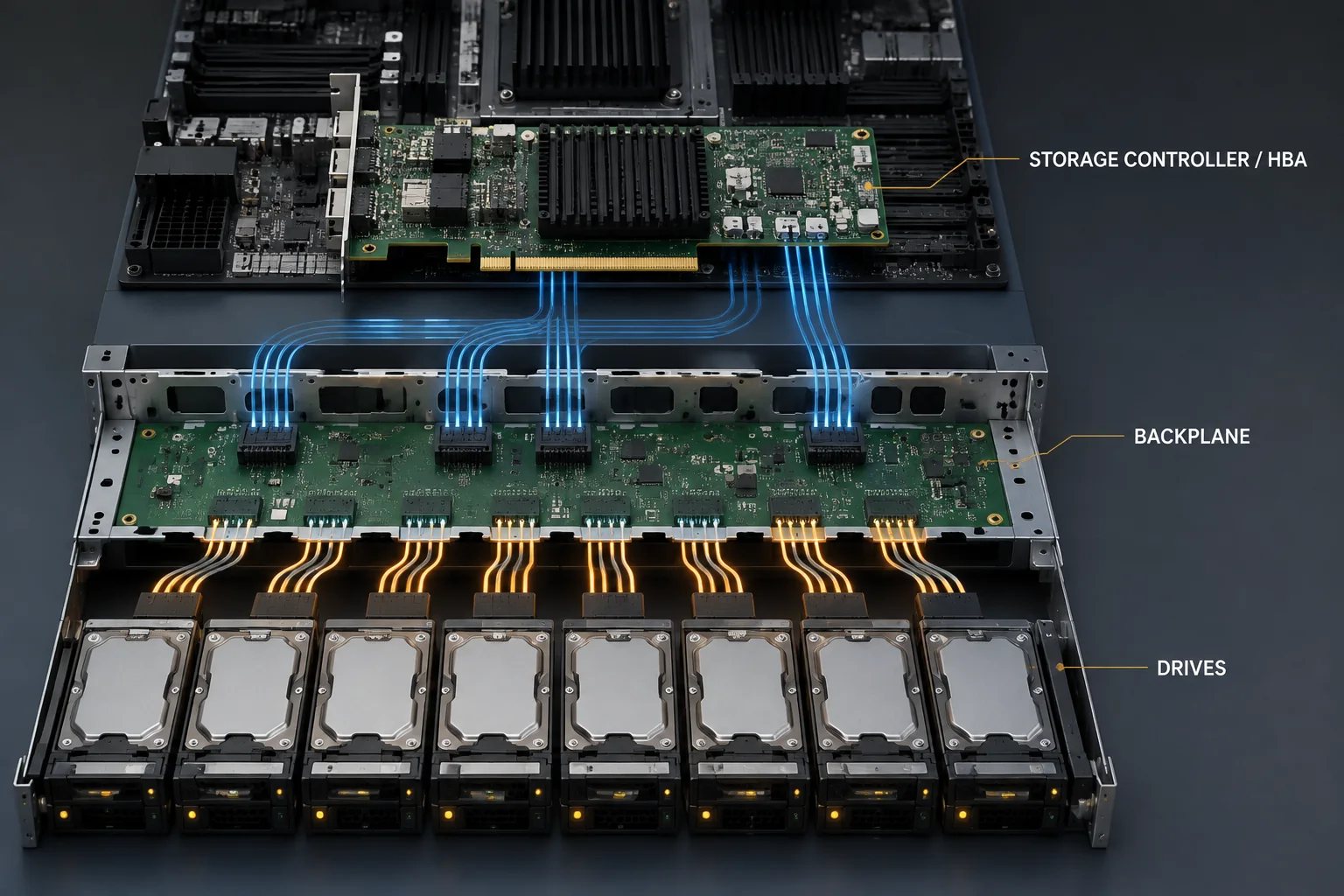
Do not select SAS or SATA as an isolated drive specification. Select the storage architecture first. Controller, backplane, redundancy, drive count, workload and future expansion can matter more than the label on the drive.
⚙️ 1. Performance: Interface Speed Is Not Drive Speed
One of the most common purchasing mistakes is treating the maximum interface rate as if it were the actual performance of the drive.
That is especially misleading with hard drives. A mechanical disk is constrained by its physical media, rotational characteristics, seek behavior and workload pattern long before a simple interface specification tells the full story.
SSDs change the calculation because flash storage can generate much more I/O than mechanical disks, but even there, interface bandwidth alone is not enough.
For a useful comparison, examine:
- random read and write performance;
- sequential throughput;
- latency;
- queue behavior;
- write endurance for SSDs;
- sustained rather than burst performance;
- RAID behavior;
- the performance of the complete controller and backplane path.
🔀 2. Dual-Port Connectivity Is a Real SAS Advantage
One of the architectural differences that can genuinely justify SAS is dual-port connectivity.
A SAS device can support two independent paths to the drive. In infrastructure designed to use this capability, that can allow redundant storage paths through different controllers or expanders.
This matters far more in high-availability storage systems than it does in a simple single-server configuration.
If the server has only one storage path and the design does not use SAS-specific topology features, do not pay for SAS merely because it sounds more enterprise.
🛣️ 3. Controller and Backplane Compatibility Comes First
Before ordering any drive, verify what the server actually supports.
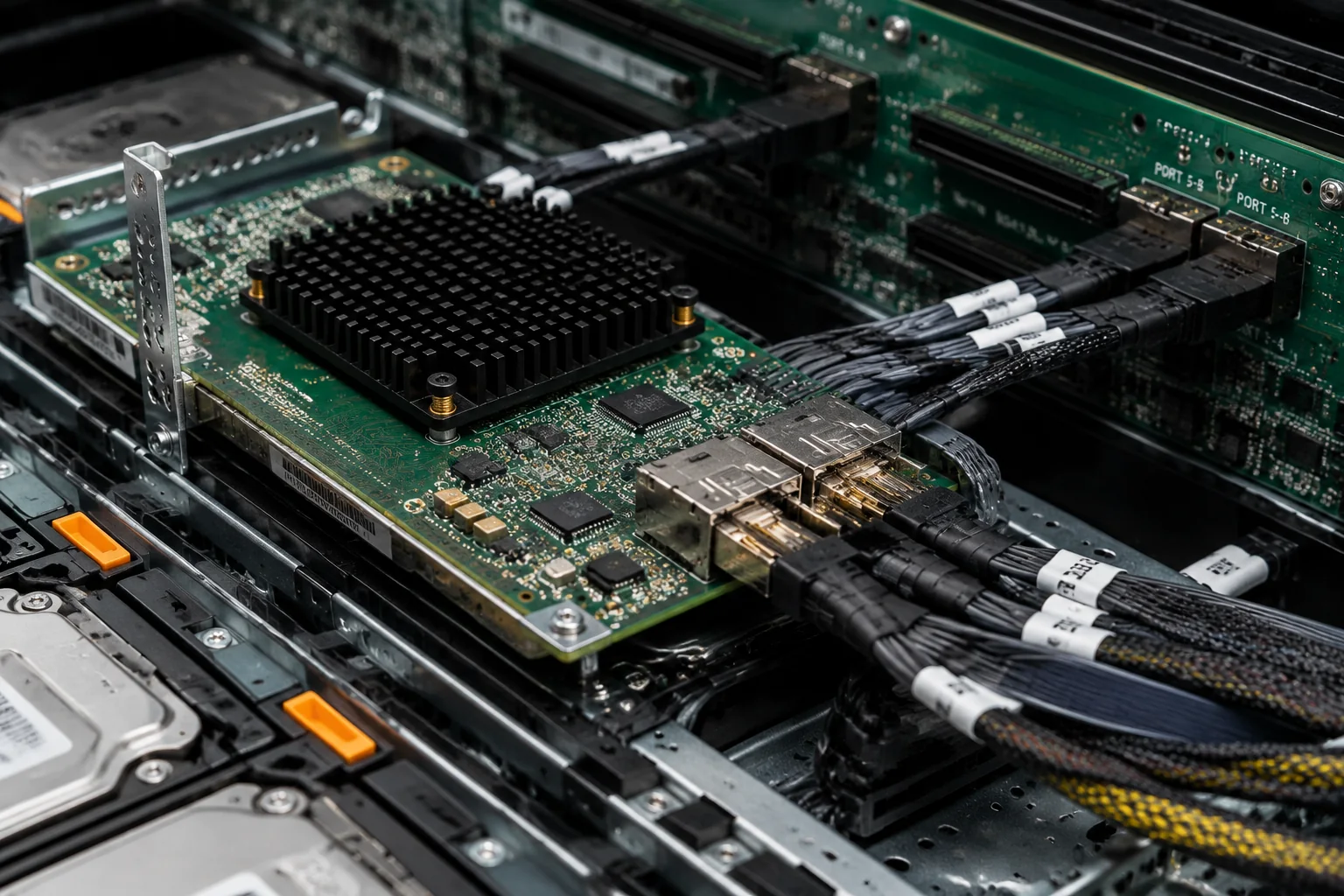
A typical server may use a dedicated RAID controller, an HBA, motherboard storage connectivity, an active backplane, or a passive backplane. The exact arrangement determines what drives can be connected and which features are available.
SAS controllers commonly support SATA drives as well, but the reverse should not be assumed: a SATA-only controller does not provide SAS device support.
That makes the existing server architecture an important purchasing constraint.
- What controller or HBA is installed?
- Does the backplane support SAS, SATA, or both?
- What drive form factors fit the chassis?
- Are there restrictions on drive capacity?
- Does the controller firmware support the intended drives?
- Is hot-swap required?
- Will an expander be involved?
- Does the intended RAID layout have enough ports and bays?
🧱 4. SAS Makes More Sense as the Storage Topology Grows
The difference between SAS and SATA becomes more meaningful as the storage subsystem becomes larger and more complicated.
Consider a simple server containing two mirrored drives. There may be little reason to build an elaborate storage topology around that requirement.
Now consider a storage chassis containing many drives, an expander, redundant paths and enterprise RAID or HBA infrastructure. SAS becomes much more relevant because the architecture itself can use capabilities associated with the SAS ecosystem.
This leads to a useful buying principle: the value of SAS often increases with storage-system complexity.
💾 5. Capacity Economics Often Favor SATA
When the primary objective is to obtain a large amount of usable storage at a reasonable cost, SATA deserves serious consideration.
That makes it particularly relevant to workloads such as:
- backup repositories;
- archives;
- media storage;
- large sequential datasets;
- secondary storage tiers;
- capacity-oriented file servers.
This does not mean that SATA is automatically the correct choice for every capacity-oriented system. Drive class, workload rating, endurance, error handling, RAID design and replacement strategy still matter.
But paying a premium for SAS features that the architecture will never use rarely improves the economics of bulk storage.
🛡️ 6. Reliability Is More Complicated Than “SAS Is Reliable”
SAS is closely associated with enterprise storage, which can create the impression that any SAS drive is automatically more reliable than any SATA drive.
That is too simplistic for a purchasing decision.
Reliability depends on the specific drive class, workload rating, firmware, operating environment, redundancy architecture and failure-handling strategy.
A server-grade SATA drive deployed within its intended workload can be a perfectly rational choice. Likewise, buying SAS drives does not eliminate the need for redundancy, monitoring, spare capacity and backups.
Interface choice is not a backup strategy. Neither SAS nor SATA protects you from accidental deletion, corruption, controller failure, ransomware or a catastrophic server failure.
🎯 SAS vs SATA by Workload
These are starting points rather than universal rules. The exact controller, drive model, workload and availability requirements can change the decision.
🚦 Choose SATA If…
- Cost per usable terabyte is a major priority.
- You need large amounts of straightforward local storage.
- The server does not require dual-port drives.
- The storage topology is relatively simple.
- You are building backup or archive capacity.
- Your existing controller and backplane support the intended SATA configuration.
- SAS-specific infrastructure would add cost without solving a real requirement.
🏗️ Choose SAS If…
- Your storage architecture is designed around SAS.
- You need dual-port connectivity.
- You are building a larger enterprise storage topology.
- Your configuration uses SAS expanders.
- Redundant storage paths are part of the system design.
- The selected enterprise drives and controller ecosystem are SAS-based.
- The additional capabilities justify the complete configuration cost.
🚫 Six Buying Mistakes to Avoid
1. Buying SAS Because It Sounds More Enterprise
Enterprise branding is not a workload requirement. If the server cannot use the capabilities that distinguish SAS, the additional cost may provide little practical benefit.
2. Comparing Only Interface Speeds
The maximum link rate does not tell you the actual latency, IOPS or throughput of a drive under your workload.
3. Ordering Drives Before Checking the Backplane
Compatibility begins with the complete storage path. Check the controller, backplane, cabling, firmware and chassis before buying drives.
4. Assuming Every SAS Controller Configuration Is Identical
Controller capabilities, firmware, RAID functionality, cache, queue behavior and expander support vary. Evaluate the actual hardware rather than relying on the interface name.
5. Treating RAID as Backup
RAID can improve availability after certain drive failures, but it does not replace independent backups.
6. Ignoring Replacement Economics
Drives fail. A storage design should account not only for the original purchase price but also for replacement availability, spare drives, rebuilds and future expansion.
💰 Compare the Complete Storage Cost
The cheapest individual drive does not necessarily create the cheapest storage system, and the most expensive drive does not necessarily create the best one.
Compare the complete configuration:
- Drives
- Controller or HBA
- Backplane
- Cabling
- Drive carriers
- Required spares
- Usable capacity after RAID
- Replacement drives
- Expansion options
- Failure recovery
- Power and cooling
- Migration requirements
Compare cost per usable and protected terabyte, not simply cost per drive. RAID overhead, spare drives, controllers and expansion requirements can materially change the economics.
✅ 12-Point Buying Checklist
- What workload will the storage serve?
- How much usable capacity is required?
- What capacity will realistically be needed later?
- Is the workload latency-sensitive?
- What random I/O performance is required?
- What sequential throughput is required?
- Which RAID layout will be used?
- Which controller or HBA is installed?
- Does the backplane support the selected drives?
- Is dual-port connectivity actually required?
- How will failed drives be replaced?
- What independent backup system protects the data?
🧭 A Simple Decision Path
Need inexpensive bulk capacity and a straightforward storage topology?
→ Start with SATA.
Need dual-port drives or redundant storage paths?
→ Start with SAS.
Building a large storage system around SAS expanders and enterprise controllers?
→ SAS is the natural candidate.
Building a backup, archive or capacity-focused server?
→ SATA deserves serious consideration.
Still unsure?
→ Choose the controller, backplane, RAID layout and workload requirements first. Then choose the drives.
🏆 Final Verdict
SAS is not automatically the better server drive interface, and SATA is not simply the budget alternative.
SATA wins when capacity economics and simplicity dominate. For backups, archives, bulk storage and many ordinary server configurations, paying for capabilities the system will never use makes little sense.
SAS wins when the storage architecture can exploit what SAS provides. Dual-port connectivity, enterprise storage topologies, expanders and compatible controller infrastructure can make it the more appropriate foundation for demanding storage systems.
The decision should therefore begin with the storage architecture and workload, not with the drive interface printed on a specification sheet.
Choose SATA when you are buying capacity. Choose SAS when you are buying storage architecture. Then verify the controller, backplane, RAID design and workload before ordering a single drive.