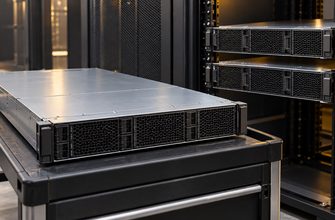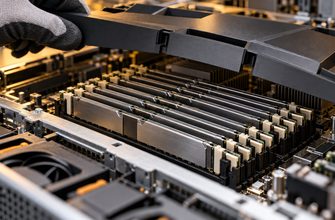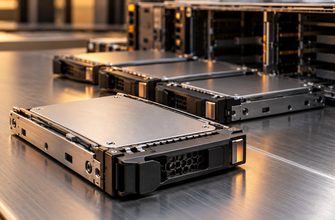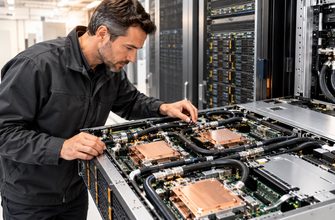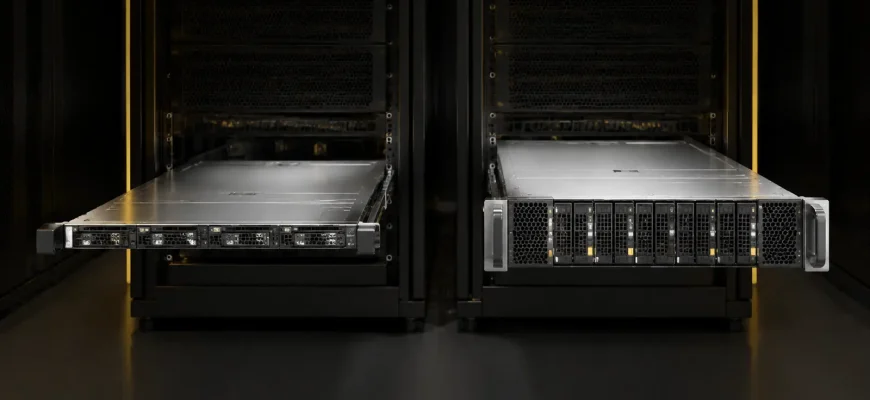
A 1U server is not automatically the efficient choice, and a 2U server is not automatically the more powerful one. Both can use the same processor families, memory generations and storage interfaces. The practical difference is what the chassis lets you do with those components: how densely you can install systems, how much heat each server can reject, which expansion cards fit, and how much noise and maintenance friction the deployment creates.
Decision in brief: choose 1U when rack space is the binding constraint and the required configuration fits comfortably inside the chassis. Choose 2U when you need more drives, full-height expansion, larger accelerators, quieter airflow or additional thermal headroom. Do not pay for density that your rack, power budget or workload cannot use.
- Start with the deployment, not the height
- 1U vs 2U at a glance
- Criterion 1: rack density
- When density creates real value
- Criterion 2: cooling and sustained performance
- Criterion 3: PCIe cards and accelerators
- Expansion worksheet
- Criterion 4: drive bays and storage design
- Criterion 5: noise and installation environment
- Criterion 6: acquisition cost and five-year TCO
- Recommended configurations by scenario
- General virtualization cluster
- GPU or accelerator server
- Storage-heavy server
- Space-constrained colocation
- Buying checklist
Start with the deployment, not the height
One rack unit is 1.75 inches high. A 1U server therefore consumes half the vertical space of a 2U server. That sounds like a simple two-for-one advantage, but rack capacity is rarely governed by height alone. Power delivery, cooling, switch ports, cable paths, floor loading and software licensing can become the real limits long before every rack unit is occupied.
The useful purchasing question is not “How many servers fit in the rack?” It is “How many complete, powered and supportable configurations fit within the rack’s operational limits?” If a rack can safely supply 8 kW and your selected systems consume that allowance in 20U, the remaining empty units do not make a denser chassis more valuable.
1U vs 2U at a glance
| Criterion | 1U server | 2U server |
|---|---|---|
| Rack density | Best when vertical space is scarce | Uses twice the rack height per node |
| Cooling | Smaller, faster fans and tighter airflow paths | Larger fans and more thermal headroom |
| PCIe expansion | Usually fewer slots; risers and low-profile cards matter | Usually more slots and easier full-height card support |
| GPU support | Suitable only for configurations validated for the chassis | More suitable for large or multiple accelerators |
| Drive capacity | Fewer front bays in many designs | More front-panel area for drives |
| Acoustics | Often louder at comparable heat loads | Usually easier to cool with lower fan speed |
| Service access | Denser internal layout | More room around components and cables |
Criterion 1: rack density
A 42U rack can theoretically hold forty-two 1U nodes or twenty-one 2U nodes before allowing for switches, patch panels, power equipment and blanking panels. That arithmetic matters in a colocation facility that charges by rack or cage. It matters much less in an office server room with a mostly empty cabinet.
Density also multiplies supporting requirements. Doubling the node count can double network ports, management connections and cable volume. It can raise the rack’s aggregate heat output and create a power density the facility was never designed to handle. Ask the facility for the usable power budget per rack, cooling assumptions and maximum permitted equipment weight before treating rack units as the scarce resource.
When density creates real value
- Colocation cost is strongly linked to occupied rack space.
- The workload scales through many similar nodes rather than larger individual systems.
- The rack has enough power, cooling and network capacity for the planned node count.
- The selected 1U configuration does not sacrifice required storage or expansion.
Criterion 2: cooling and sustained performance
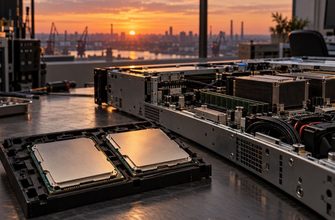
A 1U chassis has less vertical area for fans and heat sinks. Vendors compensate with compact, high-speed fans and carefully controlled front-to-back airflow. This can cool very powerful components, but only inside configurations the server manufacturer has validated. Removing air baffles, fitting an unsupported accelerator or using the wrong drive blanks can disturb that airflow.
A 2U chassis gives designers more space for larger heat sinks and fans. The benefit is not guaranteed benchmark performance; it is configuration flexibility and margin. That margin becomes valuable with high-power processors, dense memory, many NVMe devices or accelerators that exhaust substantial heat into the chassis.
Common mistake: comparing processor specifications without checking the server’s thermal configuration rules. The same nominal CPU may require specific fans, heat sinks, drive layouts or ambient-temperature limits in different chassis.
Criterion 3: PCIe cards and accelerators
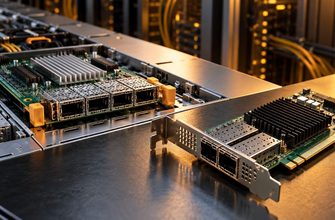
Expansion is where the 1U-versus-2U decision most often becomes irreversible. A 1U server may expose only low-profile slots or use risers that divide available lanes among a small number of cards. A 2U platform has more rear-panel area and internal volume for full-height adapters, double-width GPUs, storage controllers, data-processing units and additional network interfaces.
Do not count slots alone. Record the mechanical size, electrical lane width, generation, power connector and airflow requirement for every planned card. A slot described as x16 can be mechanically x16 but electrically wired for fewer lanes. Two physical slots may share a riser option or become unavailable when a particular storage backplane is selected.
Expansion worksheet
- List every card required on day one.
- Add the cards expected during the server’s useful life.
- Record height, length, width, lane requirement and peak power for each card.
- Check the exact riser and backplane configuration in the vendor configurator.
- Keep at least one realistic expansion path rather than relying on a nominal empty slot.
Criterion 4: drive bays and storage design
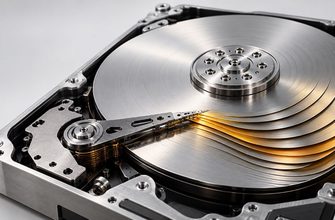
The larger front face of a 2U chassis normally provides more room for hot-swap bays. This makes 2U attractive for storage-heavy virtualization, backup targets and systems that need local capacity. A 1U server can still offer dense NVMe or small-form-factor storage, but the number of bays, supported media types and PCIe lane allocation vary sharply by backplane.
Start with usable capacity, required write endurance and failure tolerance. Then map those requirements to an exact drive and controller configuration. Buying a 2U chassis merely because it has more empty bays adds cost without value; buying 1U and later discovering that the required capacity needs an external shelf is usually worse.
Criterion 5: noise and installation environment
High-speed 1U fans can be intrusive outside a data center. If the server will operate near staff, in a studio, laboratory or small office, acoustics deserve the same attention as compute performance. Published sound-power or sound-pressure figures are more useful than subjective labels such as “quiet mode,” and should be checked for the intended configuration and load.
A 2U server is not silent, but larger fans can move a similar volume of air at a lower rotational speed. Tower servers remain the better comparison when the system must share occupied space; the choice between 1U and 2U assumes a rack environment is already appropriate.
Criterion 6: acquisition cost and five-year TCO
Chassis price is only one TCO component. A denser 1U fleet can reduce colocation space but may require more nodes, switch ports and licenses if each node has less local expansion. A 2U system may cost more initially yet consolidate storage or accelerators that would otherwise need separate equipment.
Model the complete deployed unit: chassis, rails, risers, network adapters, drives, optics or cables, support, software licenses and expected power. Then compare at the workload level. Cost per rack unit is useful only when rack units are actually the scarce, billable resource.
Recommended configurations by scenario
General virtualization cluster
Choose 1U when each node needs modest local storage, two or three network interfaces and no large accelerators. Standardizing many identical nodes can simplify spares and replacement. Choose 2U if the design depends on large local drive sets, several PCIe cards or unusually high memory and thermal density.
GPU or accelerator server
Prefer a vendor-validated 2U or larger accelerator platform unless a specific 1U configuration is proven to meet the card, power and cooling requirements. The important unit is not chassis height but supported accelerator count at sustained load.
Storage-heavy server
Prefer 2U when local drive count is central to the workload. Compare backplanes, supported NVMe/SAS/SATA combinations, controller paths and serviceability rather than the headline number of bays.
Space-constrained colocation
Prefer 1U after confirming rack power and cooling. Calculate the cost per useful workload unit, not the cost per chassis. A rack full of throttled or under-networked servers is not efficient density.
Buying checklist
- Is rack height, rack power or cooling the actual limiting resource?
- Does the exact CPU and memory configuration meet the chassis thermal rules?
- Do all required PCIe cards fit mechanically and electrically?
- Does the selected backplane support the required drive types and count?
- Can the system accommodate one credible expansion step?
- Are rail depth, cable-management arms and rack dimensions compatible?
- Is the acoustic profile acceptable for the installation location?
- Have support, networking, software and facility costs been included?
Final recommendation: use 1U for repeatable, density-oriented nodes whose storage and expansion needs are already known. Use 2U when configuration flexibility, local storage, accelerators, acoustics or thermal margin matter more than vertical density. If both chassis can support the workload, let the rack’s real constraint—space, power, cooling or cost—make the decision.