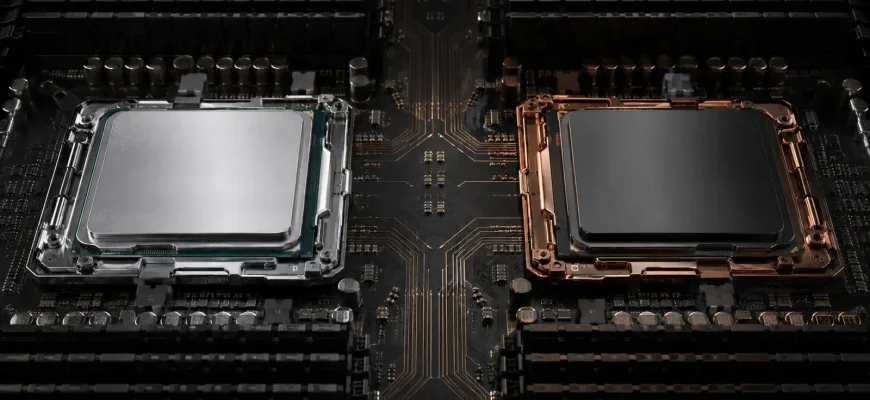
“Intel Xeon or AMD EPYC?” is too broad to answer from brand, core count or a single benchmark. Both portfolios span different core densities, frequencies, power envelopes and workload targets. The useful comparison is between complete, supported server configurations that meet the same requirement.
Decision in brief: shortlist systems from both platforms unless software certification or an existing operational standard excludes one. Compare measured workload performance, usable memory, required PCIe devices, software licensing, power at expected utilization and support. Buy the configuration with the lower cost per required unit of work—not the processor with the largest specification number.
- Define the workload before comparing processors
- Platform comparison framework
- Criterion 1: workload performance
- Criterion 2: core density and frequency
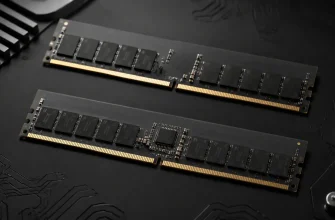
- Criterion 3: memory capacity and bandwidth
- Criterion 4: PCIe, accelerators and storage
- Criterion 5: built-in acceleration and security features
- Criterion 6: software certification and operational fit
- Criterion 7: power and cooling
- Criterion 8: licensing and five-year TCO
- A defensible evaluation process
- Buying checklist
Define the workload before comparing processors
A general-purpose virtualization host, a frequency-sensitive database, a storage server and a compute node reward different processor characteristics. More cores help only when the workload can use them and the software license does not make each additional core expensive. Higher peak frequency matters only when the application is constrained by lightly threaded execution. Memory bandwidth and I/O can dominate when cores spend time waiting for data.
Write a testable requirement: number of users or virtual machines, transaction rate, response-time target, dataset size, network throughput, accelerator count and acceptable power. This prevents the procurement process from turning into a comparison of vendor-selected headline figures.
Platform comparison framework
| Criterion | What to compare | Why it changes the decision |
|---|---|---|
| Compute | Performance on the production workload per server and per licensed core | Core count alone does not predict useful throughput |
| Memory | Capacity, channels, supported speed and population at the chosen socket count | Working sets and virtualization density may be memory-bound |
| I/O | Usable PCIe lanes, slot topology, CXL support and validated devices | GPUs, NICs and NVMe can consume the platform’s expansion budget |
| Software | OS, hypervisor, application and security-feature support | An unsupported platform creates operational risk |
| Power | Wall power at idle, typical and peak workload | Nameplate CPU power is not server energy consumption |
| TCO | Hardware, licenses, support, power and required server count | A higher server price can still reduce fleet cost |
Criterion 1: workload performance
Use a benchmark that resembles the production workload in software version, dataset size, memory footprint, storage path and concurrency. Vendor results can help identify candidates, but they rarely match every deployment variable. A short proof of concept using the intended server configuration is more valuable than a large collection of unrelated benchmark scores.
Normalize results at three levels:
- Per server: how much work one complete node delivers.
- Per core: important when software is licensed by core.
- Per watt: useful where rack power or energy cost constrains growth.
Do not combine scores from different test versions, compiler settings or system configurations. Treat estimates as estimates and keep a margin between measured capacity and the service-level requirement.
Criterion 2: core density and frequency
Both Intel and AMD sell server CPUs optimized for different balances of cores and frequency. A high-density processor can consolidate many moderately busy virtual machines, batch workers or containers. A lower-core, higher-frequency part can be stronger for software that scales poorly or carries a large per-core license cost.
Core density also changes failure domains. Replacing four older servers with one very large node can reduce hardware and license overhead, but a node outage affects more workloads. Check cluster reserve: the remaining nodes must absorb the failed node without breaking performance targets.
Common mistake: selecting the highest core count within budget, then discovering that application licenses cost more than the server or that the workload cannot use the added cores.
Criterion 3: memory capacity and bandwidth
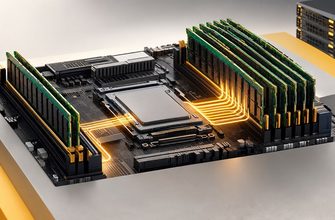
Compare the exact processor generation and server design. Count memory channels per socket, DIMM slots, supported module types and data rates under the planned population. A specification for maximum memory is not a guarantee that the desired capacity runs at the maximum advertised speed.
For virtualization, databases and analytics, test whether performance improves with more memory channels populated or a larger cache. For dual-socket systems, confirm NUMA behavior. A workload that frequently accesses memory attached to the other socket may gain less than expected from adding a second CPU.
AMD publishes its current EPYC portfolio and specification links; Intel does the same for Xeon processors. Use these pages to reach the exact SKU documentation, then verify the chosen server vendor’s population rules.
Criterion 4: PCIe, accelerators and storage
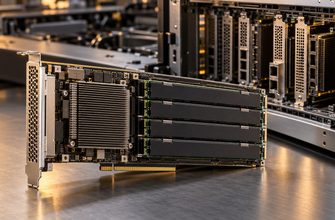
A CPU specification can list many PCIe lanes while the server chassis exposes only a subset in usable slots. Backplanes, risers, internal controllers and multiple processors determine the final topology. Build a device map covering GPUs, NVMe drives, network adapters, storage controllers and future additions.
Check lane width and generation, slot dimensions, power, cooling and NUMA attachment. If a second processor is required merely to activate slots, include that CPU, its memory and software-license implications in the platform comparison.
Criterion 5: built-in acceleration and security features
Processor families may include instructions or integrated engines for matrix operations, compression, cryptography or data movement. These features have value only when the operating system and application stack use them. Confirm support in the exact software release and test with the feature enabled.
The same rule applies to confidential-computing and security capabilities. A processor feature may require firmware, hypervisor, guest OS and management integration. Treat a checked specification box as the start of validation, not proof of deployment readiness.
Criterion 6: software certification and operational fit
Most mainstream x86 software runs on both platforms, but “runs” and “is supported for this configuration” are different claims. Verify the hardware compatibility list for the operating system and hypervisor, the application vendor’s processor policy, required firmware and any device-driver dependencies.
Operational standardization also has a cost. A new platform may require different firmware tooling, performance baselines and spare parts. That should not automatically prevent a change, but migration effort belongs in the business case. A small price or benchmark advantage may not justify a second management pattern across a tiny fleet.
Criterion 7: power and cooling
Do not compare thermal design power as if it were measured wall consumption. Server energy includes processors, memory, drives, fans, adapters and power-supply losses. Fan power can rise when high-power accelerators or dense storage are installed. Measure complete-system power at representative utilization and include idle periods.
Calculate annual energy from the expected duty cycle, then test rack power and cooling limits. A platform that completes the workload with fewer nodes can reduce total energy even if each individual server draws more power.
Criterion 8: licensing and five-year TCO
Core-based software licensing can reverse a hardware decision. Model licenses using the vendor’s current rules, minimums and editions. Also include support, operating-system subscriptions, hypervisor costs, management tools and cluster reserve.
Build at least three configurations: one optimized for lowest acquisition cost, one for lowest licensed-core count and one for consolidation. Compare five-year cost against required throughput. Use sensitivity ranges for energy price, growth and support because a precise result built on uncertain inputs creates false confidence.
A defensible evaluation process
- Define workload, response-time, availability and growth requirements.
- Eliminate unsupported processor and server combinations.
- Configure memory, storage, networking and accelerators identically in purpose.
- Run a representative benchmark or proof of concept.
- Normalize per server, per licensed core and per watt.
- Model hardware, software, support and energy for the useful life.
- Check failure-domain and cluster-reserve consequences.
Buying checklist
- Is the comparison between current, similarly positioned configurations?
- Does the benchmark represent the actual application?
- Are memory population and PCIe topology fully specified?
- Are OS, hypervisor, application and devices supported?
- Have per-core licenses and minimum licensing rules been modeled?
- Has complete-system power been measured or conservatively estimated?
- Can the cluster tolerate the larger failure domain after consolidation?
- Is vendor support priced for the same response level and term?
Final recommendation: do not standardize on Intel Xeon or AMD EPYC from brand-level assumptions. Standardize on an evaluation method. Compare complete supported systems against the production workload and five-year cost. Let software certification decide eligibility, measured performance decide sizing, and licensing plus power decide economic value.