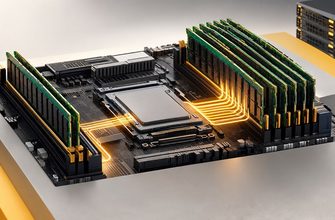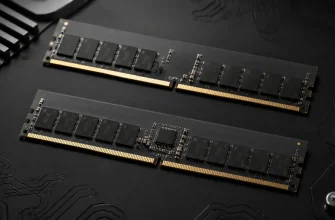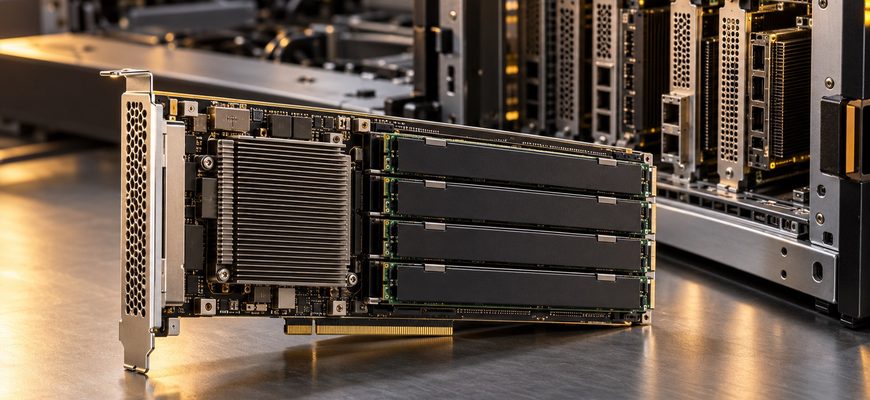
CXL memory expansion is worth buying when a qualified configuration adds the RAM your workload needs at a lower cost per useful unit of work than replacing native DIMMs. Choose higher-capacity RDIMMs when they meet the requirement economically and preserve the latency, expansion slots, and support model you need. The first purchasing question is whether you have spare CXL-capable connectivity, not simply spare physical slots.
Extra RAM can prevent expensive storage traffic or avoid an additional server. It can also consume positions needed for networking, accelerators, or storage, while introducing another memory-access path. This guide compares direct-attached CXL memory with native DDR5 capacity upgrades, using documented platform examples and an explicit economic model. It does not assume that buying an expander creates a shared memory pool.
- CXL memory expansion trades DIMM pressure for I/O pressure
- Read the qualified configuration, not just the CXL checkbox
- Separate capacity relief from memory-speed claims
- Price the entire server to find the acceptable performance trade-off
- Buy direct expansion separately from pooling
- Which configuration should make the shortlist?
- Procurement checklist
CXL memory expansion trades DIMM pressure for I/O pressure
A native RDIMM upgrade increases memory attached to the processor’s DDR channels. A CXL memory device adds another path through a compatible host connection and memory controller. Both can increase available capacity, but they do not provide identical access characteristics or occupy the same platform resources.
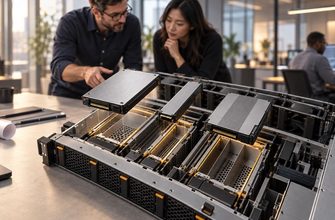
Form factor matters. Micron’s CZ120 product announcement, for example, specifies 128 GB and 256 GB CXL 2.0 Type 3 devices in E3.S 2T format using PCIe Gen5 x8. Other designs use add-in cards containing DIMMs. These are implementation examples, not interchangeable components or proof that any matching bay supports CXL.
| Criterion | Higher-capacity native RDIMMs | Direct-attached CXL memory | Buying implication |
|---|---|---|---|
| Expansion resource | CPU-attached DIMM sockets and supported module density | Qualified CXL connections, device positions, and power budget | Build both a memory map and an I/O map |
| Access path | Native DDR memory channels | An additional controller and host link | Equal capacity does not establish equal application performance |
| Existing memory | May require replacing installed DIMMs | May retain native DIMMs if the supported configuration permits | Compare actual retained components and replacement cost |
| Software qualification | Established platform memory rules still apply | Also requires the intended CXL exposure and memory-management mode | Confirm OS, hypervisor, firmware, and application support |
| Best initial case | Capacity fits economically in qualified native memory | Capacity pressure with usable CXL connectivity and acceptable access behavior | Select around the complete workload requirement |
Before choosing either path, check whether the current memory population is already limiting the server. The 1DPC versus 2DPC configuration guide covers native channel population and the speed implications of adding a second DIMM per channel. CXL is a different capacity path, rather than another name for 2DPC.
Read the qualified configuration, not just the CXL checkbox
Dell’s CXL Memory Expansion AIC hardware guide gives concrete examples for PowerEdge R770 and R7725 systems. The figures below reproduce that guide’s specific two-socket configurations, not every possible configuration of either server.
| Guide example | Native memory per system | CXL addition | Total memory |
|---|---|---|---|
| PowerEdge R770 | 3072 GB: sixteen 96 GB DIMMs per CPU | 1536 GB across four AICs | 4608 GB |
| PowerEdge R7725 | 2304 GB: twelve 96 GB DIMMs per CPU | 768 GB across two AICs | 3072 GB |
Each listed AIC contains four 96 GB DIMMs. The guide restricts native population to its listed configurations and notes that an x8-linked card can still require a physical x16 slot. It also specifies 4400 MT/s operation for the card’s DDR5-6400 RDIMMs. Buying from the DIMM label alone would miss both restrictions.
Support documents can describe different validation scopes. Dell’s separate PowerEdge CXL engineering article describes an R7725 test setup with 24 native 64 GB DIMMs, which differs from the hardware guide above. Obtain written approval for the exact quoted configuration rather than combining settings from separate examples.
The practical procurement artifact is a slot map identifying CPU attachment, negotiated link width, mechanical size, riser, adjacent-card clearance, and cooling restrictions. Reserve positions for the full planned NIC, GPU, and storage configuration. A capacity upgrade that forces a different chassis or displaces a required adapter belongs in the system-cost comparison.
Separate capacity relief from memory-speed claims
Dell’s engineering article explains that CXL-attached memory appears as separate NUMA nodes in its example and has higher access latency than local DRAM. That does not make it a poor purchase: additional capacity can be valuable when the alternative is excessive storage I/O. It does mean that adding gigabytes and accelerating every memory access are different outcomes.
Measure the active working set, allocation peaks, storage traffic associated with memory pressure, and the portion of data repeatedly accessed on the critical path. A large dataset with a relatively small hot portion is a stronger candidate for tiered capacity than a workload repeatedly touching almost all allocated memory with strict latency requirements.
Memory placement is part of the configuration being purchased. Ask whether the qualified software exposes distinct tiers, interleaves memory, or uses another supported policy. Do not assume that applications, containers, or VMs automatically obtain the desired placement simply because the OS reports more RAM.
Vendor benchmark gains also need the correct baseline. Micron’s CZ120 announcement reports gains against RDIMM-only configurations while describing the addition of four 256 GB devices alongside twelve 64 GB RDIMMs. That is a capacity-expanded system, not an equal-capacity comparison proving CXL is inherently faster than native DDR memory. Use such evidence to identify a workload opportunity, then compare qualified alternatives that meet your own capacity target.
If native memory already holds the working set and meets throughput requirements, CXL needs another specific justification: lower complete cost, a supported upgrade path, or additional useful work. “Memory-bound” alone is too broad a purchasing diagnosis.
Price the entire server to find the acceptable performance trade-off
Consider a hypothetical server where both a native RDIMM replacement and a CXL addition are qualified to meet the same required capacity. Assume the retained base system is valued at $20,000 for this comparison. Native memory replacement adds $9,000; the complete CXL option adds $7,000, including devices, necessary riser changes, and installation. These are illustrative inputs, not market quotes.
The resulting configurations cost $29,000 and $27,000. The CXL alternative saves $2,000, or 6.9% of the native-memory configuration’s total acquisition cost. Comparing only the two upgrade prices would exaggerate the performance trade-off the saving can absorb.
| Hypothetical configuration | Total acquisition cost | Accepted throughput index | Cost per throughput unit |
|---|---|---|---|
| Native RDIMM upgrade | $29,000 | 100 | $290.00 |
| CXL option at 95% throughput | $27,000 | 95 | $284.21 |
| CXL option at 90% throughput | $27,000 | 90 | $300.00 |
For continuously utilized, divisible throughput work, equal acquisition cost per throughput occurs at 27,000 divided by 29,000, or approximately 93.1% of baseline throughput. Under these assumptions, the cheaper configuration can tolerate less than a 6.9% throughput reduction before losing that advantage. Both options must still meet the required latency and availability targets.
This is a limited acquisition model. For an existing server, the base-system cost is sunk: separately compare future cash outlay, remaining service life, and the value of retaining the asset. For either purchase, add energy, support, qualification effort, software costs, and displaced I/O resources before treating the result as TCO.
Avoid assuming that more RAM automatically eliminates a node. Failure reserve, compute demand, licensing, and whole-node purchasing increments may preserve the original server count. The single-socket versus dual-socket comparison addresses the separate decision to buy another processor for memory and connectivity.
Buy direct expansion separately from pooling
A memory device attached to one server does not by itself provide a dynamically shared rack-wide memory pool. The CXL Consortium’s CXL 2.0 pooling guidance describes additional logical-device, allocation, and fabric-management concepts, and distinguishes pooling from interleaving.
Keep the bill of materials aligned with the actual use case. Direct expansion requires validation of the host and its devices. A pooling proposal needs its own supported architecture, switching and management components where required, allocation behavior, and failure model. Do not pay for a future pooling promise as though it were a delivered feature of a standalone expander.
Which configuration should make the shortlist?
- Capacity-constrained analytics or databases: compare native DIMM replacement and CXL when extra memory can reduce storage traffic. Use the production dataset and concurrency.
- Latency-sensitive workloads that already fit in native RAM: start with qualified RDIMMs. Require a specific economic or performance benefit before introducing another memory tier.
- I/O-dense GPU, storage, or network servers: favor native capacity when CXL would consume required expansion resources. Reconsider if the chassis provides a suitable independent CXL path.
- Existing servers with spare qualified connectivity: evaluate CXL against the actual cost of DIMM replacement or server replacement, including support for the remaining service period.
The Xeon versus EPYC platform guide provides the wider framework if the memory requirement changes the server shortlist. Processor support remains one element of complete-system qualification.
Procurement checklist
- Specify required usable capacity, hot working set, growth allowance, and service targets.
- Obtain exact server, processor, BIOS, device-firmware, and native-DIMM approval.
- Verify CXL version, supported device type, physical fit, link width, power, and cooling.
- Map the expansion resources remaining after all required adapters are installed.
- Confirm OS, hypervisor, memory-exposure mode, and application support.
- Benchmark equal-purpose configurations at representative capacity and concurrency.
- Compare complete cost per accepted unit of work, including service and I/O consequences.
Buy native RDIMM capacity when it meets the workload economically with the required latency and expansion headroom. Buy CXL when the exact qualified design delivers useful additional capacity at a better complete-system outcome, with acceptable placement behavior and sufficient I/O resources remaining. The decisive metric is supported work delivered, not the largest total-RAM figure in the quotation.