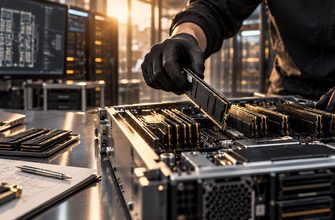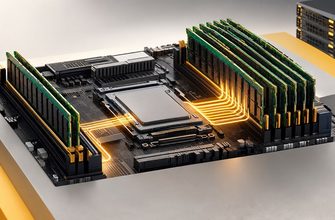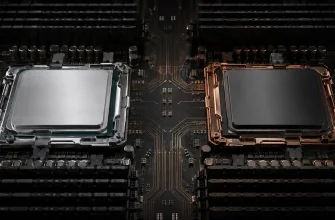
AMD Ryzen and AMD EPYC can both make excellent server CPUs, but they solve different infrastructure problems. Ryzen emphasizes high per-core performance and relatively compact platforms. EPYC is a server-first platform built around much larger memory, I/O, core-count, and expansion requirements.
That means the right question is not simply which processor family is faster. The useful question is: what does your server need beyond raw CPU speed?
Choose Ryzen when high per-core performance, moderate memory capacity, a smaller platform, and overall configuration cost matter more than massive expansion.
Choose EPYC when you need many CPU cores, much larger memory capacity and bandwidth, extensive PCIe connectivity, dense virtualization, accelerators, or a platform designed specifically for server-scale expansion.
- ⚖️ Ryzen vs EPYC at a Glance
- 🧩 The Real Difference Is the Platform
- ⚙️ 1. CPU Performance: Do You Need Faster Cores or More of Them?
- 🧠 2. Memory Can Decide the Platform Before CPU Does
- 🛣️ 3. PCIe and Expansion: Count Devices Before Choosing a CPU
- 🖥️ 4. Virtualization: VM Density Changes the Calculation
- 💾 5. Storage-Heavy Servers Favor Platform I/O
- 🌐 6. Networking Can Create the Same Problem
- 💰 7. Cost: Compare the Complete Server, Not the CPU Price
- 🎯 Ryzen vs EPYC by Workload
- 🚦 Choose Ryzen If…
- 🏗️ Choose EPYC If…
- 🚫 Five Buying Mistakes to Avoid
- 1. Comparing Only Core Counts
- 2. Ignoring Memory Until After Choosing the CPU
- 3. Forgetting PCIe Requirements
- 4. Assuming “Server CPU” Automatically Means Better
- 5. Buying Only for Today’s Configuration
- ✅ 10-Point Buying Checklist
- 🏆 Final Verdict
⚖️ Ryzen vs EPYC at a Glance
🧩 The Real Difference Is the Platform
It is tempting to compare Ryzen and EPYC as if the decision were simply between two processors. For a server purchase, that misses much of what matters.
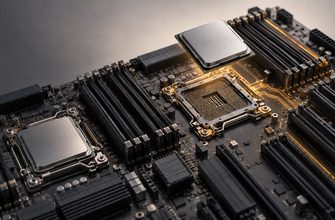
A CPU determines compute capability, but the platform determines how much infrastructure you can build around that compute: memory capacity, memory bandwidth, PCIe connectivity, storage controllers, network adapters, accelerators, and other expansion devices.
Ryzen originates from AMD’s mainstream high-performance processor family. It can be used effectively in server-oriented systems when the motherboard and surrounding hardware are suitable for the job.
EPYC is AMD’s server processor family. Its platform is designed for server workloads that may require far more cores, memory channels, memory capacity, PCIe connectivity, and infrastructure features than a typical Ryzen system.
If your comparison stops at cores × clock speed, you are probably comparing the wrong things. Start with CPU demand, then check memory and I/O requirements before choosing the platform.
⚙️ 1. CPU Performance: Do You Need Faster Cores or More of Them?
Many server applications cannot use an unlimited number of CPU cores efficiently. Their performance may depend heavily on the speed of individual cores or a relatively small number of active threads.
This is where a Ryzen-based server can be attractive. Workloads that value strong per-core performance but do not require an enormous number of cores can make good use of the platform.
- Per-core performance is important.
- The application uses a moderate number of threads.
- You do not need extreme VM density.
- The server has modest memory and expansion requirements.
- The workload scales across many cores.
- You consolidate many services or VMs.
- Aggregate compute throughput matters.
- CPU capacity must grow alongside memory and I/O.
EPYC’s advantage is not that every EPYC processor beats every Ryzen processor in every workload. Processor generations and individual models matter. Its advantage is that the platform can scale to configurations Ryzen was not designed to address.
🧠 2. Memory Can Decide the Platform Before CPU Does
Memory is one of the clearest reasons to move from a Ryzen-class system to a server platform such as EPYC.
A Ryzen configuration can provide substantial memory for many web servers, application servers, smaller databases, game servers, development machines, and other dedicated workloads.
But large databases, virtualization hosts, analytics systems, and memory-intensive applications can require far more capacity and bandwidth.
EPYC platforms are built around significantly broader server memory architectures, with more memory channels and support for much larger memory configurations depending on the processor generation and server design.
If your workload needs more memory capacity or bandwidth than a Ryzen platform can comfortably provide, stop comparing CPU benchmark scores. The platform requirement has already become the deciding factor.
🛣️ 3. PCIe and Expansion: Count Devices Before Choosing a CPU
Modern servers may need far more than a processor and two storage drives.
A serious configuration can include:
- multiple NVMe SSDs;
- high-speed network adapters;
- GPUs or other accelerators;
- storage controllers;
- additional network interfaces;
- other PCIe expansion devices.
Every one of those devices needs connectivity. This is an area where the EPYC platform has a structural advantage: it is designed around large amounts of PCIe connectivity for server expansion.
Ryzen can handle useful expansion, but motherboard topology and available lanes become important much sooner when building storage-dense, network-heavy, or accelerator-heavy systems.
🖥️ 4. Virtualization: VM Density Changes the Calculation
A Ryzen server can make an effective virtualization host when the number of virtual machines is modest and their combined CPU and memory requirements fit comfortably within the platform.
The calculation changes as VM density increases.
A virtualization host must divide CPU time, RAM, storage I/O, and network capacity among many guests. Eventually, the limiting factor may not be CPU performance at all. It may be memory capacity, memory bandwidth, storage connectivity, or network expansion.
| Virtualization Scenario | Starting Choice | Why |
|---|---|---|
| A few performance-sensitive VMs | Ryzen | Strong cores and simpler platform economics |
| Small lab or development host | Ryzen | Often enough CPU and RAM without server-scale expansion |
| Many production VMs | EPYC | Core, memory, and I/O scalability |
| Memory-heavy virtualization | EPYC | Server-scale memory architecture |
💾 5. Storage-Heavy Servers Favor Platform I/O
A file server with a small number of drives may not expose much difference between the platforms. A dense NVMe server is another matter.
As storage configurations grow, PCIe lanes and motherboard topology become purchasing criteria. Multiple high-performance NVMe devices can consume substantial I/O connectivity, especially when combined with high-speed networking.
This is why an EPYC platform may make sense even when the application does not need a huge number of CPU cores. You may be buying EPYC for the I/O architecture rather than the CPU throughput.
The CPU does not have to be the bottleneck for the CPU platform to be the right purchase. Memory and PCIe requirements can justify EPYC before compute demand does.
🌐 6. Networking Can Create the Same Problem
A server using ordinary network connectivity is relatively easy to accommodate. More demanding configurations may require multiple high-speed NICs, storage networking, redundant interfaces, or specialized adapters.
Again, the question becomes one of platform expansion.
A Ryzen system may provide everything a single-purpose server needs. An EPYC platform offers more room for configurations where networking, storage, and accelerators must coexist without competing for limited expansion resources.
💰 7. Cost: Compare the Complete Server, Not the CPU Price
Ryzen often has an attractive entry point because the processor and surrounding platform can be simpler for a single-purpose machine.
But CPU price alone is a poor way to compare server platforms.
Build the complete configuration first:
- processor;
- motherboard;
- required memory;
- storage devices;
- network adapters;
- RAID or HBA requirements;
- GPU or accelerator requirements;
- chassis and power requirements;
- expected expansion.
A Ryzen system that meets all requirements without compromise can be an efficient purchase. But forcing a workload onto Ryzen and then adding workarounds for memory or I/O limitations can erase the apparent saving.
Likewise, an EPYC system can be unnecessary overprovisioning when a workload only needs a handful of fast cores, moderate RAM, and a simple storage configuration.
🎯 Ryzen vs EPYC by Workload
These are decision starting points rather than universal rules. Individual applications, processor generations, motherboard designs, and actual resource requirements can change the result.
🚦 Choose Ryzen If…
- High per-core performance is a priority.
- Your workload does not need an extreme number of CPU cores.
- Memory requirements fit comfortably within the selected platform.
- You need only a modest number of PCIe devices.
- The machine has one clear workload rather than heavy consolidation.
- A simpler, lower-cost configuration is valuable.
🏗️ Choose EPYC If…
- You need many CPU cores in one server.
- You need large memory capacity or high memory bandwidth.
- You plan dense virtualization or workload consolidation.
- You need many NVMe devices or high-speed network adapters.
- You need multiple GPUs or other PCIe accelerators.
- You expect the system to expand substantially over its useful life.
- Server-scale platform capabilities matter more than minimizing entry cost.
🚫 Five Buying Mistakes to Avoid
1. Comparing Only Core Counts
More cores are useful only when the workload can use them. Applications with limited parallelism may benefit more from stronger individual cores.
2. Ignoring Memory Until After Choosing the CPU
Memory capacity and bandwidth can determine the platform before CPU performance does. Size the workload’s memory requirements early.
3. Forgetting PCIe Requirements
Count NVMe drives, NICs, GPUs, HBAs, and other expansion devices before selecting the motherboard and processor platform.
4. Assuming “Server CPU” Automatically Means Better
EPYC offers server-scale capabilities, but those capabilities have little value if the workload does not use them. A properly designed Ryzen server can be the more rational machine for a smaller, performance-sensitive workload.
5. Buying Only for Today’s Configuration
A server that is already near its memory, storage, or expansion limits on day one leaves little room for economical growth.
✅ 10-Point Buying Checklist
- Does the workload favor fast individual cores or many parallel cores?
- How many CPU cores can the software actually use?
- How much RAM is required today?
- How much RAM will realistically be required later?
- Is memory bandwidth important to the workload?
- How many NVMe drives will the server use?
- How many network adapters and other PCIe devices are required?
- Will GPUs or other accelerators be added?
- Is this a single-purpose server or a consolidation platform?
- What expansion must the platform support over its useful life?
🏆 Final Verdict
Ryzen and EPYC are not simply cheaper and more expensive versions of the same server CPU.
Choose Ryzen when the server needs fast cores more than a massive platform. It is particularly compelling for focused workloads with moderate memory, storage, and expansion requirements.
Choose EPYC when the infrastructure around the CPU becomes just as important as the CPU itself. Large memory, dense virtualization, many storage devices, high-speed networking, and accelerators are where the server platform earns its place.
If both platforms can comfortably satisfy your CPU, memory, and I/O requirements, compare the complete configuration cost. If Ryzen cannot meet one of those requirements without compromise, the decision is already moving toward EPYC.
Buy the platform your workload needs, not the CPU with the most impressive specification sheet. Ryzen is compelling when fast cores and efficiency are enough. EPYC becomes the stronger choice when memory, I/O, expansion, and consolidation define the server.