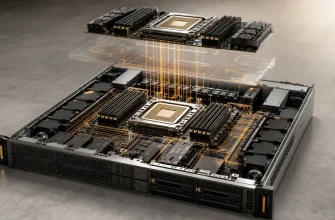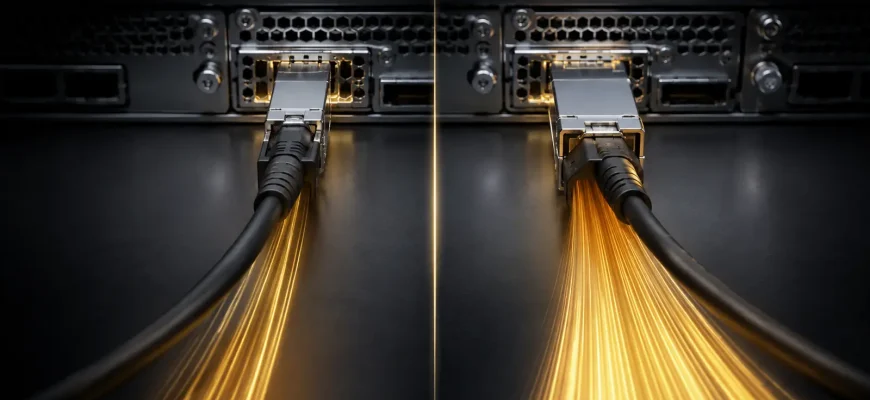
Moving from 10GbE to 25GbE gives a server 2.5 times the nominal line rate through a single port, but it does not make every application 2.5 times faster. The upgrade only pays when the server can generate or consume that traffic, the switch fabric can carry it, and the workload is currently constrained by the network rather than storage, CPU or software.
Decision in brief: choose 10GbE for general business workloads, modest virtualization hosts and environments where 10 gigabits per second per port leaves measurable headroom. Choose 25GbE for dense virtualization, fast storage, backup, clustered databases, distributed computing or GPU nodes that can sustain more than a 10GbE link. Price the complete path, not just the network card.
- Start with required throughput, not interface speed
- 10GbE vs 25GbE at a glance
- Criterion 1: workload demand
- General application servers
- Virtualization hosts
- Storage and backup
- GPU and distributed compute
- Criterion 2: the complete network path
- Criterion 3: cabling, optics and interoperability
- Criterion 4: server I/O and CPU headroom
- Criterion 5: redundancy and port count
- Criterion 6: cost per usable gigabit
- A practical sizing method
- Buying checklist
Start with required throughput, not interface speed
A 10GbE link has a nominal data rate of 10 gigabits per second; 25GbE raises that to 25. Application throughput is lower after Ethernet, IP and transport overhead, and it can fall much further because of small I/O, latency, packet processing, storage limits or poor parallelism. A file copy that reads from a slow disk will not saturate either link.
Measure peak and sustained traffic on the existing server. Separate north-south traffic to users or external networks from east-west traffic between servers and storage. Record both average utilization and high-percentile peaks: a low daily average can hide short periods in which backups, migrations or replication consume all available bandwidth.
10GbE vs 25GbE at a glance
| Criterion | 10GbE | 25GbE |
|---|---|---|
| Nominal line rate | 10 Gbit/s per port | 25 Gbit/s per port |
| Common pluggable form factor | SFP+ | SFP28 |
| Typical fit | General servers and established networks | High-throughput hosts and modern leaf-spine fabrics |
| Switching cost | Broad used and new equipment base | Usually higher per port, but better bandwidth density |
| Host requirement | Moderate CPU and PCIe demand | More packet-processing and I/O capacity required |
| Migration risk | Low in mature 10GbE estates | Optics, DACs, FEC and switch compatibility must be checked |
Criterion 1: workload demand
General application servers
Web applications, directory services, small databases and line-of-business systems often remain below 10GbE because their work is limited by latency, CPU or storage. A pair of 10GbE ports may provide ample throughput plus redundancy. Upgrading these servers without evidence of congestion adds cost and operational variation.
Virtualization hosts
A virtualization node aggregates traffic from many guests, storage paths, live migration and backup. The average may still appear modest, but concurrent events can create bursts. 25GbE becomes attractive when consolidation ratios rise, NVMe-backed storage is used, or fewer physical ports must carry several segmented networks.
Storage and backup
Fast all-flash arrays, NVMe-over-Fabrics targets and parallel backup streams can exceed practical 10GbE throughput. Here 25GbE can shorten protection windows or prevent the network from masking storage performance. Confirm the source and destination can sustain the target rate with representative block sizes and queue depths.
GPU and distributed compute
Accelerated servers may exchange model data, checkpoints or intermediate results at high rates. A 25GbE interface is still modest beside specialized high-speed fabrics, but it can be a sensible minimum for inference clusters or smaller distributed workloads. Benchmark the actual software stack; network demand changes substantially with model partitioning and batching.
Criterion 2: the complete network path
A 25GbE adapter connected through a 10GbE switch port remains a 10GbE path. Budget for the host adapter, transceiver or direct-attach cable, switch port, uplinks and any storage target ports. If oversubscribed uplinks funnel several 25GbE hosts into a narrow core connection, moving the bottleneck does not remove it.
Map every hop between producer and consumer. For a storage network, include both server-facing and array-facing ports. For backup, include the repository and its disk subsystem. For east-west application traffic, include leaf-to-spine capacity and the expected concurrency from other hosts.
Common mistake: pricing 25GbE as the difference between two network cards. The meaningful comparison includes switch licensing, optics or DACs, spare parts, uplink capacity and the labor required to validate a new link mode.
Criterion 3: cabling, optics and interoperability
SFP+ is commonly associated with 10GbE and SFP28 with 25GbE. The housings look similar, but physical fit does not prove link compatibility. Check the supported transceiver list for both adapter and switch, cable reach, fiber type and forward-error-correction requirements. Some 25GbE ports can operate at 10GbE, but this is a product capability, not an assumption to make from the connector alone.
Direct-attach copper is economical for short in-rack runs. Active optical cables simplify longer fixed connections. Separate transceivers and structured fiber provide more flexibility but add components that must be qualified and stocked. Standardize a small number of validated combinations rather than buying optics independently for each project.
The IEEE 802.3 Ethernet standard defines the underlying Ethernet family. Procurement still depends on implementation details exposed by the adapter and switch vendors, particularly supported media and FEC modes.
Criterion 4: server I/O and CPU headroom
The network adapter needs a suitable PCIe slot and enough lanes to sustain its ports. It also creates CPU work for interrupts, protocol processing, encryption and virtual switching. Offloads such as checksum processing, segmentation, receive-side scaling and remote direct memory access can reduce overhead, but only when the operating system, driver and application use them correctly.
Before purchase, verify slot generation and lane width, NUMA placement, driver support, firmware lifecycle and required offload features. On a dual-socket host, placing the adapter far from the CPU or memory serving the workload can introduce avoidable cross-socket traffic.
Criterion 5: redundancy and port count
One faster port is not a substitute for two independent paths. If availability requires continued service after an adapter, cable or switch failure, design redundant connections to separate switches. A pair of 10GbE links can offer resilience and aggregate capacity, but a single flow may not use both links. Link aggregation distributes traffic according to a hashing policy rather than combining links into one universally faster pipe.
A pair of 25GbE ports often allows a cleaner design than four or more 10GbE ports, reducing cables and switch ports. The benefit is architectural simplicity, not merely headline bandwidth.
Criterion 6: cost per usable gigabit
Compare three-year or five-year cost per host. Include adapters, switch ports, support, media, spares and power. Then divide by bandwidth the workload can actually use. An inexpensive 25GbE port is poor value on a server that peaks at 2Gb/s; a more expensive port can be excellent value if it eliminates backup overruns or allows two network functions to share a redundant pair.
Also price the migration boundary. If existing 10GbE switches have adequate capacity and support life, a selective 25GbE deployment for storage and dense hosts may beat a wholesale replacement. Standardize 25GbE for new high-performance nodes while keeping low-demand systems on 10GbE until the switching refresh.
That staged approach also limits migration risk.
A practical sizing method
- Measure high-percentile receive and transmit throughput during representative busy periods.
- Identify whether the link is actually causing queueing, latency or missed operational windows.
- Estimate growth in guests, storage speed, backup volume and east-west traffic.
- Validate the entire path from server to destination.
- Test with the real protocol, block size, encryption and concurrency.
- Retain independent paths where availability matters.
Buying checklist
- Which workloads exceed practical 10GbE throughput today?
- What growth is expected during the server’s useful life?
- Are switch ports and uplinks available at 25GbE?
- Are the exact adapters, firmware, drivers, optics and cables qualified?
- Does the required FEC mode match at both ends?
- Can the server’s PCIe and CPU configuration sustain the target rate?
- Does the design preserve path redundancy?
- Has performance been tested with the production protocol?
Final recommendation: keep 10GbE where measurements show comfortable headroom and the surrounding network is already standardized. Choose 25GbE for hosts that aggregate many workloads, move data to fast storage, run heavy backup or replication, or would otherwise need several 10GbE ports. Upgrade complete traffic paths and require evidence that network bandwidth—not another subsystem—is the constraint.