Enterprise and consumer SSDs may use similar NAND flash and advertise similar peak speeds, but they are designed around different operating conditions. A consumer drive is optimized for desktop workloads with bursts of activity and long idle periods. An enterprise SSD is built for sustained server I/O, predictable latency, controlled failure behavior, remote management, and a defined endurance level.
For a production database, virtualization host, write-heavy application, or shared storage server, enterprise SSDs are normally the safer choice. Consumer SSDs can still make sense for development systems, boot volumes, read-mostly services, disposable cache, and low-risk home labs—provided their limitations are understood.
Short answer: Buy enterprise SSDs when data integrity, sustained performance, write endurance, hot-swap serviceability, or predictable latency matters. Consider consumer SSDs only when the workload is light, recoverable, monitored, and the cost of drive failure or throttling is low.
- Enterprise SSD vs Consumer SSD at a Glance
- The Main Difference Is Predictability
- Power-Loss Protection and Data Integrity
- How to Compare SSD Endurance
- Example endurance calculation
- Do not overbuy endurance
- Latency Matters More Than Peak IOPS
- NAND Type Is Not the Whole Decision
- Form Factor and Server Serviceability
- When Consumer SSDs Can Be Acceptable
- When Enterprise SSDs Are Worth the Cost
- Enterprise SSDs and RAID
- NVMe or SATA?
- Total Cost of Ownership
- Procurement Checklist
- Final Recommendation
- Frequently Asked Questions
- Are enterprise SSDs always faster than consumer SSDs?
- Can consumer SSDs be used in a server?
- What is a good DWPD rating for a server SSD?
- Does a UPS eliminate the need for power-loss protection?
- Is enterprise NVMe better than enterprise SATA?
- Does RAID make consumer SSDs equivalent to enterprise SSDs?
- Technical References
Enterprise SSD vs Consumer SSD at a Glance
| Criterion | Enterprise SSD | Consumer SSD |
|---|---|---|
| Design workload | Continuous, multi-user server I/O | Bursty desktop and workstation use |
| Power-loss protection | Common on data-center models; verify the specification | Often absent or limited |
| Endurance rating | Usually expressed for a defined workload and warranty period | Typically lower and optimized for client writes |
| Performance focus | Steady-state behavior and tail-latency consistency | High burst and headline benchmark results |
| Form factors | U.2, U.3, EDSFF, add-in card, 2.5-inch SATA; some M.2 | Mostly M.2 and 2.5-inch SATA |
| Serviceability | Hot-swap and enclosure management are common | Often installed internally |
| Firmware behavior | Validated for server platforms and sustained workloads | Optimized for client platforms and power states |
| Acquisition cost | Higher | Lower |
| Best fit | Production and business-critical storage | Low-risk, light-duty, or replaceable workloads |
The label alone is not enough. Enterprise models range from read-intensive, high-capacity drives to extreme-endurance products. Consumer models also vary widely. Compare the exact drive specification against the actual workload rather than assuming every enterprise drive is faster or every consumer drive is unsuitable.
The Main Difference Is Predictability
Peak sequential throughput is easy to advertise but rarely describes a server’s complete storage behavior. Servers generate random reads, small synchronous writes, metadata operations, background compaction, checkpoints, virtual-machine traffic, and concurrent requests. The important question is whether latency remains acceptable after the drive is warm, partially full, and under sustained load.
Many client SSDs use a dynamic write cache to produce high short-duration benchmark results. Once that cache is exhausted, sustained write performance can fall substantially. Garbage collection, thermal throttling, and firmware housekeeping may also introduce latency spikes. These effects may be barely noticeable on a personal computer but disruptive when hundreds of application requests depend on the same device.
Enterprise SSD firmware and spare-area policies are generally tuned for consistent service under sustained demand. This does not mean every enterprise drive is faster in every benchmark. It means the device is more likely to deliver behavior that can be planned around.
Power-Loss Protection and Data Integrity
An SSD can acknowledge a write while some data or mapping information remains in volatile memory. If power disappears before that information reaches non-volatile media, recently acknowledged data may be lost and internal metadata may be at risk.
Data-center SSDs commonly include capacitors and firmware logic designed to complete in-flight writes after sudden power loss. This feature is usually called power-loss protection (PLP) or power-loss imminent protection. It is particularly important for databases, transaction logs, filesystems, and RAID controllers that depend on correct flush and durability behavior.
Do not infer PLP from the words “enterprise,” “NAS,” or “high endurance.” Confirm it in the exact model’s documentation. Some devices protect only internal metadata, while others protect user data already acknowledged by the drive. These are not equivalent guarantees.
A UPS and redundant power supplies remain useful, but they do not replace drive-level PLP. Cables can be disconnected, power supplies can fail, servers can crash, and drives can be hot-removed independently of facility power.
How to Compare SSD Endurance
NAND flash supports a finite number of program/erase cycles. Vendors normally express warranted endurance as total bytes written (TBW or PBW) or drive writes per day (DWPD) over a stated warranty period.
DWPD describes how many times the drive’s full capacity can be written each day during the warranty term. A 3.84 TB drive rated at 1 DWPD for five years supports approximately one complete drive write per day within the stated conditions.
A practical estimate is:
Required DWPD = host writes per day ÷ usable drive capacity
Then add allowance for growth, bursts, rebuilds, and write amplification. Host writes are not always equal to NAND writes because garbage collection, parity, compression, filesystem behavior, and database operations can amplify or reduce the amount written internally.
Example endurance calculation
Suppose monitoring shows 1.2 TB of host writes per day and the intended drive has 3.84 TB of usable capacity:
1.2 TB ÷ 3.84 TB = 0.31 DWPD
A 0.3 DWPD drive would leave almost no margin. A model rated at 1 DWPD may be a more defensible choice once growth and write amplification are considered. The correct margin depends on the workload and replacement plan.
Do not overbuy endurance
Extreme-endurance drives can cost considerably more and may offer lower capacity. A read-heavy web server may never use their write budget. Measure real writes and select the appropriate class:
- Read-intensive: Content delivery, read replicas, object storage, and predominantly read workloads.
- Mixed-use: Virtualization, general databases, and servers with balanced reads and writes.
- Write-intensive: Logging, caching, journaling, high-ingest databases, and sustained write workloads.
Latency Matters More Than Peak IOPS
Two drives can advertise similar IOPS while delivering very different application performance. Averages hide pauses. For latency-sensitive services, examine the distribution—especially the 95th, 99th, and 99.9th percentiles—under sustained, production-like load.
Evaluate:
- Random read and write latency at the intended queue depth.
- Mixed read/write performance rather than isolated maximums.
- Performance after the drive has been filled and preconditioned.
- Behavior as capacity utilization increases.
- Thermal throttling inside the actual server chassis.
- Latency during garbage collection and background maintenance.
Client benchmark charts often use high queue depths or short test files that do not resemble an application. Test the complete storage path, including controller, RAID layer, filesystem, database, hypervisor, and synchronization settings.
NAND Type Is Not the Whole Decision
SLC, TLC, and QLC describe how many bits are stored in each flash cell. More bits per cell generally improve capacity economics but reduce the raw program/erase margin. Controller design, overprovisioning, error correction, firmware, workload, and warranty can matter just as much as the NAND label.
- TLC: A common balance of performance, capacity, and endurance for enterprise mixed workloads.
- QLC: Attractive for high-capacity, read-intensive storage when write demand is controlled.
- Specialty high-endurance media: Appropriate for extreme logging, caching, and journaling, but expensive per terabyte.
Do not reject a high-capacity enterprise QLC drive solely because it uses QLC, and do not approve a consumer TLC drive solely because it uses TLC. Compare the complete device specification and workload rating.
Form Factor and Server Serviceability
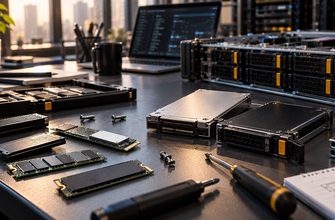
M.2 drives are compact and widely available, but many server implementations place them inside the chassis. Replacing a failed device may require shutting down and opening the server. M.2 devices can also be difficult to cool when installed densely.
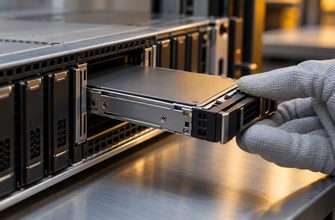
U.2, U.3, and EDSFF enterprise drives are commonly installed in front-accessible hot-swap bays. These designs can provide better airflow, status indication, enclosure management, and replacement procedures. They also require a compatible backplane, cabling, PCIe lane allocation, and firmware support.
Before ordering drives, verify:
- The exact interface and physical form factor supported by every bay.
- Whether the backplane supports SATA, SAS, NVMe, or a combination.
- PCIe generation, lane width, and total lane availability.
- Hot-plug support across the drive, backplane, platform, and operating system.
- Required carriers, cables, retimers, and RAID or HBA hardware.
- Cooling requirements and qualified-drive lists.
When Consumer SSDs Can Be Acceptable
A consumer SSD is not automatically a bad server component. It can be a rational choice when failure is inexpensive, writes are light, and recovery is simple.
- Development and test servers.
- Home labs and noncritical personal services.
- Read-mostly boot volumes with configuration stored elsewhere.
- Disposable caches that can be rebuilt from an authoritative source.
- Replicas whose loss does not reduce the required redundancy level.
- Small applications with verified low write volume and tested backups.
Even in these cases, monitor SMART/NVMe health, temperature, media errors, unsafe shutdowns, available spare, and percentage used. Keep tested backups and documented replacement procedures. Do not create a RAID array from consumer drives and assume that all enterprise risks have disappeared.
When Enterprise SSDs Are Worth the Cost
- Transactional databases and durable write-ahead logs.
- Virtualization hosts running multiple production VMs.
- Shared storage where one drive affects many users or services.
- Write-heavy logging, caching, and ingestion systems.
- 24/7 services with contractual availability or latency targets.
- Systems requiring hot-swap replacement and platform-qualified firmware.
- Remote or edge servers where service visits are expensive.
The value is not merely additional write cycles. It includes controlled power-failure behavior, predictable latency, serviceability, telemetry, and lower operational uncertainty.
Enterprise SSDs and RAID
RAID and enterprise SSD features solve different problems. RAID can maintain availability after certain drive failures. PLP helps a drive persist acknowledged writes. Endurance determines how much writing the device is designed to absorb. Backups recover from deletion, corruption, ransomware, or failure of the complete array.
For many production servers, two enterprise SSDs in RAID 1 are a strong starting point. RAID 10 is often preferable when four or more drives are needed for random I/O performance or usable capacity. Parity RAID may be suitable for read-heavy and capacity-oriented workloads, but write behavior and rebuild performance require validation.
Read our comparisons of RAID 1 vs RAID 5 vs RAID 10 and hardware RAID vs software RAID before selecting the array design.
NVMe or SATA?
The enterprise-versus-consumer decision is separate from the interface decision. Enterprise SSDs exist with both SATA and NVMe interfaces. SATA can be sufficient for boot volumes, moderate workloads, and platforms with existing SATA bays. NVMe provides lower protocol overhead, greater parallelism, and much higher potential throughput.
A well-specified enterprise SATA SSD may be safer for durable server writes than a faster consumer NVMe drive without full power-loss protection. Choose reliability characteristics first, then select the interface that meets the measured performance requirement. See NVMe vs SATA SSD for servers for a detailed interface comparison.
Total Cost of Ownership
Consumer drives can reduce the initial storage bill, especially across a large number of bays. The saving must be compared with the cost of shorter warranty coverage, additional spares, more frequent replacement, downtime, service labor, inconsistent performance, and data recovery.
Compare TCO using:
- Purchase price per usable terabyte after RAID.
- Warranted writes over the intended service life.
- Expected replacement labor and spare inventory.
- Power and cooling at the required performance level.
- Downtime cost and service-level penalties.
- Server qualification, firmware management, and support.
- Residual performance as the drive fills and ages.
A more expensive drive can be the lower-cost choice when it prevents one outage or avoids repeated replacements. Conversely, paying for extreme endurance that the server will never use is wasted budget.
Procurement Checklist
- Measure average and peak host writes per day.
- Classify the workload as read-intensive, mixed-use, or write-intensive.
- Calculate required DWPD and add realistic growth margin.
- Confirm full user-data power-loss protection where durability matters.
- Compare steady-state and tail latency, not only peak IOPS.
- Check capacity after RAID, overprovisioning, and free-space reserve.
- Verify interface, form factor, backplane, PCIe lanes, and hot-swap support.
- Confirm the exact drive is qualified for the server or storage platform.
- Plan airflow and monitor operating temperature.
- Verify warranty terms, endurance limits, and firmware-update procedures.
- Keep compatible spares and document the replacement process.
- Maintain separate, tested backups regardless of drive class or RAID level.
Final Recommendation
Choose an enterprise SSD for production data whenever sudden power loss, sustained writes, latency spikes, or difficult replacement could affect the business. Match endurance to measured writes instead of buying the highest DWPD rating automatically. Prefer server-friendly form factors and verify platform qualification, cooling, telemetry, and hot-swap behavior.
Use consumer SSDs selectively for light-duty or disposable roles where their loss is operationally harmless. A low purchase price is valuable only when the system can tolerate the drive’s endurance, consistency, durability, and serviceability limits.
Frequently Asked Questions
Are enterprise SSDs always faster than consumer SSDs?
No. A premium consumer SSD may win a short peak-throughput benchmark. Enterprise SSDs are generally designed for sustained performance, predictable latency, endurance, data protection, and manageability rather than the highest burst result.
Can consumer SSDs be used in a server?
Yes, if the workload is light and recoverable and the risks are accepted. They are most defensible for development, home labs, read-mostly boot volumes, or disposable caches. Business-critical data normally warrants enterprise drives.
What is a good DWPD rating for a server SSD?
There is no universal value. Calculate daily host writes divided by usable capacity, then add margin for growth and write amplification. Read-heavy workloads may need relatively little endurance; logging or caching may need several drive writes per day.
Does a UPS eliminate the need for power-loss protection?
No. A UPS reduces facility power interruptions but cannot prevent every server crash, power-supply failure, cable issue, controller reset, or accidental drive removal. Drive-level PLP protects a different part of the failure path.
Is enterprise NVMe better than enterprise SATA?
NVMe offers greater performance potential and lower protocol overhead. SATA remains adequate for many moderate workloads and legacy platforms. The better choice is the least expensive qualified drive that meets latency, throughput, endurance, and availability requirements.
Does RAID make consumer SSDs equivalent to enterprise SSDs?
No. RAID can protect against certain drive failures, but it does not add power-loss protection, improve individual-drive endurance, guarantee consistent latency, or provide enterprise firmware validation.