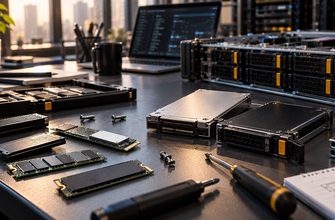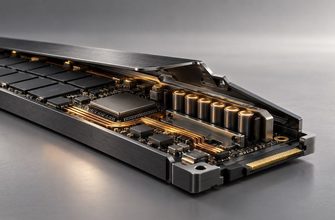
NVMe is technically faster than SATA SSD storage, but that does not mean every server should use NVMe. The right choice depends on what your application actually does with storage: how often it waits for I/O, how much concurrency it generates, how much capacity you need, and whether another part of the system becomes the bottleneck first.
A database processing thousands of small concurrent operations has very different storage requirements from a web server mostly serving cached pages. Buying the fastest drive available can therefore be just as inefficient as buying storage that is too slow.
Choose SATA SSD when capacity, cost efficiency, broad compatibility, and solid-state responsiveness matter more than maximum I/O performance.
Choose NVMe when latency, high IOPS, concurrent storage access, database performance, virtualization density, or high sequential throughput can materially affect the workload.
- ⚖️ NVMe vs SATA SSD at a Glance
- 🧩 The Real Difference Is the Storage Interface
- 🚀 1. Sequential Speed: The Most Visible Difference
- ⚡ 2. IOPS: Where Busy Servers Can Separate the Two
- ⏱️ 3. Latency Can Matter More Than Maximum Throughput
- 🧠 4. More RAM Can Change the Storage Decision
- 🗄️ 5. Databases: NVMe Often Has a Stronger Case
- 🖥️ 6. Virtualization: Think in Aggregate I/O
- 🌐 7. Your Network Can Make Faster Storage Irrelevant
- 🛡️ 8. Endurance Matters More Than the Interface
- 🔧 9. Compatibility and Form Factor Can Decide for You
- 💰 10. Cost: Compare Cost per Useful Workload, Not per Drive
- 🎯 NVMe vs SATA SSD by Workload
- 🚦 Choose SATA SSD If…
- ⚡ Choose NVMe If…
- 🚫 Five Buying Mistakes to Avoid
- 1. Assuming NVMe Always Makes the Server Faster
- 2. Comparing Only Sequential Read Speed
- 3. Ignoring SSD Endurance
- 4. Forgetting the Server Platform
- 5. Treating RAID and Backup as the Same Problem
- ✅ 10-Point Storage Buying Checklist
- 🏆 Final Verdict
⚖️ NVMe vs SATA SSD at a Glance
🧩 The Real Difference Is the Storage Interface
Both SATA and NVMe server drives can use NAND flash. The important distinction is how the storage device communicates with the system.
SATA SSDs use an interface originally designed around the SATA storage ecosystem. Replacing hard drives with SATA SSDs delivered a dramatic improvement in responsiveness because flash eliminated much of the mechanical latency associated with spinning disks.
NVMe takes a different approach. The NVMe protocol was designed for non-volatile memory and operates over PCI Express, allowing modern SSDs to exploit far more parallelism and bandwidth.
The purchasing question is not whether NVMe is faster. It is. The useful question is whether your workload can turn that additional storage performance into a meaningful improvement.
🚀 1. Sequential Speed: The Most Visible Difference
Sequential throughput is easy to advertise and easy to understand. NVMe drives can provide substantially more sequential bandwidth than SATA SSDs because SATA itself imposes a much lower interface ceiling.
That matters when a workload regularly moves large amounts of data: large-file processing, high-speed local backups, media processing, analytics pipelines, dataset loading, or other sustained storage operations.
But sequential throughput is only one storage metric. Many server applications do not spend their time reading enormous contiguous files.
⚡ 2. IOPS: Where Busy Servers Can Separate the Two
Servers frequently perform many small storage operations rather than a few enormous transfers. Databases, virtual machines, containers, mail systems, indexes, and busy application stacks can all create substantial random I/O.
This is where NVMe becomes especially interesting. Its architecture is designed to handle many concurrent commands efficiently, giving capable NVMe drives much greater I/O potential than SATA devices.
- I/O concurrency is modest.
- Much of the working set is cached in RAM.
- Storage rarely reaches saturation.
- The application is limited elsewhere.
- Many requests hit storage concurrently.
- Random I/O is frequent.
- VMs compete for storage resources.
- Storage wait time affects application performance.
⏱️ 3. Latency Can Matter More Than Maximum Throughput
Storage latency measures how long the system waits for an I/O operation to complete. For transactional workloads, repeated small delays can matter more than spectacular sequential transfer rates.
A database query may require several storage operations. A virtualization host may serve I/O from many guests at once. In these environments, reducing storage latency can improve responsiveness even when the application never approaches the drive’s maximum sequential bandwidth.
If users or applications regularly wait for storage, investigate latency and I/O behavior before buying more CPU. A faster processor cannot eliminate an I/O bottleneck.
🧠 4. More RAM Can Change the Storage Decision
Storage does not operate in isolation. Operating systems, databases, and applications use memory for caching, which can dramatically reduce the number of requests that reach physical storage.
Consider two otherwise similar servers. One has insufficient RAM and constantly retrieves active data from storage. The other keeps most of its working set in memory. Their storage requirements may be very different even if they run the same software.
This is particularly important when evaluating NVMe upgrades. If an application is memory-starved, spending the entire upgrade budget on faster storage may attack the wrong bottleneck.
Buy storage performance only after identifying storage as part of the performance problem. CPU, RAM, application design, and network limits can prevent a workload from benefiting from a faster SSD.
🗄️ 5. Databases: NVMe Often Has a Stronger Case
Databases are one of the most obvious workloads to examine closely when choosing between SATA and NVMe.
Transactional databases can generate large numbers of small reads and writes, while analytical systems may process large datasets. The exact behavior depends on the database engine, dataset, indexes, memory allocation, query patterns, and durability configuration.
NVMe is attractive when storage latency or I/O concurrency is a measurable constraint. But a small database whose active dataset fits largely in RAM may show much less practical improvement than headline drive specifications suggest.
🖥️ 6. Virtualization: Think in Aggregate I/O
A single virtual machine may have modest storage requirements. Dozens of virtual machines accessing the same storage subsystem are a different problem.
Each guest can generate its own reads, writes, logs, updates, databases, and background activity. These workloads combine at the physical storage layer.
NVMe’s ability to handle high I/O concurrency makes it particularly attractive for dense virtualization. SATA SSDs can still work well for smaller hosts, especially where VM workloads are light or storage is distributed across multiple drives.
| Server Scenario | Starting Choice | Why |
|---|---|---|
| Small web server | SATA or NVMe | Storage may not be the limiting resource |
| Small virtualization host | Compare both | Depends on VM count and I/O behavior |
| Dense virtualization | NVMe | High aggregate I/O concurrency |
| Busy transactional database | NVMe | Latency and random I/O can matter greatly |
| Capacity-focused general storage | SATA worth considering | Maximum performance may not justify the platform cost |
🌐 7. Your Network Can Make Faster Storage Irrelevant
A server is a chain of resources. If data ultimately leaves the machine through a slower network path, additional local storage throughput may not improve end-to-end transfer performance.
This does not mean fast NVMe is useless on a server with modest networking. Local databases, VM storage, caching, indexing, and internal processing can still benefit from it. But for a server whose primary task is moving files across the network, storage and network throughput should be sized together.
🛡️ 8. Endurance Matters More Than the Interface
Do not assume that an NVMe drive is automatically more durable than a SATA SSD. NVMe and SATA describe interfaces and protocols, not the complete endurance characteristics of a particular drive.
For write-heavy servers, evaluate the actual drive specification and workload. Important purchasing considerations include rated endurance, warranty terms, intended workload class, sustained write behavior, and power-loss protection where the application requires it.
A suitable enterprise SATA SSD can be a better server choice than an inappropriate consumer NVMe device even though the NVMe device has much higher peak benchmark performance.
🔧 9. Compatibility and Form Factor Can Decide for You
Before ordering NVMe storage, verify that the server can actually use the intended drives in the required configuration.
Check the motherboard, backplane, drive bays, PCIe connectivity, firmware, hot-swap support, boot support, and physical form factor. An apparently simple storage upgrade can require different cabling, backplanes, adapters, or platform support.
SATA remains widely supported across older and newer server platforms, which can make it attractive for upgrades where replacing the surrounding infrastructure would add unnecessary cost.
💰 10. Cost: Compare Cost per Useful Workload, Not per Drive
A SATA SSD may provide more economically attractive capacity in some configurations. An NVMe SSD may provide dramatically more performance from a single device.
Neither observation alone determines value.
Compare the complete storage design:
- required usable capacity;
- number of drives;
- redundancy;
- required IOPS;
- latency requirements;
- sequential throughput;
- endurance;
- server slots and bays;
- PCIe availability;
- network capacity;
- expected growth.
If several SATA SSDs are required solely to achieve the performance available from fewer NVMe devices, the apparently cheaper drive may not create the cheaper system. Conversely, paying for large amounts of unused NVMe performance produces no return.
🎯 NVMe vs SATA SSD by Workload
🚦 Choose SATA SSD If…
- Your workload generates modest storage I/O.
- You need solid-state responsiveness rather than maximum performance.
- Capacity economics are a major consideration.
- Your existing server is built around SATA storage.
- Network or application limits would hide additional NVMe performance.
- You need broad compatibility with existing hardware.
⚡ Choose NVMe If…
- Storage latency affects application performance.
- You need high random I/O performance.
- You operate a busy database.
- You consolidate many virtual machines.
- You process large datasets or files locally.
- You need high performance from fewer physical drives.
- Your server platform has sufficient PCIe connectivity.
🚫 Five Buying Mistakes to Avoid
1. Assuming NVMe Always Makes the Server Faster
It only helps when storage performance is relevant to the workload. A CPU-bound or network-bound application may barely notice the difference.
2. Comparing Only Sequential Read Speed
Server workloads can depend on random I/O, latency, write performance, queue behavior, and consistency rather than headline sequential throughput.
3. Ignoring SSD Endurance
A drive that is fast in short benchmarks is not automatically appropriate for sustained server writes. Evaluate the intended workload and endurance characteristics.
4. Forgetting the Server Platform
NVMe requires suitable PCIe connectivity and physical support. Verify the complete storage path before buying drives.
5. Treating RAID and Backup as the Same Problem
Storage redundancy can improve availability after a device failure, but it does not replace independent backups. Choose the storage interface, redundancy strategy, and backup strategy as separate decisions.
✅ 10-Point Storage Buying Checklist
- How much usable storage capacity do you need?
- Is the workload mostly sequential or random I/O?
- How many simultaneous storage operations does it generate?
- Is storage latency currently measurable as a bottleneck?
- How write-intensive is the workload?
- What endurance characteristics are required?
- What redundancy layout will you use?
- Does the server provide the necessary SATA or PCIe connectivity?
- Can the network and application use the additional storage performance?
- How will capacity and I/O requirements grow over the server’s useful life?
🏆 Final Verdict
NVMe is the higher-performance storage technology, but SATA SSD is not obsolete simply because something faster exists.
Choose SATA SSD when the workload needs reliable solid-state storage without extreme I/O requirements. It remains relevant where capacity, compatibility, and sensible overall system cost matter more than maximum performance.
Choose NVMe when storage itself is an important part of application performance. Databases, dense virtualization, concurrent I/O, and high-throughput processing provide much stronger reasons to invest in the additional capability.
Most importantly, choose the actual drive only after defining the workload. Interface, endurance, latency, capacity, redundancy, and platform compatibility all belong in the same purchasing decision.
Do not buy NVMe because it wins a specification comparison. Buy it when your workload can use its lower latency, higher I/O concurrency, and greater bandwidth. Otherwise, a well-chosen SATA SSD configuration can still be the more rational server purchase.