- What 1DPC and 2DPC Actually Mean
- The First Rule: Populate Channels Before Doubling Them
- 1DPC vs 2DPC: The Core Trade-Off
- How Large Can the Speed Difference Be?
- When 1DPC Is the Better Configuration
- Memory-bandwidth-sensitive workloads
- General-purpose virtualization
- Servers that may need future memory expansion
- When 2DPC Makes Sense
- The workload needs more memory than 1DPC can provide
- DIMM capacity limits the available 1DPC configuration
- Capacity matters more than peak memory bandwidth
- Do Not Compare DPC Without Considering DIMM Capacity
- AMD EPYC and Intel Xeon Need Platform-Specific Checks
- What About MRDIMM?
- Common Memory Population Mistakes
- Filling slots sequentially
- Leaving channels unused while doubling others
- Assuming the DIMM label determines speed
- Mixing DIMMs without checking validation rules
- Planning upgrades by empty-slot count alone
- A Practical Selection Framework
- Which Should You Choose?
Choosing server memory is not only a question of capacity. The way DIMMs are distributed across memory channels can change the effective memory speed, available bandwidth, maximum capacity, and future expansion options of the system. That makes the choice between one DIMM per channel (1DPC) and two DIMMs per channel (2DPC) an architectural decision rather than a simple slot-counting exercise.
For most performance-oriented DDR5 servers, 1DPC is the preferred starting point: populate every available memory channel before installing a second DIMM on any channel. Move to 2DPC when the workload requires more capacity than a balanced 1DPC configuration can provide, and verify the resulting memory speed against the exact CPU and server platform documentation.
What 1DPC and 2DPC Actually Mean
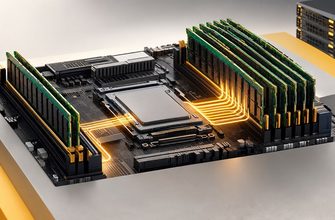
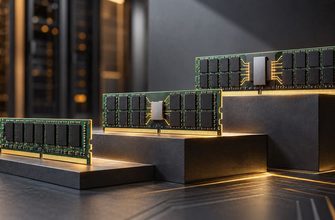
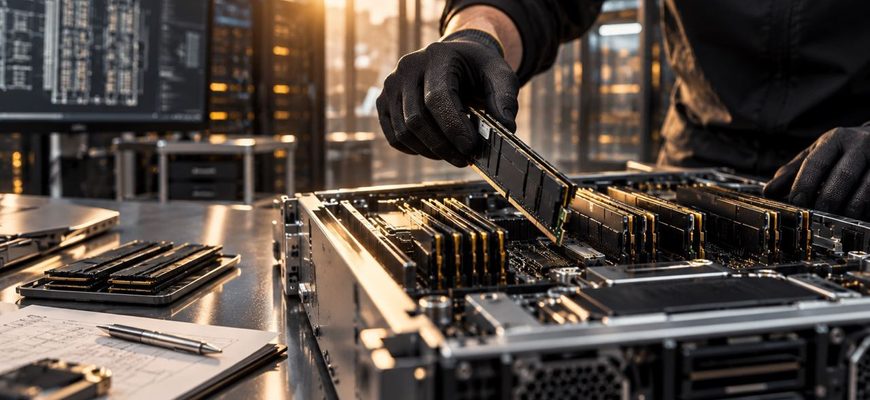
DPC means DIMMs per channel. A processor with eight memory channels running at 1DPC has one DIMM connected to each populated channel. At 2DPC, each channel can contain two DIMMs.
The distinction matters because the CPU’s integrated memory controller communicates with DIMMs through these channels. Adding a second DIMM to a channel increases the electrical load on that channel. Depending on the processor, DIMM type, rank configuration, and motherboard design, the supported transfer rate may therefore be lower at 2DPC.
There is also an important distinction between the number of DIMM slots in a server and the number of memory channels. Sixteen physical slots do not necessarily mean 16 independent channels. An eight-channel processor may expose two slots per channel, for example. Filling eight correctly selected slots would then be 1DPC; filling all 16 would be 2DPC.
The First Rule: Populate Channels Before Doubling Them
When performance matters, the first objective is normally to use the processor’s available memory channels. A partially populated memory subsystem can leave potential aggregate bandwidth unused even if the installed DIMMs themselves are fast.
Consider an eight-channel processor. Installing four DIMMs does not create the same memory configuration as installing eight DIMMs of half the capacity. The latter can engage all eight channels, while the former may leave half of them unused, depending on the platform’s population rules.
The same principle applies to processors with more channels. AMD’s EPYC 9005 platform, for example, provides 12 DDR5 memory channels per socket. AMD specifically recommends populating all 12 channels with equal-capacity DIMMs for workloads where memory performance is important. Its performance guidance also notes that a 1DPC configuration allows higher memory frequencies to be maintained.
For this reason, the practical sequence is usually:
- Determine the number of memory channels per CPU.
- Choose enough DIMMs to populate those channels symmetrically.
- Select DIMM capacity based on the required total memory.
- Use the second DIMM position only when additional capacity or another platform-specific requirement makes 2DPC necessary.
1DPC vs 2DPC: The Core Trade-Off
| Criterion | 1DPC | 2DPC |
|---|---|---|
| Memory capacity | Lower maximum capacity for a given DIMM size | Higher potential capacity |
| Supported transfer rate | Typically the highest supported RDIMM rate | May be reduced, depending on platform |
| Memory channels used | Can use all channels with one DIMM each | Same channels, with two DIMMs attached to each |
| Expansion headroom | Second slot can remain available on 2DPC-capable boards | Little or no DIMM-slot expansion headroom |
| Best fit | Bandwidth-sensitive and balanced general-purpose configurations | Capacity-driven workloads |
The important point is that 2DPC does not double the number of memory channels. It increases the number of DIMMs connected to the existing channels. The primary benefit is therefore capacity, not twice the channel bandwidth.
How Large Can the Speed Difference Be?
There is no universal DDR5 speed penalty for 2DPC. It is platform-specific.
Intel Xeon 6 provides a useful contemporary example. Intel documents configurations supporting DDR5-6400 at 1DPC and DDR5-5200 at 2DPC on applicable Xeon 6 platforms. A current Dell PowerEdge R570 implementation likewise specifies 6400 MT/s at 1DPC and 5200 MT/s at 2DPC.
That difference should not be interpreted as a universal formula for every DDR5 server. Other processor generations and server designs have different limits. Previous Intel platforms, for example, can expose different 1DPC-to-2DPC reductions, while some server designs provide only one DIMM slot per channel and therefore eliminate the 2DPC choice entirely.
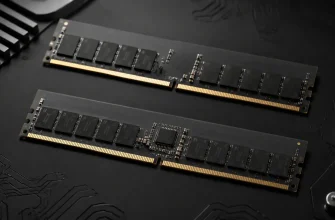
Even the speed printed on the DIMM is not sufficient to determine the operating speed. A 6400 MT/s RDIMM does not guarantee that the server will operate it at 6400 MT/s. CPU SKU, memory population, DIMM rank, firmware support, and system design can all impose a lower limit.
When 1DPC Is the Better Configuration
Memory-bandwidth-sensitive workloads
Applications that move large amounts of data through memory can benefit from preserving the highest supported transfer rate and populating all memory channels. Examples can include scientific computing, engineering simulation, analytics, some database workloads, and other workloads with a high memory-bandwidth requirement.
In these systems, choosing fewer higher-capacity DIMMs can be preferable to achieving the same capacity with twice as many smaller DIMMs if the latter forces the platform into a slower 2DPC operating mode.
General-purpose virtualization
Virtualization introduces a more nuanced choice because both bandwidth and capacity matter. If the target VM density fits comfortably within a full-channel 1DPC configuration, 1DPC provides a clean baseline with maximum memory speed and unused DIMM positions for future expansion on systems that physically support 2DPC.
If VM density is constrained primarily by RAM rather than CPU resources or memory bandwidth, however, additional 2DPC capacity may be more useful than preserving the highest transfer rate.
Servers that may need future memory expansion
A balanced 1DPC deployment can preserve a straightforward upgrade path. A server can initially populate one DIMM on every channel and later add matched DIMMs to the secondary positions.
There is a caveat: that upgrade may change the operating memory speed. Capacity planning should therefore include not only the number of empty slots but also the performance characteristics of the eventual 2DPC state.
When 2DPC Makes Sense
The workload needs more memory than 1DPC can provide
This is the strongest reason to choose 2DPC. Large in-memory databases, dense virtualization hosts, memory-intensive analytics, and similar workloads can require capacities that are difficult or impractical to reach with the desired DIMM class at 1DPC.
In this case, the correct comparison is not simply “fast memory versus slow memory.” It is a capacity-versus-bandwidth decision. A workload that requires 2 TB to avoid paging, excessive storage access, or reduced consolidation density may perform better with sufficient memory at 2DPC than with an undersized 1DPC configuration running at a higher transfer rate.
DIMM capacity limits the available 1DPC configuration
Suppose an eight-channel server needs 1 TB of RAM. A balanced 1DPC configuration would require eight 128 GB DIMMs. If that DIMM capacity is supported, 1DPC may be straightforward.
If the required capacity instead exceeds what the available or validated DIMMs can provide across eight slots, the system may need 2DPC. The same calculation should be repeated using the actual channel count of the selected processor rather than assuming that every server has eight channels.
Capacity matters more than peak memory bandwidth
Not every workload saturates the memory subsystem. Some applications have large resident data sets but relatively modest sustained bandwidth requirements. For those systems, sacrificing some theoretical memory transfer rate may have little practical effect compared with the benefit of substantially greater RAM capacity.
This is why DPC should be selected from workload requirements rather than treated as a universal performance setting.
Do Not Compare DPC Without Considering DIMM Capacity
A common configuration mistake is to compare, for example, 16 smaller DIMMs against eight larger DIMMs solely by total capacity.
If both configurations provide the same amount of RAM, the eight-DIMM configuration may be preferable when it populates every channel at 1DPC while the 16-DIMM alternative operates at 2DPC. But that conclusion depends on three checks: whether the larger DIMMs are validated, whether their rank organization changes platform limits, and whether both configurations produce the required channel balance.
DIMM count alone is therefore not a useful specification. A memory configuration should be described by at least:
- total memory capacity;
- DIMM capacity;
- number of populated DIMMs;
- memory channels per CPU;
- DIMMs per channel;
- DIMM type and rank;
- supported operating transfer rate for that population.
AMD EPYC and Intel Xeon Need Platform-Specific Checks
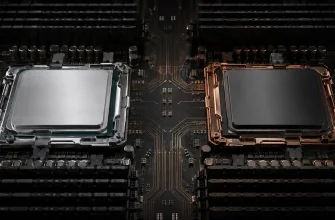
Modern server CPUs do not all expose the same memory topology. AMD EPYC 9005 processors support 12 DDR5 channels per socket and up to two DIMMs per channel, while Intel Xeon 6 configurations vary by processor family and can provide up to 12 memory channels.
This means a generic recommendation such as “install eight DIMMs per CPU” can be wrong even when all of the DIMMs are technically compatible.
The motherboard and server implementation matter as well. A processor may support 2DPC while a particular server exposes only one physical DIMM slot per channel. Dell’s AMD EPYC-based PowerEdge XE7745, for example, exposes 12 DIMM sockets per processor across 12 channels, making it a 1DPC physical implementation despite the broader processor platform supporting greater memory capacity in other designs.
Always treat the server vendor’s validated population table as the final configuration authority.
What About MRDIMM?
MRDIMM adds another variable to the decision on supported Intel platforms. Intel Xeon 6 supports MRDIMM on selected processors, with Intel documenting transfer rates above those of conventional DDR5 RDIMMs. MRDIMM should therefore be evaluated as a separate memory architecture rather than assumed to follow the same RDIMM population trade-offs.
For a conventional 1DPC-versus-2DPC decision, compare like with like: RDIMM against RDIMM at the capacities, ranks, and population levels validated for the server. If MRDIMM is being considered, evaluate its platform support and performance characteristics separately.
Common Memory Population Mistakes
Filling slots sequentially
DIMM sockets are not normally populated simply from the lowest slot number upward. Vendors define a specific order designed to distribute memory correctly across channels. Follow the server’s population diagram.
Leaving channels unused while doubling others
Installing two DIMMs on some channels while other available channels remain empty can reduce the effective memory resources available to the processor and may violate the platform’s recommended population rules.
Assuming the DIMM label determines speed
The rated DIMM speed is only one limit. The CPU, memory topology, DPC level, DIMM rank, and server firmware determine the actual supported operating rate.
Mixing DIMMs without checking validation rules
Equal total capacity does not imply an optimal configuration. Mixing capacities, ranks, or module types can introduce restrictions or produce an asymmetric layout. For predictable behavior, use vendor-validated combinations and maintain symmetry where required.
Planning upgrades by empty-slot count alone
Eight empty slots may appear to provide an easy upgrade path. But if filling them moves the system from 1DPC to 2DPC, the final configuration may run at a lower memory transfer rate. Model the upgraded configuration before choosing the initial one.
A Practical Selection Framework
Start with capacity. Determine how much memory the workload actually requires, including realistic growth and operational headroom.
Then identify the processor’s memory-channel count and the server’s physical memory topology. These are not interchangeable specifications.
Next, calculate whether the target capacity can be reached while installing one validated DIMM on every available channel. If it can, a balanced 1DPC configuration is usually the strongest default.
If 1DPC cannot provide enough capacity, evaluate 2DPC and check the exact supported transfer rate. Do not estimate the speed reduction from another server generation or another vendor’s implementation.
Finally, consider the workload’s limiting resource. A bandwidth-bound application has a stronger reason to preserve 1DPC memory speed. A capacity-bound virtualization or database server may benefit more from additional RAM even when 2DPC lowers the supported transfer rate.
Which Should You Choose?
Choose 1DPC as the default when the required capacity fits. Populate all available memory channels symmetrically with one DIMM per channel. This generally provides the cleanest route to the platform’s highest supported conventional DDR5 speed while retaining expansion positions on servers designed for 2DPC.
Choose 2DPC when memory capacity is the binding requirement. It is particularly relevant when the workload cannot fit comfortably into the capacity available at 1DPC. The trade-off is that some platforms reduce the supported memory transfer rate when a second DIMM is attached to each channel.
The key is not to optimize DIMM count in isolation. The correct server memory configuration balances four variables: capacity, channel utilization, supported transfer rate, and future expansion. Once those are considered together, 1DPC versus 2DPC becomes a workload decision rather than a rule of thumb.