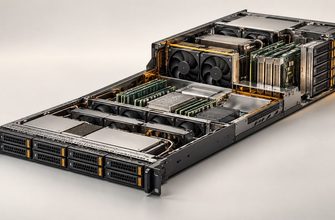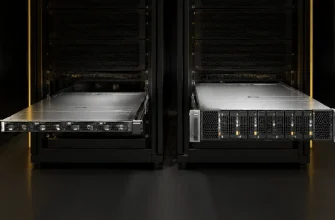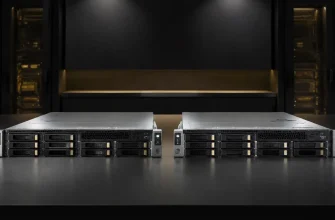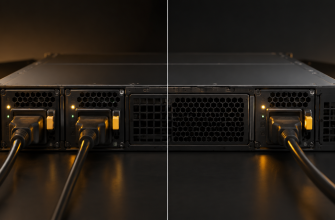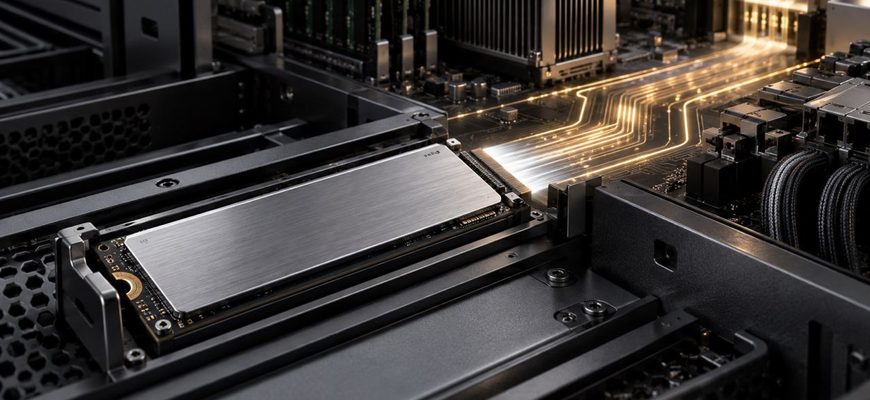
PCIe 5.0 NVMe SSDs can deliver substantially more throughput than PCIe 4.0 drives, but interface speed alone does not make them the right choice for every server. The benefit depends on the workload, the number of drives, available PCIe lanes, CPU and memory performance, cooling, chassis compatibility, and whether the application can issue enough parallel I/O to use the additional bandwidth.
For general virtualization, ordinary databases, boot volumes, application servers, and capacity-focused storage, a qualified enterprise PCIe 4.0 SSD often remains the better-value purchase. PCIe 5.0 becomes compelling for high-throughput databases, AI data pipelines, caching, analytics, scientific computing, and dense storage configurations in which PCIe 4.0 is a measurable bottleneck.
- PCIe 4.0 vs PCIe 5.0 at a Glance
- Start With the Workload, Not the Generation Label
- When PCIe 4.0 Is the Better Purchase
- General-purpose application servers
- Moderate virtualization hosts
- Boot, logging, and utility volumes
- Capacity-first storage
- When PCIe 5.0 Is Worth Paying For
- High-throughput databases and analytics
- AI and GPU data pipelines
- HPC and scientific computing
- Dense storage with limited bays
- Verify the Entire PCIe Path
- Account for Cooling and Power
- Compare Enterprise Features Before Peak Speed
- Calculate Cost at the System Level
- Common Buying Mistakes
- Recommendations by Scenario
- Final Recommendation
PCIe 4.0 vs PCIe 5.0 at a Glance
| Decision factor | PCIe 4.0 NVMe | PCIe 5.0 NVMe |
|---|---|---|
| Signaling rate per lane | 16 GT/s | 32 GT/s |
| Theoretical direction | Lower interface ceiling | Twice the per-lane signaling rate |
| Best fit | General-purpose servers and workloads that do not saturate Gen4 storage | High-throughput, highly parallel, storage-intensive workloads |
| Platform requirement | PCIe 4.0 or newer host | End-to-end PCIe 5.0 support for full performance |
| Thermal burden | Generally easier to integrate | Requires closer attention to drive power and airflow |
| Primary buying advantage | Lower platform and acquisition cost | More throughput per drive and potentially per chassis |
| Main purchasing risk | Insufficient headroom for demanding future workloads | Paying for bandwidth the server or application cannot use |
PCI-SIG specifies a 16 GT/s rate for PCIe 4.0 and 32 GT/s for PCIe 5.0. That doubling defines the interface opportunity, not the performance of every SSD or application. NAND, controller design, firmware, queue behavior, capacity, endurance class, power limits, workload mix, and the host platform all affect delivered performance.
Start With the Workload, Not the Generation Label
The first question is whether storage is constraining the application today. If CPU time, memory capacity, database locking, network throughput, or software behavior limits performance, installing faster SSDs may produce little improvement.
Sequential bandwidth matters for large scans, checkpointing, media processing, model loading, backup staging, and movement of large datasets. Random IOPS and latency matter more for transactional databases, metadata-heavy services, caching, and virtualized environments with many independent I/O streams. Queue depth also matters: headline SSD performance is often measured under parallel workloads that a lightly loaded application may never reproduce.
Collect representative measurements before specifying the storage tier:
- read and write throughput during normal and peak periods;
- random and sequential I/O proportions;
- average and tail latency;
- queue depth and concurrency;
- read-to-write ratio;
- working-set size;
- drive utilization and throttling events;
- daily write volume and required endurance;
- growth expected during the server’s useful life.
If current PCIe 4.0 drives have substantial unused headroom, PCIe 5.0 is unlikely to transform the workload. If the application regularly reaches the storage ceiling and the rest of the server can go faster, Gen5 deserves closer consideration.
When PCIe 4.0 Is the Better Purchase
General-purpose application servers
Web applications, infrastructure services, internal business systems, and middleware commonly depend more on CPU response, memory, network latency, or an external database than on maximum local SSD throughput. A reliable enterprise Gen4 drive can provide more than enough storage performance while reducing acquisition cost and integration risk.
Moderate virtualization hosts
Virtualization can generate substantial random I/O, but VM count alone does not justify Gen5. A host running many lightly used infrastructure VMs may place modest demand on storage. Gen4 remains appropriate when measured latency is acceptable, storage queues are controlled, and the host does not exhaust available drive throughput during consolidation peaks.
Gen5 becomes more relevant when dense VM populations generate sustained parallel I/O, particularly when local NVMe is the primary datastore rather than a boot or cache tier.
Boot, logging, and utility volumes
Operating-system drives, hypervisor boot devices, log volumes with moderate write rates, and administrative storage rarely benefit from the highest available interface speed. Reliability, power-loss protection, endurance, firmware qualification, and replaceability are usually more important.
Capacity-first storage
If the requirement is to maximize usable terabytes within a fixed budget, paying more for interface bandwidth can reduce the amount of capacity available for the same investment. A higher-capacity Gen4 enterprise drive may create more practical value than a smaller Gen5 model, provided its endurance and performance meet the workload.
When PCIe 5.0 Is Worth Paying For
High-throughput databases and analytics
Databases that perform large scans, heavy checkpointing, high-rate ingestion, temporary-data processing, or many concurrent operations can use the additional bandwidth and I/O capability of modern Gen5 drives. The gain is strongest when the database has already been tuned, sufficient memory and CPU resources are available, and storage remains the measured constraint.
Do not assume that a faster SSD automatically reduces every query time. Queries limited by execution plans, locks, CPU processing, or data transfers over the network will not scale in direct proportion to storage bandwidth.
AI and GPU data pipelines
Expensive accelerators lose value when they wait for data. Gen5 storage can help with model loading, checkpoint handling, preprocessing, vector data, local caching, and movement of large training datasets. It is most useful when the storage architecture is designed to feed multiple accelerators or sustain large parallel transfers.
A small inference service with modest request volume may use only a fraction of Gen4 performance. The presence of a GPU is therefore not sufficient justification by itself.
HPC and scientific computing
Scratch storage, simulation outputs, large local datasets, and parallel jobs can create sustained storage demand. Gen5 can reduce the number of drives needed to reach a throughput target, which may conserve bays and PCIe lanes. Actual benefit still depends on the application’s I/O pattern and the ability of the file system and software stack to issue parallel requests efficiently.
Dense storage with limited bays
When rack space or drive-bay count is constrained, greater performance per drive can matter more than minimum drive cost. A smaller set of Gen5 SSDs may meet a throughput requirement that would otherwise require more Gen4 devices.
This does not automatically reduce total cost. Higher-output drives may require more careful cooling, and fewer drives can alter capacity, endurance, redundancy, and rebuild behavior. Compare complete configurations rather than individual-drive benchmark numbers.
Verify the Entire PCIe Path
A Gen5 SSD reaches full interface speed only when the server provides a suitable PCIe 5.0 path. The drive, backplane, connectors, cabling where applicable, PCIe switches, motherboard routing, and CPU must all support the intended link generation and lane width.
PCIe maintains backward compatibility, so a Gen5 drive can generally operate in an older compatible slot. It will negotiate the link supported by the complete path. Buying Gen5 drives for a Gen4 platform may still make sense for inventory standardization or a planned migration, but it should not be justified by immediate Gen5 performance.
Check the server vendor’s configuration guide rather than relying on the processor’s headline lane count. System manufacturers decide how lanes are routed among drive bays, network adapters, accelerators, RAID or storage controllers, chipset functions, and inter-socket links.
For each intended bay, confirm:
- supported PCIe generation;
- lane width available to the drive;
- whether lanes are shared or oversubscribed;
- supported form factors and physical dimensions;
- hot-swap support;
- maximum validated drive power;
- firmware and qualification requirements;
- restrictions created by other installed PCIe devices.
Account for Cooling and Power
High-performance enterprise SSDs convert meaningful electrical power into heat inside a dense chassis. Gen5 products can operate at power levels that require deliberate airflow, appropriate carriers, and validated thermal profiles. Solidigm, for example, specifies configurable power states for its D7-PS1010 family and offers the drive in U.2, E1.S, and E3.S variants. The existence of liquid-cooled E1.S options illustrates how important storage thermals have become in dense systems.
Do not infer power requirements from the PCIe generation alone. Compare the technical specifications of the exact drive, capacity, form factor, firmware, and operating mode. A well-designed Gen5 drive may deliver more work per watt, while still producing more total heat at maximum performance than the chassis was designed to remove.
Thermal throttling defeats the purpose of buying a faster SSD. Validate worst-case inlet temperature, fan configuration, airflow restrictions, drive placement, and the server vendor’s supported power envelope.
Compare Enterprise Features Before Peak Speed
A server SSD is not defined only by its sequential-read figure. Qualification and operational behavior can matter more than the interface generation.
Compare:
- power-loss protection;
- drive-writes-per-day and total endurance;
- sustained write behavior after caches are exhausted;
- latency consistency and quality of service;
- uncorrectable bit error specifications;
- telemetry and health reporting;
- secure erase and encryption support;
- firmware update process;
- hot-swap compatibility;
- vendor qualification and support;
- capacity and form-factor availability.
A qualified Gen4 enterprise SSD with appropriate endurance and predictable latency is a safer server purchase than an unqualified Gen5 device selected for its peak benchmark. Interface generation should narrow the shortlist only after durability, manageability, compatibility, and workload requirements are satisfied.
Calculate Cost at the System Level
Compare the cost of meeting a defined capacity, endurance, latency, and throughput target. The drive price is only one part of that calculation.
Include:
- number of drives required;
- available bays and PCIe lanes;
- backplane or chassis changes;
- cooling and power implications;
- redundancy and spare-drive requirements;
- software licensing tied to nodes or processors;
- rack-space savings from consolidation;
- downtime and migration cost;
- expected performance growth over the server’s service life.
Gen5 may reduce TCO when greater per-drive performance allows fewer servers, fewer drives, or a smaller storage footprint. It may increase TCO when the workload cannot use the additional performance or when adoption forces an otherwise unnecessary platform replacement.
Common Buying Mistakes
- Comparing interface generations instead of exact drives. Two SSDs using the same PCIe generation can differ materially in endurance, latency, sustained writes, power, and firmware behavior.
- Using sequential throughput as the universal metric. Database and virtualization workloads may care more about random I/O and tail latency.
- Ignoring the backplane. A Gen5 CPU does not prove that every storage bay has a direct Gen5 x4 path.
- Buying consumer drives for enterprise duty. Peak speed does not replace power-loss protection, endurance, predictable behavior, or server qualification.
- Forgetting thermal limits. A drive that throttles under sustained load cannot deliver its advertised performance consistently.
- Assuming every GPU server needs Gen5 storage. Storage must be sized from the actual data pipeline, not the accelerator label.
- Paying for future performance without a deployment plan. Headroom is valuable only when the platform, workload, and expected growth can use it.
Recommendations by Scenario
| Scenario | Starting choice | Reason |
|---|---|---|
| Boot and infrastructure volumes | PCIe 4.0 | Reliability and qualification matter more than maximum bandwidth |
| General application server | PCIe 4.0 | Storage is rarely the dominant bottleneck |
| Moderate virtualization host | PCIe 4.0 | Move to Gen5 only when consolidated I/O creates a measured constraint |
| High-rate transactional database | Benchmark both | Latency, concurrency, endurance, and sustained writes determine value |
| Analytics or large sequential processing | PCIe 5.0 | High parallel throughput can use the larger interface budget |
| AI training or GPU data pipeline | PCIe 5.0 when storage-fed | Faster local data movement can improve accelerator utilization |
| Capacity-first storage | PCIe 4.0 | Budget is often better spent on capacity or additional redundancy |
| Bay-constrained high-performance server | PCIe 5.0 | More performance per drive can improve chassis density |
Final Recommendation
Choose PCIe 4.0 enterprise NVMe SSDs when the workload does not saturate Gen4 storage, capacity has greater value than peak throughput, or the server cannot provide a verified Gen5 path. Gen4 remains a strong default for application servers, boot devices, moderate virtualization, and many conventional database deployments.
Choose PCIe 5.0 enterprise NVMe SSDs when storage is a demonstrated bottleneck and the workload can generate sustained parallel I/O. The strongest cases are high-throughput databases, analytics, AI data pipelines, HPC, caching, and dense systems where performance per bay matters.
Do not purchase by generation alone. Select the exact drive by endurance, sustained performance, latency consistency, power-loss protection, form factor, power, thermal requirements, firmware support, and server qualification. Then verify that the complete PCIe path can deliver the intended link speed.
The practical rule is simple: buy Gen5 to solve a measured throughput or density problem. If no such problem exists, a well-qualified Gen4 enterprise SSD is usually the more disciplined server purchase.