Choosing NVMe for a server does not finish the storage decision. The physical form factor can determine where drives fit, how they are cooled, whether technicians can replace them without opening the chassis, how many drives the server can support, and which backplane or PCIe resources the configuration requires.
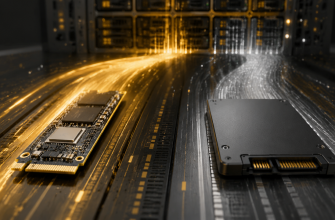
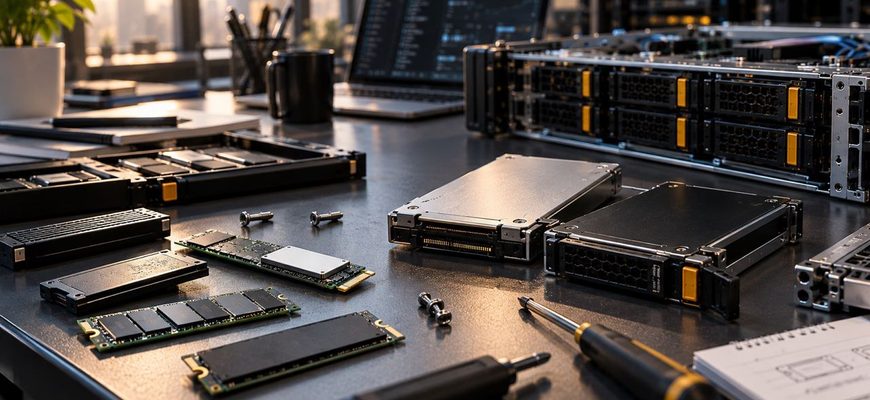
M.2 is compact and can be an efficient choice for boot devices and smaller fixed storage configurations. U.2 and U.3-class 2.5-inch NVMe drives are better suited to servers where front-accessible storage, serviceability, higher drive counts, enterprise features, or storage expansion matter. The important distinction is therefore not simply performance: it is how the storage needs to operate over the life of the server.
- M.2 vs U.2/U.3 at a Glance
- First Decide What the Drives Will Do
- M.2 Is More Than a Laptop SSD Format
- Why U.2/U.3-Class Drives Fit Production Storage
- Serviceability Can Matter More Than Form-Factor Size
- Cooling Is Part of the Storage Configuration
- Do Not Confuse U.2 and U.3
- PCIe Connectivity Can Limit the Number of NVMe Drives
- Capacity and Endurance Still Matter More Than the Connector
- When M.2 Is the Better Choice
- When U.2/U.3-Class Storage Is the Better Choice
- What About EDSFF?
- Common Buying Mistakes
- Which NVMe Form Factor Should You Choose?
- NVMe Storage Procurement Checklist
M.2 vs U.2/U.3 at a Glance
| Decision factor | M.2 NVMe | U.2/U.3-class NVMe |
|---|---|---|
| Physical design | Compact module mounted internally or on a carrier/card | 2.5-inch drive designed around server/storage bays |
| Typical server role | Boot, OS, compact fixed storage | Primary data storage, databases, virtualization, storage nodes |
| Service access | Often requires internal chassis access, depending on server design | Commonly deployed in front-accessible server bays |
| Hot-plug capability | Platform-dependent; do not assume it | Common in server implementations, but must still be validated |
| Cooling | Requires attention to airflow around a small module | Larger enclosure and server-bay airflow can simplify thermal design |
| Storage density | Very compact per device, but motherboard/riser placement can limit practical count | Designed for multi-drive server and storage chassis |
| Platform dependency | Requires compatible sockets, carriers, risers, or boot devices | Requires compatible NVMe backplane, bays, PCIe routing, and firmware |
| Best reason to choose it | Compact storage where frequent drive servicing is unnecessary | Serviceable production storage and scalable multi-drive configurations |
First Decide What the Drives Will Do
The storage role should drive the form-factor decision.
A pair of mirrored boot devices has different operational requirements from eight production SSDs hosting virtual machines or a transactional database. Boot storage is relatively static and consumes little capacity. Production data storage may need replacement, expansion, fault isolation, higher endurance, or maintenance while the server remains in service.
This distinction is why M.2 can make excellent sense in one part of a server while 2.5-inch NVMe is preferable in another.
HPE, for example, offers dedicated OS boot devices built around mirrored NVMe M.2 SSDs. That is a useful illustration of M.2’s role: compact flash storage can be separated from the main data-storage plane without consuming front drive bays. HPE’s OS boot-device specifications show both M.2-based boot configurations and dedicated hot-plug boot products.
For a server expected to hold several production data drives, however, operational requirements often favor accessible drive bays rather than SSD modules mounted deeper inside the chassis.
M.2 Is More Than a Laptop SSD Format
M.2 is used in servers as well as client systems. SNIA’s SSD form-factor material includes M.2 alongside U.2/U.3 and EDSFF among the solid-state storage formats used across modern compute environments.
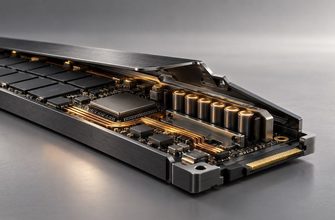
Its main physical advantage is compactness. An M.2 device does not require a conventional 2.5-inch drive enclosure, so server vendors can place boot storage or additional flash capacity in areas that would otherwise be difficult to use.
That can preserve valuable front bays for larger production drives.
M.2 is particularly attractive when:
- the SSDs primarily hold the operating system or hypervisor;
- only a small number of devices are required;
- the server provides a validated M.2 boot module or carrier;
- front drive bays are more valuable for data storage;
- drive replacement is expected to be infrequent; and
- the server’s cooling design explicitly supports the intended M.2 configuration.
The mistake is assuming that because M.2 is physically smaller, it is automatically the most space-efficient option for every server. Practical storage density depends on where sockets or carriers are located, how many the platform exposes, cooling requirements, and how technicians reach the devices.
Why U.2/U.3-Class Drives Fit Production Storage
U.2/U.3-class NVMe SSDs use the familiar 2.5-inch server-drive style, making them natural candidates for systems built around accessible drive bays.
KIOXIA’s current enterprise portfolio, for example, includes 2.5-inch NVMe drives intended for workloads such as transactional databases, data warehousing, virtualization, AI, and software-defined storage. Its SSD form-factor material identifies 2.5-inch U.2/U.3 as a format used for server and storage data. KIOXIA’s enterprise SSD specifications also illustrate how high-capacity and mixed-use/read-intensive products are offered in this physical class.
The purchasing advantage is not that a 2.5-inch enclosure makes NVMe inherently faster. Both approaches can use PCIe and NVMe. The advantage is the surrounding server architecture.
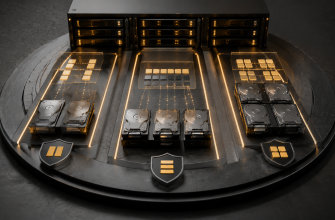
Front-accessible bays can make failed-drive identification and replacement much easier. A chassis can also be designed with airflow, carriers, backplanes, status indicators, and cabling appropriate for a bank of storage devices.
That matters increasingly as the number of drives grows.
Serviceability Can Matter More Than Form-Factor Size
Consider a server that must remain available while a storage device is replaced.
If an internally installed M.2 SSD fails and the platform requires the chassis to be opened, servicing it may involve shutting down the server, pulling it from the rack, removing the cover, and reaching the device around other components. The exact procedure varies by server.
A front-accessible NVMe bay can make the same maintenance event substantially simpler when the platform supports hot-plug operation.
This difference should not be generalized into “M.2 cannot hot-plug.” Server vendors can build specialized hot-plug M.2 solutions. HPE, for example, documents current NVMe boot devices containing M.2 SSDs with hot-plug installation.
The correct purchasing rule is therefore:
Do not infer serviceability from the SSD form factor alone. Verify how the specific server implements that device.
If replacing a drive requires planned downtime, that operational cost belongs in the purchasing decision even when the SSD itself is inexpensive.
Cooling Is Part of the Storage Configuration
NVMe SSDs generate heat, and compactness does not eliminate the need to remove it.
An M.2 module installed flat against a motherboard or on an internal riser depends heavily on the airflow and thermal design around that location. Adding an SSD to a physically compatible slot does not prove that the system is validated for sustained server workloads with that device.
Enterprise drive formats give chassis designers more physical surface area and more deliberate airflow options. The industry’s move toward EDSFF makes the thermal issue particularly visible: KIOXIA notes that EDSFF was designed to support greater power envelopes and improved thermal dissipation compared with traditional 2.5-inch designs.
That does not make U.2/U.3 thermally superior in every server. It demonstrates a broader procurement principle: as SSD performance and power rise, storage form factor and chassis cooling become interconnected decisions.
For sustained database, virtualization, analytics, or storage-node workloads, verify the server vendor’s supported SSD configuration rather than treating an NVMe socket as sufficient evidence of compatibility.
Do Not Confuse U.2 and U.3
U.2 and U.3 are often grouped together because both appear in 2.5-inch enterprise storage discussions, but they should not be treated as interchangeable labels.
SNIA explains that U.3 refers to conformance with the SFF-TA-1001 link-definition specification for the SFF-8639 connector and is associated with systems designed for multi-protocol or tri-mode operation. In an appropriately enabled platform, that architecture can allow a common bay and backplane design to accommodate different storage protocols.
This flexibility is useful when a server or storage platform is intentionally designed around it. It does not mean any U.3 SSD can be inserted into any visually compatible 2.5-inch bay.
Backplane implementation, HBA or controller architecture, PCIe routing, firmware, supported protocols, and the server vendor’s qualification all matter.
When purchasing U.2 or U.3 storage, verify the exact server documentation instead of relying on connector appearance.
PCIe Connectivity Can Limit the Number of NVMe Drives
NVMe storage consumes PCIe connectivity somewhere in the platform. That makes drive count a system-level issue rather than merely a question of how many physical bays are visible on the front panel.
A chassis might physically accommodate many drives while a particular configuration supports fewer NVMe devices because PCIe lanes are also needed for network adapters, GPUs, accelerators, or other expansion hardware.
CPU choice and socket count can therefore affect storage expansion indirectly through the platform’s available I/O resources.
This is especially important when configuring a server with multiple GPUs, high-speed networking, and NVMe storage simultaneously. Count the complete PCIe requirement before purchasing drives.
The existing NVMe vs SATA SSD server guide covers whether the workload needs NVMe performance in the first place. Once NVMe is justified, form factor and platform topology determine how that storage should be physically implemented.
Capacity and Endurance Still Matter More Than the Connector
Do not let the form-factor comparison replace the actual SSD comparison.
M.2, U.2, and U.3 describe important aspects of physical and system integration, but they do not tell you everything about NAND type, endurance, power-loss protection, sustained write behavior, firmware features, capacity, or workload suitability.
An enterprise-oriented 2.5-inch NVMe drive may be available with features and capacities designed for intensive production storage, while an M.2 product may be optimized for a different role. The reverse assumption—that every 2.5-inch drive is automatically more durable—is equally unsafe.
Compare actual drive specifications after deciding which form factor the server architecture requires.
When M.2 Is the Better Choice
Choose M.2 for dedicated boot storage when the server provides a validated M.2 solution and you want to preserve front bays for application data.
Choose M.2 for small fixed configurations when only one or two NVMe devices are required and routine physical replacement is not an important operational requirement.
Consider M.2 when chassis space is constrained, but confirm thermal support and access before assuming the smaller device creates a better server design.
Do not choose M.2 solely because the drives appear cheaper or smaller. If servicing them requires downtime or disassembly, the operational trade-off may outweigh the initial saving.
When U.2/U.3-Class Storage Is the Better Choice
Choose front-accessible 2.5-inch NVMe for production data storage when drives may need to be replaced, expanded, or serviced during the server’s operating life.
Choose it for multi-drive storage configurations when the server is explicitly designed with NVMe bays, backplanes, cooling, and sufficient PCIe connectivity.
Favor serviceable enterprise storage for databases and virtualization when a failed device should not turn a straightforward replacement into a chassis-access maintenance event.
Consider U.3-capable infrastructure when the platform’s supported multi-protocol design provides useful deployment flexibility. Buy that flexibility only when you expect to use it.
What About EDSFF?
A new server purchase should not automatically be framed as an M.2-versus-U.2 decision. EDSFF formats such as E1.S and E3.S are increasingly relevant to modern server and storage designs.
SNIA identifies EDSFF, M.2, U.2/U.3, and add-in cards as distinct SSD form-factor families, while KIOXIA describes EDSFF as designed around higher-density chassis, improved thermal dissipation, and broader PCIe device requirements.
That makes EDSFF worth evaluating when buying a platform intended for high-density NVMe, especially when storage performance and thermal density are major design constraints.
The practical rule is simple: do not select the server chassis first and treat SSD form factor as an afterthought. For storage-heavy systems, the chassis and drive ecosystem should be evaluated together.
Common Buying Mistakes
- Choosing by benchmark speed alone. Two NVMe form factors can provide sufficient performance while creating very different maintenance and expansion models.
- Assuming every visible 2.5-inch bay supports NVMe. Physical fit does not establish protocol, backplane, controller, or PCIe support.
- Assuming every M.2 socket is suitable for production storage. Check supported device sizes, PCIe generation, lane allocation, cooling, firmware, and intended use.
- Treating U.2 and U.3 as interchangeable names. Verify the specific backplane and platform implementation.
- Forgetting PCIe lane demand. GPUs, NICs, and NVMe drives can compete for platform I/O resources.
- Ignoring replacement procedures. A storage design that looks efficient on a bill of materials can create unnecessary downtime if common service operations require chassis access.
Which NVMe Form Factor Should You Choose?
Choose M.2 when the primary requirement is compact boot or fixed internal storage, the server explicitly supports the intended drives, and frequent service access is unnecessary.
Choose U.2/U.3-class 2.5-inch NVMe when the drives are part of the main production storage pool and front accessibility, hot-plug capability, multi-drive scaling, or enterprise serviceability matters. Validate the exact U.2/U.3 implementation rather than assuming compatibility from the connector.
Evaluate EDSFF as well when purchasing a new storage-dense server. If the platform is expected to support high-performance NVMe for several hardware generations, its drive ecosystem and thermal design can matter more than compatibility with a familiar legacy form factor.
The more expensive or physically larger drive format does not automatically produce a faster application. Pay for the server architecture that makes the required storage easy to cool, connect, replace, and expand. For boot storage, that may be M.2. For a serviceable production array, front-accessible enterprise NVMe is usually the stronger design.
NVMe Storage Procurement Checklist
- Define whether the drives are for boot, application data, cache, database storage, or a shared storage pool.
- Confirm the exact form factors and drive lengths supported by the server.
- Verify NVMe support for every intended bay rather than relying on physical appearance.
- Check the PCIe generation, lane allocation, and total platform I/O budget.
- Confirm hot-plug behavior and the documented replacement procedure.
- Check airflow and supported thermal configurations at the intended drive count.
- Compare capacity, endurance, power-loss protection, and workload class on the actual SSD models.
- Verify backplane, controller or HBA, firmware, and U.2/U.3 compatibility where applicable.
- Reserve enough drive and PCIe expansion capacity for expected growth.
- Consider EDSFF before committing to a new chassis if high-density NVMe is a major requirement.