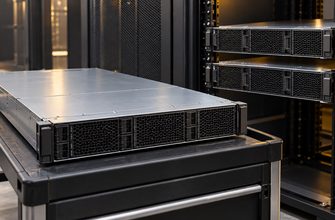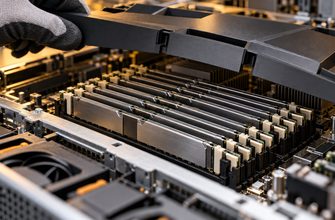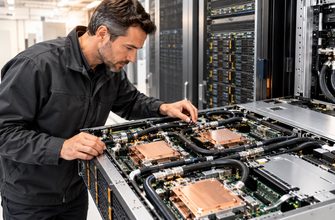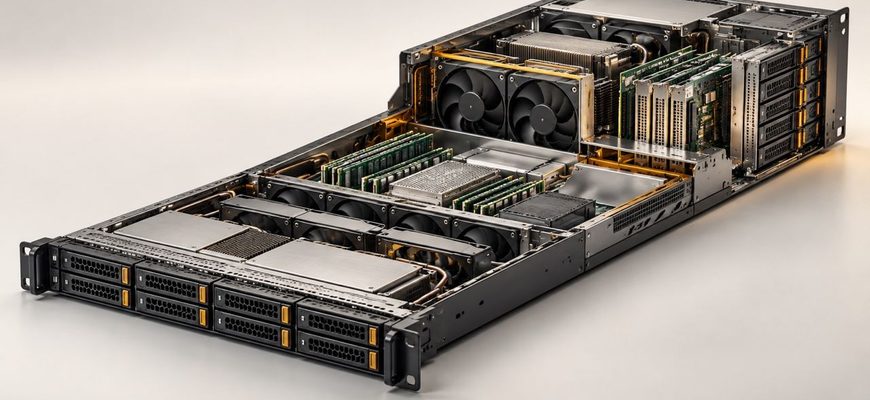
A 1U server is the default choice when rack space is scarce and the required configuration fits comfortably inside a compact chassis. A 2U server is usually the better choice when storage capacity, PCIe expansion, accelerator support, cooling flexibility, or quieter operation matters more than maximum server density. The deciding factor is not raw computing performance: comparable 1U and 2U systems may support the same processor count and memory capacity. The real difference is how much hardware, cooling, and future growth the chassis can accommodate.
- The short answer
- Start with the workload, not the chassis height
- Compare the constraints that actually affect the decision
- Rack density
- Storage capacity
- PCIe cards, networking, and accelerators
- Cooling and sustained performance
- Noise and deployment location
- Serviceability and configuration stability
- Cost and TCO: rack units are only one line item
- Typical configurations
- Choose 1U for a compute-focused node
- Choose 2U for a storage- or expansion-focused server
- Common purchasing mistakes
- Final recommendation
The short answer
Choose a 1U server for compute-dense clusters, web applications, virtualization nodes, and other workloads that use modest local storage and few add-in cards. Choose a 2U server for storage-heavy systems, GPU or accelerator workloads, expansion-intensive applications, and installations where acoustics or thermal headroom matters.
| Decision factor | 1U server | 2U server |
|---|---|---|
| Rack density | Higher | Lower |
| CPU and memory capability | Can equal a comparable 2U platform | Can equal a comparable 1U platform |
| Internal drive capacity | Usually more limited | Usually greater and more flexible |
| PCIe expansion | Fewer slots and more form-factor restrictions | More slots and better support for full-height or double-width cards |
| GPU support | Best suited to compact, lower-power accelerators | Better suited to multiple or larger accelerators |
| Cooling | More constrained; often uses smaller, faster fans | More physical room for airflow and larger cooling components |
| Noise | Often louder for a comparable configuration | Often easier to operate quietly |
| Serviceability | Tighter internal layout | More working room, but configuration still matters |
| Typical fit | Compute nodes and density-focused deployments | Storage, expansion, accelerators, and versatile standalone systems |
Start with the workload, not the chassis height
The form factor should follow the configuration. Begin by defining the processors, memory, drives, network interfaces, storage controllers, accelerators, and redundant components the workload requires. Only then determine whether that bill of materials fits a 1U chassis without undesirable compromises.
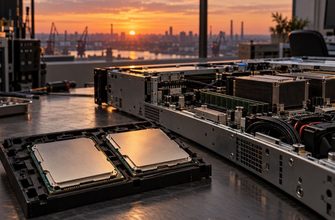
A common purchasing mistake is to assume that 2U automatically means more CPU performance. It does not. Vendors frequently offer closely related 1U and 2U platforms with the same number of processor sockets and memory slots. When both systems use the same processors and memory configuration, their baseline compute capacity may be similar.
The 2U advantage appears elsewhere: additional drive bays, more PCIe positions, support for physically larger cards, and greater freedom in arranging cooling and power components. Those differences become important when the server must perform several roles or grow after purchase.
Compare the constraints that actually affect the decision
Rack density
A 1U chassis occupies half the vertical rack space of a 2U chassis. In a rack allocated entirely to servers, that can theoretically mean twice as many physical nodes. Real deployments leave space for switches, patch panels, power distribution, cable management, blanking panels, or other equipment, but the density advantage remains.
This makes 1U attractive for horizontally scaled workloads. A cluster of standardized compute nodes can use shared storage, distributed storage, or a storage network instead of filling every server with disks. If each node needs only boot drives, network connectivity, and perhaps one specialist adapter, the additional volume of a 2U chassis may provide little value.
Density is useful only if the facility can support it. More servers per rack can increase rack-level power draw, heat output, network port requirements, and cable count. Buying 1U systems to save rack space while exceeding the rack’s power or cooling capacity does not create usable density.
Storage capacity
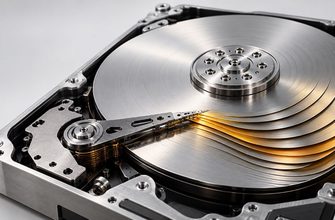
Front-panel area and internal volume limit the number and type of drives a server can accept. A 1U system may provide enough small-form-factor bays for boot devices, a moderate local data set, or an all-flash application. It is less suitable when the design calls for many drives, several large-form-factor hard disks, or separate groups of boot, cache, and data devices.
A 2U chassis generally provides more storage layouts and can sometimes add mid-chassis or rear drive cages. That flexibility is valuable for backup targets, media repositories, hyperconverged nodes, database systems with substantial local storage, and general-purpose servers expected to consolidate several functions.
Do not compare only the headline maximum number of bays. Check which drive combinations are valid, how many bays support NVMe rather than SAS or SATA, whether installing rear drives removes PCIe capacity, and whether mid-chassis drives affect airflow or accelerator support. Maximum specifications often describe mutually exclusive configurations.
PCIe cards, networking, and accelerators
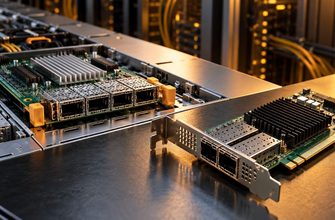
Expansion requirements frequently settle the 1U-versus-2U decision. A 1U server can support high-speed network adapters, host bus adapters, RAID controllers, and some accelerators, but the chassis may restrict card height, width, length, power, or slot placement. Riser choices can also make nominal slots mutually exclusive.
A 2U chassis normally offers more usable slots and more space for full-height or double-width devices. This matters when the server needs several network interfaces, Fibre Channel adapters, external storage controllers, data-processing units, or GPUs. It also provides more options when cards must be distributed across CPU sockets or PCIe root complexes.
The difference can be substantial within one vendor’s product family. For example, Lenovo documents its 1U ThinkSystem SR630 V3 with support for up to three single-width GPUs, while the 2U SR650 V3 can support up to eight single-width or three double-width GPUs. These figures illustrate the role of chassis volume, not a universal specification for all 1U and 2U products. Always validate the exact server, processor, riser, power-supply, and cooling configuration.
Cooling and sustained performance
A compact server must move air through a shallow vertical space containing processors, memory, drives, and expansion cards. This often requires small fans operating at high speed. A 2U chassis has more room for airflow paths, heatsinks, and fan assemblies, which can provide greater thermal flexibility.
That does not mean every 2U server is cooler or more efficient. Fan behavior depends on component temperatures, firmware policies, inlet temperature, drive population, card placement, heatsink selection, and vendor design. A heavily configured 2U GPU server may consume far more power and produce far more heat than a lightly configured 1U compute node.
Thermal headroom becomes especially important with high-power processors and accelerators. Confirm that the intended chassis supports the exact processor thermal design power, memory population, card set, and ambient operating range. Some configurations require higher-performance fans or impose restrictions at elevated inlet temperatures.
Noise and deployment location
Rack servers are designed primarily for controlled equipment rooms, not shared offices. Both formats can be loud, but the smaller fans commonly used in 1U systems tend to produce a higher-pitched sound and may run faster under load. A 2U server can be easier to cool with larger fans, although it should not be assumed to be quiet without measured acoustic data for the selected configuration.
Noise deserves more weight in a branch office, studio, laboratory, or home lab than in a conventional data center. If people will work close to the rack, check the vendor’s acoustic specifications and operating modes rather than relying on chassis height alone.
Serviceability and configuration stability
A 1U server’s dense internal layout can make upgrades more dependent on precise risers, brackets, cables, and airflow baffles. The system may still be highly serviceable, with hot-swap drives, fans, and power supplies, but there is less room for configuration changes.
A 2U chassis generally provides better physical access and more ways to add hardware later. However, dense storage cages and large accelerators can make a 2U system complex as well. Review the service manual and configuration rules before purchase, particularly if technicians will replace components on site.
Cost and TCO: rack units are only one line item
A 1U server is not automatically cheaper. Purchase price depends on processors, memory, storage, adapters, support coverage, and vendor configuration. Nor does a 1U chassis automatically use less electricity: power consumption follows the installed components and workload more closely than chassis height.
Compare total cost at the required capacity rather than price per server. Include:
- server and support-contract cost;
- rack space or colocation charges;
- power and cooling requirements;
- network switch ports, cables, and optics;
- external storage required because local capacity is limited;
- special risers, adapters, or high-performance cooling kits;
- the number of servers needed for compute capacity and redundancy;
- future upgrades that the initial chassis can or cannot accept.
In a facility where rack space is expensive, 1U density can produce a meaningful saving. In an owned rack with unused capacity, paying more for compactness may have little benefit. A 2U server that avoids an external disk enclosure or an additional host may deliver better system-level TCO even though it consumes another rack unit.
Typical configurations
Choose 1U for a compute-focused node
- One or two processors
- Moderate to high memory capacity
- Two mirrored boot drives or a small local SSD set
- One primary network adapter plus management connectivity
- No large GPU requirement
- Shared or networked storage
This pattern fits web and application servers, stateless services, virtualization clusters, and general compute nodes. It uses the 1U format for its strongest advantage: fitting more independent systems into the available rack space.
Choose 2U for a storage- or expansion-focused server
- One or two processors
- High memory capacity
- Multiple local SSDs or hard drives
- Several network, RAID, HBA, or Fibre Channel adapters
- Full-height or double-width accelerators
- Expected expansion during the server’s service life
This pattern fits storage-heavy virtualization, databases with large local data sets, hyperconverged infrastructure, backup systems, media processing, and GPU-assisted workloads.
Common purchasing mistakes
- Equating chassis size with performance. Processor, memory, storage, and accelerator configuration determine performance; rack height determines how comfortably those components fit.
- Comparing maximum specifications as if they were simultaneous. Drive cages, risers, rear bays, GPUs, and cooling options may compete for the same space.
- Optimizing for rack units before checking rack power. A dense 1U deployment may reach the power limit long before the rack is physically full.
- Ignoring card dimensions. A server may have enough PCIe lanes but lack the required slot width, height, length, power connector, or airflow.
- Buying only for the initial configuration. A tightly specified 1U system can become expensive if future growth requires replacing the chassis or adding another server.
- Assuming all models within a form factor are equivalent. Drive support, risers, fan redundancy, GPU compatibility, and service access vary significantly between product lines.
Final recommendation
Choose 1U when the workload is compute-centric, local storage and card requirements are modest, and rack density has measurable financial or capacity value. It is the efficient default for standardized nodes that will scale by adding more servers.
Choose 2U when the configuration needs many drives, several add-in cards, large accelerators, greater thermal flexibility, or room for future upgrades. It is also the safer general-purpose choice when rack space is available and the server’s role may expand.
Before ordering, build the complete configuration in the vendor’s configurator and verify five items: supported drive combinations, usable PCIe slots, card dimensions, thermal restrictions, and power-supply requirements. The best form factor is the smallest chassis that supports the full planned configuration without relying on marginal cooling, awkward compromises, or an early replacement.