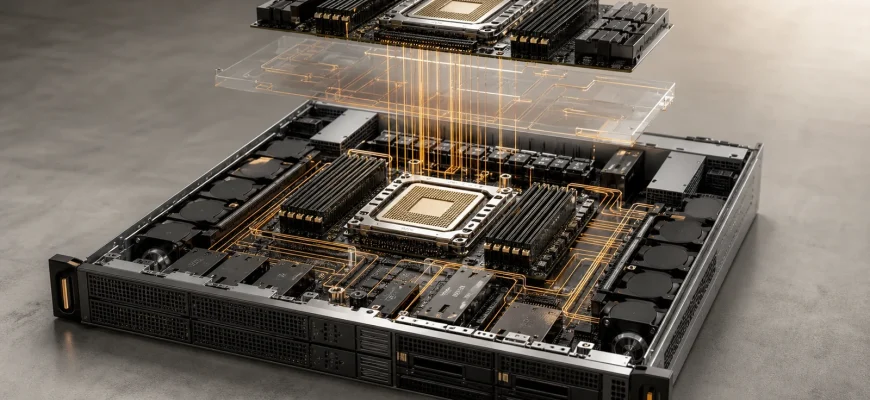
A dual-socket server is not automatically twice as fast as a single-socket system. The second processor adds compute, memory channels and platform capacity, but it can also increase licensing costs, power consumption and NUMA complexity.
For many modern workloads, a well-configured single-socket server is the stronger purchase. A dual-socket configuration becomes justified when one processor cannot meet a measured requirement for cores, memory, bandwidth, expansion or per-server density.
⚡ Quick verdict: Start with a single-socket configuration. Move to dual socket only when workload measurements or platform limits prove that one processor is insufficient.
- 🎯 The Decision at a Glance
- 🧩 What Socket Count Actually Changes
- One CPU in a dual-socket chassis
- ⚙️ Criterion 1: CPU Performance
- 🧠 Criterion 2: Memory Capacity and Bandwidth
- Capacity is not bandwidth
- 🔀 Criterion 3: NUMA and Application Behavior
- 🔌 Criterion 4: PCIe, Storage and Accelerators
- 💳 Criterion 5: Software Licensing
- Licensing worksheet
- ⚡ Criterion 6: Power, Cooling and Density
- 🛡️ Two Processors Do Not Provide High Availability
- 💰 Five-Year TCO Comparison
- 🧭 Recommendations by Workload
- General business applications
- Moderate virtualization
- Large virtualization estate
- Large database
- GPU or accelerator server
- Scale-out web tier
- ✅ Procurement Checklist
- ❌ Buying Mistakes to Avoid
🎯 The Decision at a Glance
| Decision factor | Single-socket server | Dual-socket server |
|---|---|---|
| Best fit | Right-sized business workloads and scale-out services | Large consolidated or vertically scaled workloads |
| CPU capacity | Limited to one processor | Combines resources from two processors |
| Memory capacity | Lower platform ceiling | More channels, DIMM slots and potential capacity |
| Memory topology | Simpler and easier to predict | NUMA-aware placement becomes important |
| Software licensing | May reduce licensed sockets or cores | Can substantially increase license costs |
| Power and cooling | Usually lower for a right-sized workload | Higher, but with greater potential capacity per chassis |
| Operational complexity | Lower | Higher |
🧩 What Socket Count Actually Changes
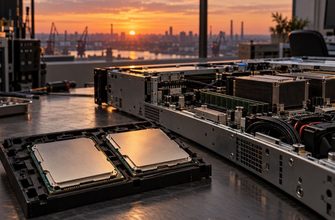
A CPU socket is the physical and electrical interface between a server processor and the motherboard. A purpose-built single-socket server accepts one processor. A dual-socket platform connects two processors through a coherent interconnect.
Adding a second processor may expand several resources simultaneously:
- Physical CPU cores and threads
- Aggregate cache capacity
- Memory channels and DIMM slots
- Maximum supported RAM
- Aggregate memory bandwidth
- PCIe and accelerator connectivity
These resources do not always behave as one uniform pool. Memory modules, PCIe slots, storage controllers and accelerators may be physically connected to a particular processor.
💡 Buying insight: Compare complete server configurations, not socket counts in isolation. Motherboard topology, memory population, PCIe routing, cooling and software licensing can matter more than the number of installed CPUs.
One CPU in a dual-socket chassis
A dual-socket-capable server populated with one processor is not necessarily equivalent to a purpose-built single-socket platform.
Memory slots, PCIe slots or storage controllers connected to the empty socket may remain unavailable. The chassis may also carry the cost and complexity of a larger motherboard without providing its full capacity.
If the plan is to install one processor now and add another later, confirm:
- Which memory and expansion slots work with one CPU
- Whether the second processor must match the first
- Which heatsink, fan or power-supply upgrades are required
- Whether the server must be taken offline for installation
- How long the matching processor will remain available
⚙️ Criterion 1: CPU Performance
The strongest reason to buy a dual-socket server is a workload that needs more aggregate compute than one processor can provide. Typical candidates include dense virtualization, large databases, rendering, engineering simulation and highly parallel computing.
Two processors do not guarantee twice the application performance. Scaling depends on workload parallelism, memory access, storage latency, software locks and inter-socket communication.
| CPU metric | Why it matters | Common mistake |
|---|---|---|
| Total physical cores | Determines aggregate parallel capacity | Assuming every application uses all cores efficiently |
| Per-core performance | Important for serial and lightly threaded workloads | Choosing more slow cores for a latency-sensitive application |
| Sustained frequency | Reflects performance under continuous load | Comparing only maximum boost frequency |
| Cache capacity | Can reduce requests to main memory | Ignoring the application’s actual cache behavior |
| Processor power | Affects sustained performance and cooling | Ignoring chassis and facility power limits |
Use representative application benchmarks or a proof of concept. Synthetic CPU scores are useful for screening candidates, but they should not be the only basis for a purchasing decision.
🧠 Criterion 2: Memory Capacity and Bandwidth
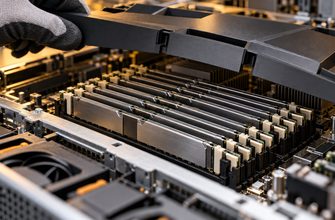
Memory is often the real reason to choose two sockets. Each processor contributes memory controllers and channels. Adding a second CPU can increase the number of usable DIMM slots, total memory capacity and aggregate bandwidth.
A dual-socket configuration deserves evaluation when one processor cannot support the required working set for:
- Large in-memory databases
- High-density virtualization
- Memory-intensive analytics
- Electronic design automation
- Scientific modelling
- Large storage caches or metadata sets
Capacity is not bandwidth
A server may contain enough RAM while leaving memory channels unused. Such a configuration satisfies the capacity requirement but may restrict available bandwidth.
Ask the vendor for a memory population diagram showing:
- How many memory channels are populated
- How many DIMMs are installed per channel
- The resulting memory speed
- The maximum future capacity
- Which modules must be replaced during expansion
⚠️ Procurement warning: A low-cost quote with a few oversized DIMMs can create an unbalanced system. Compare memory-channel utilization, not only total capacity.
🔀 Criterion 3: NUMA and Application Behavior
Dual-socket servers use non-uniform memory access, commonly called NUMA. A processor accesses memory attached to its own socket directly. Accessing memory connected to the other processor requires traffic to cross the inter-socket link.
Modern operating systems and hypervisors understand NUMA, but applications and virtual machines still need appropriate placement.
| Workload pattern | Likely socket fit | Reason |
|---|---|---|
| Small independent services | Single socket | Simple topology and sufficient capacity |
| Many moderate virtual machines | Either | Depends on VM density, RAM and licensing |
| One large memory-intensive process | Testing required | Remote memory access may affect performance |
| Latency-sensitive application | Single socket preferred | Fewer topology variables |
| NUMA-aware parallel software | Dual socket viable | Can distribute work and memory effectively |
Do not treat operating-system NUMA support as proof that an application will scale. Validate the intended software version, dataset size and concurrency level.
🔌 Criterion 4: PCIe, Storage and Accelerators
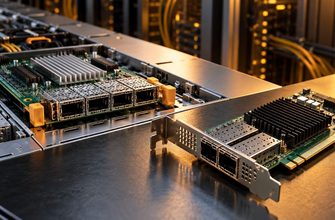
PCIe connectivity supports NVMe storage, high-speed network adapters, GPUs, DPUs and other accelerators. A second processor may increase total platform connectivity, but the result depends on the motherboard and lane routing.
Record the following for every quoted chassis:
- Usable PCIe slots with one and two processors
- Lane width and PCIe generation for each slot
- Which processor owns each slot
- Available NVMe bays and their connection topology
- GPU power and cooling limits
- Physical clearance for expansion cards
An accelerator attached to one socket may perform best when the controlling process and its memory remain on the same NUMA node. Poor placement can create unnecessary inter-socket traffic.
💳 Criterion 5: Software Licensing
Licensing can reverse an apparently obvious hardware decision. Operating systems, databases, hypervisors and enterprise applications may charge by server, processor, socket, physical core, virtual machine or capacity.
A less expensive dual-socket server can therefore produce a much higher total cost if it introduces additional licensed cores.
Licensing worksheet
- List every licensed product that will run on the server.
- Identify the licensing unit for each product.
- Check minimum processor and core requirements.
- Calculate the cost for the complete hardware configuration.
- Include subscriptions, support and renewals.
- Confirm the calculation with the software vendor.
⚠️ Common mistake: Unused cores are not necessarily free from licensing. Low CPU utilization may not reduce the number of licenses required.
⚡ Criterion 6: Power, Cooling and Density
A second processor increases power demand and may require additional memory, stronger cooling and higher-capacity power supplies. Actual consumption depends on the selected CPUs, workload, firmware policy and installed components.
| TCO input | What to record |
|---|---|
| Server power | Expected idle, normal and peak consumption |
| Cooling | Facility overhead and available cooling per rack |
| Power supplies | Efficiency at the expected operating load |
| Rack density | Power, weight, cabling and cooling limits |
| Service life | Electricity cost over the ownership period |
Dual-socket systems can improve performance density when rack space is the limiting resource. Single-socket servers may provide better efficiency when the workload fits comfortably within one processor.
🛡️ Two Processors Do Not Provide High Availability
Installing two processors in one chassis does not create server redundancy. A motherboard, firmware, power-distribution or operating-system failure can still stop the complete machine.
A better purchasing comparison may be:
- One large dual-socket server
- Two smaller single-socket servers
- Several scale-out nodes with application-level redundancy
Two single-socket nodes may provide smaller failure domains, staged maintenance and workload replication. Include switches, storage, software, support and spare capacity in the comparison.
💰 Five-Year TCO Comparison
| Cost category | Single socket | Dual socket |
|---|---|---|
| Initial purchase | Usually lower | Higher CPU and component cost |
| Software licensing | Potentially fewer licensed cores | May increase substantially |
| Power and cooling | Usually lower | Usually higher |
| Rack space | More nodes may be required | More capacity per chassis |
| Administration | Simpler topology | More NUMA and placement considerations |
| Growth ceiling | Limited to one processor | Higher vertical scaling potential |
🧭 Recommendations by Workload
General business applications
Recommended starting point: single socket. File services, identity services, internal applications and moderate databases often fit within a modern one-socket platform.
Moderate virtualization
Recommended starting point: single socket. Compare VM count, peak CPU use, memory reservations and software licensing. Several single-socket hosts may provide a cleaner cluster design.
Large virtualization estate
Evaluate dual socket. Two processors may be justified when memory capacity, bandwidth or VM density exceeds the practical limit of one socket.
Large database
Benchmark both configurations. Additional memory and bandwidth may help, but database licensing and NUMA behavior can dominate the purchasing decision.
GPU or accelerator server
Choose by topology. Verify PCIe lane allocation, GPU-to-CPU attachment, cooling and power. Socket count alone does not determine accelerator performance.
Scale-out web tier
Single socket is usually preferable. Horizontally scalable services often benefit from more independent nodes rather than maximum capacity in each chassis.
✅ Procurement Checklist
- Measured peak and sustained CPU utilization
- Required core count and per-core performance
- Current and projected memory capacity
- Required memory bandwidth
- DIMM population and future expansion path
- NUMA behavior of the intended software
- PCIe slots, NVMe bays and accelerator topology
- Software licensing for the complete configuration
- Expected power and cooling requirements
- Three- to five-year support costs
- Failure-domain and redundancy requirements
- Representative benchmark results
❌ Buying Mistakes to Avoid
- Assuming two sockets double performance. Scaling depends on the application and memory topology.
- Buying an empty second socket without an upgrade plan. Expansion may require a matching CPU, heatsink, memory and downtime.
- Ignoring software licensing. License costs can exceed the hardware savings.
- Populating memory only for capacity. Unused channels may restrict bandwidth.
- Confusing two processors with redundancy. Both CPUs remain inside one failure domain.
- Comparing processors instead of complete servers. Chassis topology, firmware, networking and storage affect the result.
🏁 Final recommendation: Buy a single-socket server when one processor meets the measured compute, memory and I/O requirements with defensible headroom. Buy dual socket only when a documented capacity or density limit justifies the additional hardware, licensing, power and operational complexity.