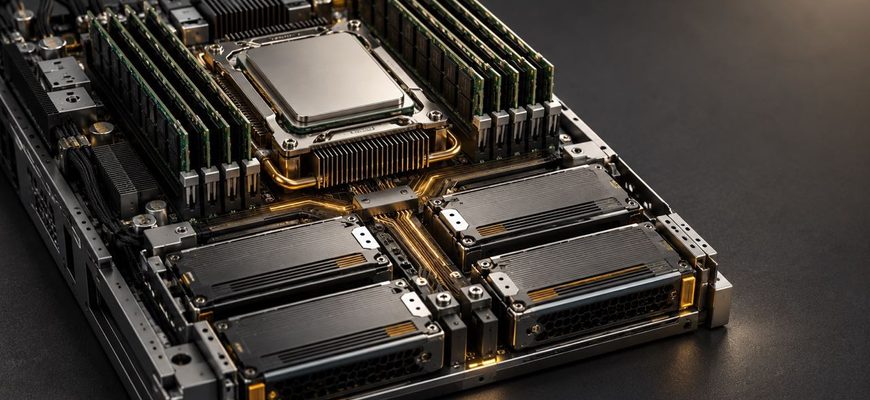
A database server should be selected around response-time targets, working-set size, write volume, growth, and recovery requirements—not around the largest CPU or drive specification in a catalog. For many transactional databases, the best starting point is a modern single-socket server with strong per-core performance, enough ECC memory to cache active data, enterprise NVMe SSDs with power-loss protection, and mirrored storage.
The correct configuration changes when the workload is dominated by large scans, heavy writes, many concurrent connections, or strict availability requirements. This guide explains how to translate those differences into CPU, RAM, storage, RAID, network, and redundancy decisions.
Short answer: For a typical production PostgreSQL or MySQL database, start with 8–16 modern CPU cores, 64–128 GB of ECC RAM, two enterprise NVMe SSDs in RAID 1, dual network interfaces, and redundant power supplies. Treat this as a baseline for measurement, not a universal prescription.
- Database Server Requirements at a Glance
- Start With the Workload, Not the Hardware
- How to Choose a CPU for a Database Server
- Prioritize per-core performance when:
- Prioritize more cores when:
- Single socket or dual socket?
- Practical CPU starting points
- How Much RAM Does a Database Server Need?
- A practical memory-sizing method
- Typical RAM ranges
- Why Enterprise NVMe Usually Makes Sense
- Check these SSD characteristics
- Which RAID Level Is Best for a Database Server?
- Hardware RAID or software RAID?
- Should Data, Logs, and Temporary Files Use Separate Drives?
- Network Requirements
- Reliability and Availability Requirements
- Three Practical Database Server Configurations
- 1. Small production database
- 2. Medium transactional database
- 3. Analytics or mixed-workload server
- Common Database Server Buying Mistakes
- Database Server Procurement Checklist
- Final Recommendation
- Frequently Asked Questions
- How many CPU cores does a database server need?
- Is 64 GB of RAM enough for a database server?
- Is NVMe better than SATA SSD for databases?
- Is RAID 1 or RAID 10 better for a database?
- Should a database server use hardware RAID?
- Does a database server need a GPU?
- Can RAID replace database replication?
- Technical References
Database Server Requirements at a Glance
| Workload | CPU priority | Memory priority | Storage priority | Common starting point |
|---|---|---|---|---|
| Small business application | Strong per-core speed | Fit active tables and indexes | Low latency and safe writes | 4–8 cores, 32–64 GB, 2 × NVMe RAID 1 |
| Transactional database (OLTP) | Per-core speed plus moderate core count | Large buffer cache | Latency, IOPS, endurance | 8–24 cores, 64–256 GB, enterprise NVMe mirrors |
| Read-heavy database | Enough cores for concurrency | High; cache is valuable | Read latency and capacity | 8–24 cores, 128–512 GB, NVMe RAID 1 or RAID 10 |
| Write-heavy database | Strong per-core speed | Enough for cache and write buffering | Write latency, endurance, power-loss protection | 12–32 cores, 128–512 GB, NVMe RAID 10 |
| Analytics or data warehouse | More cores and memory bandwidth | Very high | Sequential throughput and capacity | 24–64+ cores, 256 GB–1 TB+, striped or distributed storage |
| High-availability primary | Based on measured peak load | Headroom for failover conditions | Consistent latency and safe persistence | Redundant local hardware plus a separate replica |
These ranges describe reasonable procurement starting points, not benchmark guarantees. Schema design, indexes, query efficiency, database settings, operating system, and traffic shape can change hardware demand by multiples.
Start With the Workload, Not the Hardware
Before comparing servers, collect a workload profile. Average utilization alone is not sufficient because database users notice latency during peaks, checkpoints, reporting jobs, backups, and failover events.
- Database size: Current data, indexes, temporary files, logs, and expected growth.
- Active working set: The portion of data and indexes repeatedly accessed during normal operation.
- Read/write mix: Reads and writes per second, including peak periods rather than daily averages.
- Query shape: Short indexed lookups, joins, sorts, aggregations, full-table scans, or a mixture.
- Concurrency: Active queries and transactions, not merely configured application connections.
- Latency target: Acceptable median and tail response time, such as the 95th or 99th percentile.
- Durability: Whether committed transactions must survive a power or server failure.
- Recovery objectives: Maximum acceptable data loss (RPO) and recovery time (RTO).
If an existing system is available, record CPU saturation, memory pressure, cache hit rates, storage latency, queue depth, IOPS, throughput, network traffic, query latency, and database wait events during representative peaks. A controlled benchmark using a production-like dataset is more useful than comparing vendor peak specifications.
How to Choose a CPU for a Database Server
Database performance depends on both per-core speed and total parallel capacity. Short transactional queries often benefit from fast individual cores because a single query may not use many cores at once. Analytical scans, parallel queries, compression, maintenance jobs, and high concurrency can use a larger number of cores.
Prioritize per-core performance when:
- The application runs many short, latency-sensitive transactions.
- Important queries have limited parallelism.
- Lock contention or a serial stage limits scaling.
- Database licensing is priced per core.
Prioritize more cores when:
- Many queries must run concurrently.
- The workload includes parallel scans, joins, and aggregations.
- Compression, encryption, replication, and backups consume meaningful CPU time.
- Several database instances share the same server.
Do not compare processors by clock frequency alone. Architecture, cache, memory subsystem, boost behavior, thermal limits, and software licensing all affect the result. Compare complete platforms using the intended database engine and a dataset large enough to represent production.
Single socket or dual socket?
A modern single-socket platform is often the simplest database choice. It can provide many cores, substantial memory capacity, and abundant PCIe lanes without cross-socket memory access. A dual-socket server becomes reasonable when one socket cannot provide the required core count, memory capacity, memory bandwidth, or I/O expansion.
Dual-socket systems introduce non-uniform memory access (NUMA): a processor can access its local memory faster than memory attached to the other socket. Database and operating-system configuration therefore matter more. Do not buy two sockets merely because the chassis supports them. See our single-socket vs dual-socket server comparison and Intel Xeon vs AMD EPYC guide for the broader platform trade-offs.
Practical CPU starting points
- Small production database: 4–8 modern cores.
- Typical business OLTP: 8–24 cores with strong per-core performance.
- High-concurrency OLTP: 16–48 cores, validated with production-like tests.
- Analytics: 24–64 or more cores when the engine and queries parallelize effectively.
Leave operational headroom. A server that reaches sustained CPU saturation during ordinary peaks has little capacity for replication, backups, vacuuming, index maintenance, failover traffic, or unexpected query plans.
How Much RAM Does a Database Server Need?
RAM is frequently the most cost-effective database upgrade because cached pages can be served without waiting for storage. The goal is not necessarily to hold the entire database in memory. It is to hold the active working set, important indexes, database caches, operating-system cache, connection overhead, and query work areas without swapping.
A practical memory-sizing method
- Measure the active data and index working set during peak periods.
- Add memory required by the database engine and operating system.
- Estimate memory used by active queries, sorts, hashes, and maintenance operations.
- Account for connection overhead or use a connection pool.
- Add headroom for growth and workload spikes.
A useful procurement expression is:
Required RAM ≈ active working set + peak query memory + engine/OS overhead + growth headroom
This is more reliable than assigning a fixed amount of memory per CPU core. Per-query memory limits are particularly important: a setting that appears small can be allocated by multiple operations across many simultaneous queries.
Typical RAM ranges
| Environment | Reasonable starting range | Main sizing factor |
|---|---|---|
| Development or light internal use | 16–32 GB | Dataset and number of services sharing the host |
| Small production application | 32–64 GB | Active indexes and peak concurrency |
| Medium transactional system | 64–256 GB | Working set and query memory |
| Large OLTP or consolidated instances | 256 GB–1 TB+ | Working set, instance count, and failover headroom |
| Analytics or data warehouse | 256 GB–2 TB+ | Concurrent scans, joins, sorts, and aggregation |
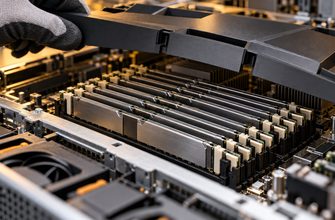
Use server-grade ECC memory. Correctable memory errors should not silently become damaged database pages or indexes. RDIMMs are normally the appropriate choice when the platform requires high capacity and many populated memory channels; our ECC UDIMM vs RDIMM comparison explains the compatibility and capacity differences.
Populate memory channels according to the server manufacturer’s rules. A large capacity installed in an unbalanced layout can leave memory bandwidth unused. Avoid swap as a capacity plan: occasional operating-system paging is one thing, but a database actively swapping under peak load usually suffers severe and unpredictable latency.
Why Enterprise NVMe Usually Makes Sense
Database storage must deliver consistent latency, not just a large headline throughput figure. Transaction logs, random page reads, temporary files, checkpoints, and background writes create different I/O patterns. A drive that looks fast in a short benchmark can slow sharply after its cache is exhausted or as it fills.
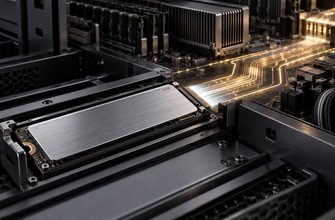
Enterprise NVMe SSDs are generally the strongest choice for latency-sensitive production databases because they communicate over PCIe using the NVMe protocol and can support substantial parallel I/O. However, interface type alone does not establish database suitability.
Check these SSD characteristics
- Power-loss protection: In-flight writes should be safely committed to non-volatile media after power loss.
- Endurance: Compare drive writes per day (DWPD) or total bytes written (TBW) against expected write volume over the service life.
- Steady-state latency: Examine sustained and tail latency after the drive has been filled and conditioned.
- Write performance: Read-intensive, mixed-use, and write-intensive models behave differently.
- Capacity at utilization: Performance and wear behavior can change as an SSD approaches full capacity.
- Firmware and management: Prefer models supported by the server vendor and monitor health, temperature, media errors, and remaining life.
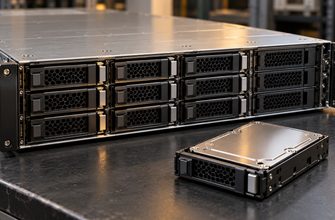
- Hot-swap design: U.2, U.3, and EDSFF bays are often easier to service than internal M.2 devices.
Consumer SSDs may omit power-loss protection, provide lower endurance, and show less predictable sustained performance. They can be acceptable for development, disposable replicas, or low-risk workloads, but acquisition price alone should not determine production storage.
SATA SSDs remain viable when capacity and cost matter more than very low latency or high parallel performance. Hard drives are generally better suited to backups, archives, and cold data than to the primary storage of a latency-sensitive transactional database. For interface trade-offs, see NVMe vs SATA SSD for servers.
Which RAID Level Is Best for a Database Server?
RAID protects service continuity after certain drive failures; it does not replace backups, replication, or point-in-time recovery. The best RAID level depends on write intensity, usable-capacity target, rebuild risk, and the number of drives.
| Layout | Usable capacity | Strengths | Limitations | Database fit |
|---|---|---|---|---|
| RAID 1 | 50% of two equal drives | Simple, predictable, easy to rebuild | Limited capacity and write scaling | Strong default for small and medium databases |
| RAID 10 | About 50% | Good random I/O, no parity write penalty, faster rebuilds than large parity sets | Requires at least four drives and sacrifices half of raw capacity | Preferred for write-heavy or larger transactional workloads |
| RAID 5 | One drive’s capacity used for parity | Capacity-efficient | Parity overhead, degraded-write penalty, and demanding rebuilds | Usually a poor default for write-intensive primary databases |
| RAID 6 | Two drives’ capacity used for parity | Survives two drive failures | Higher write overhead and rebuild complexity | Better for capacity-oriented or read-heavy storage than latency-critical OLTP |
| No local RAID | All individual capacity | No RAID overhead; software can place replicas explicitly | A drive failure affects its local data copy | Valid for distributed databases designed around node-level replication |
RAID 1 is the practical default for a two-drive database server. RAID 10 is usually the safer performance choice when more drives are required. Parity RAID can make sense for read-heavy or capacity-focused data, but its failure and write behavior must be tested against the application’s latency target.
For a deeper comparison, read RAID 1 vs RAID 5 vs RAID 10.
Hardware RAID or software RAID?
A hardware RAID controller can provide mature management, boot integration, hot-swap workflows, and protected write-back cache when correctly configured with a healthy cache-protection mechanism. It also adds controller cost and creates a component that must be considered during recovery.
Software RAID provides transparency and avoids dependence on a proprietary controller. Modern CPUs can handle RAID calculations efficiently, but operating-system support, boot design, monitoring, and failure procedures must be planned. Some database and distributed-storage designs prefer direct access to individual drives rather than RAID abstraction.
The controller choice should follow the operating model and database architecture, not a blanket rule. See hardware RAID vs software RAID for the full decision framework.
Should Data, Logs, and Temporary Files Use Separate Drives?
Separating database files can improve predictability when components compete for I/O or require different endurance characteristics. Transaction logs benefit from low, consistent write latency. Temporary files may generate bursty, disposable I/O. Backups create large sequential reads and writes.
Physical separation is most useful when monitoring shows contention or when isolation is operationally important. Creating multiple logical volumes on the same physical drives does not create additional I/O capacity. With sufficiently fast NVMe storage, a simple mirrored pool may outperform a more complicated layout while being easier to operate.
For demanding installations, a possible arrangement is:
- Mirrored enterprise NVMe drives for the operating system and database binaries.
- A separate NVMe mirror or RAID 10 set for primary data.
- A low-latency, high-endurance NVMe mirror for transaction logs when measurements justify it.
- Separate capacity storage or a remote system for backups.
Do not store the only backup on the same server or RAID set as the database.
Network Requirements
A standalone application database may not saturate a 10GbE link, but network design affects replication, backup windows, failover, and storage access. Low latency and predictable paths can matter more than headline bandwidth.
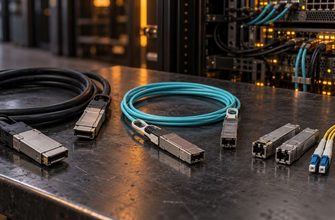
- 1GbE: Acceptable for small databases with modest client and backup traffic.
- 10GbE: A sensible production baseline for database, replication, and backup traffic.
- 25GbE: Valuable for fast replicas, large backup streams, storage traffic, analytics, or consolidated servers.
- 40/100GbE and faster: Usually justified by distributed systems, high-throughput analytics, or shared NVMe storage.
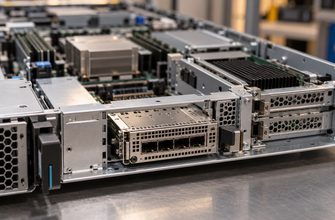
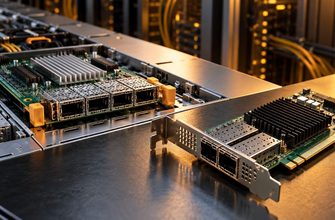
Use redundant interfaces and switches where availability requires them. Consider separating client, replication, backup, management, and storage traffic logically or physically. The choice between 10GbE and 25GbE is covered in our 10GbE vs 25GbE server guide.
Reliability and Availability Requirements
A reliable server is not the same as a highly available database. ECC memory, RAID, hot-swap drives, redundant fans, and redundant power supplies reduce the impact of component failures. They do not protect against operating-system failure, database corruption, operator error, ransomware, or the loss of the entire server or location.
A production design should consider:
- ECC memory with platform-level error reporting.
- Enterprise drives with power-loss protection and endurance appropriate to the workload.
- Hot-swap storage and documented replacement procedures.
- Redundant power supplies connected to independent power paths where available.
- A separate database replica for failover.
- Backups that support the required recovery point, including transaction-log archiving where appropriate.
- Off-server and off-site or logically isolated backup copies.
- Regular restore and failover tests.
If downtime is expensive, buying one extremely reliable server is not enough. The architecture needs another failure domain. Our redundant vs single power supply guide explains when dual PSUs materially improve availability.
Three Practical Database Server Configurations
1. Small production database
- One modern server CPU with 4–8 high-performance cores.
- 32–64 GB ECC memory.
- 2 × enterprise NVMe SSDs with power-loss protection in RAID 1.
- 1/10GbE networking, depending on backup and replication needs.
- Redundant power supplies if downtime matters.
- A separate backup destination.
This is appropriate for many internal business applications, smaller ecommerce systems, and lightly to moderately loaded PostgreSQL or MySQL databases. Validate capacity and latency with the real dataset.
2. Medium transactional database
- One modern server CPU with 12–24 strong cores.
- 128–256 GB ECC RDIMM memory, installed across the recommended channels.
- 4 × mixed-use or write-intensive enterprise NVMe SSDs in RAID 10.
- Dual 10GbE or 25GbE interfaces.
- Hot-swap drives and redundant power supplies.
- A separately hosted replica plus point-in-time-capable backups.
This configuration favors predictable transaction latency and operational headroom. Add capacity only after checking whether CPU, cache misses, storage latency, locks, or inefficient queries are the actual constraint.
3. Analytics or mixed-workload server
- 24–64 or more cores, selected for parallel performance and licensing economics.
- 256 GB–1 TB or more ECC memory.
- Multiple enterprise NVMe drives sized for throughput, endurance, and temporary data.
- 25GbE or faster networking when data movement justifies it.
- Separate workload scheduling or replicas so reporting does not disrupt transactional traffic.
For mixed OLTP and analytics, separating workloads onto replicas or dedicated systems often produces more predictable results than continuously enlarging one server.
Common Database Server Buying Mistakes
- Buying maximum core count with weak per-core performance: More cores do not accelerate every query.
- Sizing from average utilization: Peaks and tail latency determine the user experience.
- Using consumer SSD specifications: Short burst benchmarks do not represent sustained database writes.
- Ignoring power-loss protection: Fast storage must also preserve acknowledged writes correctly.
- Using RAID as a backup: RAID does not recover deleted rows, corrupted data, or a lost server.
- Overcommitting memory: Per-query allocations multiplied by concurrency can exceed expectations.
- Choosing dual socket by default: NUMA complexity is unnecessary when one socket meets the requirements.
- Ignoring software licensing: Per-core database licenses can exceed the hardware cost.
- Skipping restore tests: A successful backup job does not prove that recovery will meet the RTO.
- Leaving no growth headroom: Capacity should cover forecast growth without running SSDs nearly full or saturating CPU during routine peaks.
Database Server Procurement Checklist
- Document the engine, version, database size, active working set, and annual growth.
- Capture peak queries per second, active sessions, read/write mix, and tail latency.
- Choose per-core performance and core count from representative benchmarks.
- Size ECC RAM for the working set, peak query memory, overhead, and growth.
- Specify enterprise NVMe endurance, power-loss protection, and hot-swap requirements.
- Select RAID 1, RAID 10, or application-level replication based on workload behavior.
- Verify the number of usable PCIe lanes and NVMe bays in the intended configuration.
- Size network links for clients, replication, and the required backup window.
- Define RPO and RTO before choosing redundancy and backup architecture.
- Confirm firmware support, remote management, warranty, and spare-part availability.
- Include database licensing, support, energy, rack space, and administration in TCO.
- Benchmark the complete system with realistic data and concurrency before final rollout.
Final Recommendation
For most transactional databases, choose a balanced single-socket server rather than maximizing one specification. Favor strong per-core CPU performance, enough ECC RAM for the active working set, enterprise NVMe SSDs with power-loss protection, and RAID 1 or RAID 10. Add network, power, replica, and backup redundancy according to the cost of downtime and data loss.
Move to dual-socket hardware, very large memory, parity arrays, or complex storage separation only when measurements demonstrate a need. The best database server is the least complicated configuration that meets peak latency, capacity, durability, and recovery targets with reasonable growth headroom.
For the broader selection process, see How to Choose a Server by Workload.
Frequently Asked Questions
How many CPU cores does a database server need?
A small production database may run well on 4–8 modern cores, while a typical transactional system may start around 8–24. High-concurrency and analytical workloads can require substantially more. Choose from measured concurrency and representative benchmarks because many individual queries do not scale across unlimited cores.
Is 64 GB of RAM enough for a database server?
It can be enough for a small or medium database when the active working set and peak query memory fit comfortably. Total database size alone does not answer the question. Measure frequently accessed data and indexes, concurrent query memory, engine overhead, and growth.
Is NVMe better than SATA SSD for databases?
NVMe normally provides lower latency and greater parallel I/O capability, making it preferable for demanding databases. A suitable enterprise SATA SSD can still serve moderate workloads. Endurance, power-loss protection, and steady-state latency matter as much as the interface.
Is RAID 1 or RAID 10 better for a database?
RAID 1 is a strong, simple choice for a two-drive server. RAID 10 is generally better when a database needs more capacity or random I/O performance across four or more drives. Neither replaces replication or backups.
Should a database server use hardware RAID?
Not always. Hardware RAID can simplify hot-swap management and provide protected write-back cache, while software RAID offers transparency and avoids proprietary controller dependence. Distributed databases may prefer direct access to individual drives. Choose according to the operating system, recovery process, and database architecture.
Does a database server need a GPU?
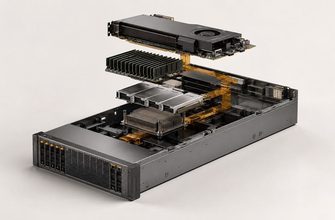
Most conventional transactional databases do not benefit from a GPU. A GPU may help specialized analytical engines, vector processing, or machine-learning operations designed to use it, but it should not be included without software support and a measured workload benefit.
Can RAID replace database replication?
No. RAID can keep one server operating after certain drive failures. Replication can protect against server-level failure and support failover, while backups and transaction-log archives protect against deletion, corruption, and recovery to an earlier point in time.